Hi Bricks team,
I am experiencing a reproducible issue with Bricks Query Filters, WPML, WooCommerce, and ACF taxonomies.
The filters work in only one language at a time:
-
I regenerate or repair the Bricks filter index.
-
The filters work in English, but not in German.
-
I update the German translation through WPML ATE or resave the filters.
-
German starts working, but the English filter options disappear or show a count of zero.
-
Regenerating the index fixes English again, but German stops affecting the query loop.
In the affected language, the filters may still be displayed and selectable, but clicking them does not change the query results.
Another unusual observation: duplicating any filter temporarily makes all filters work in the current language. Deleting the duplicate breaks them again. Keeping a hidden duplicate is not a reliable workaround because the other language then stops working.
I have already:
-
Regenerated the filter index several times
-
Completed all pending index jobs
-
Used “Fix corrupted database”
-
Removed and recreated all index jobs
-
Corrected WPML taxonomy term counts
-
Cleared the WPML, CDN, and browser caches
-
Disabled the performance/cache plugin
-
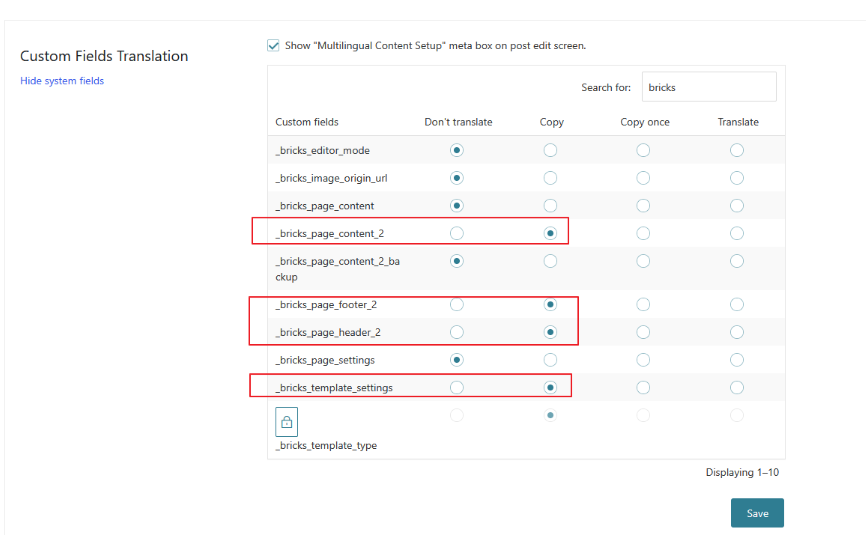
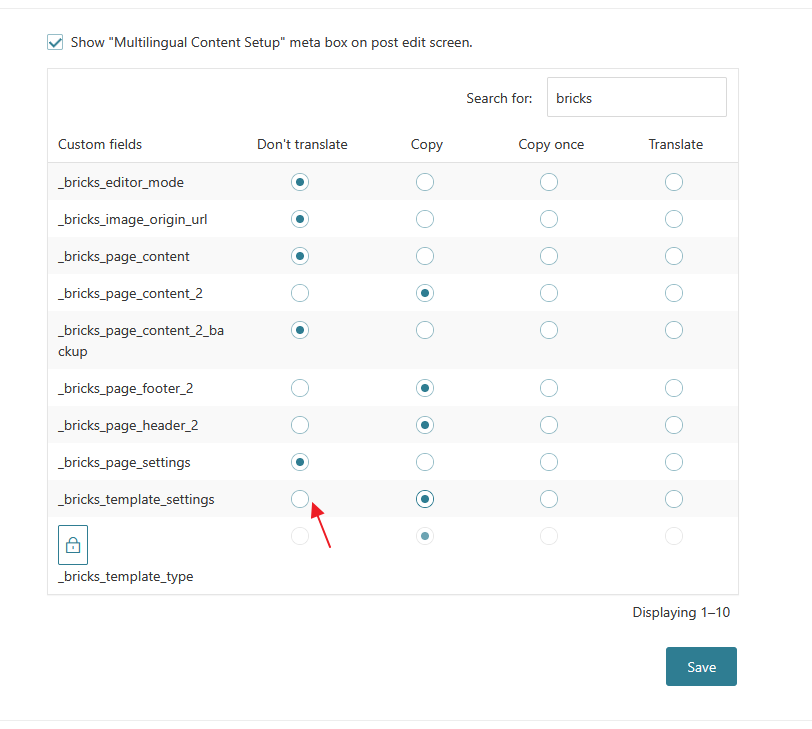
Checked the WPML translation settings for Bricks custom fields
None of these steps allows both languages to work simultaneously.
I found several similar reports, some dating back one to two years:
This appears to be a recurring problem rather than an isolated configuration issue. It currently blocks the launch of a multilingual WooCommerce website.
Could you please prioritize the issue and confirm whether the filter index is being overwritten or incorrectly scoped when switching or updating languages?
Additional reproducible test:
-
I completely deleted the German translation of the Shop page.
-
I regenerated the Bricks filter index and waited until all indexing jobs were completed.
-
With only the English Shop page present, all filters worked correctly.
-
I created a new German translation using the WPML plus icon.
-
I completed the translation through WPML Advanced Translation Editor and set it to 100%.
-
I did not edit, duplicate, resave, or reindex any Bricks filter afterward.
Result:
The English Shop page continues to work, but the filters on the newly created German Shop page do not work.
The filters are displayed and can be selected, but they do not affect the product query loop.
This provides a consistent reproduction: the default-language filters work correctly, but a newly created WPML translation does not receive a functional Bricks filter index or a working connection between the translated filters and their target query loop.
edit:/
Additional finding: Setting _bricks_page_settings to “Copy”, as suggested in a related WPML/Bricks thread, caused the translated homepage content to disappear completely. Changing _bricks_page_settings back to “Don’t translate” immediately restored the translated homepage. Therefore, the suggested custom-field configuration is not a valid general workaround and can break translated Bricks pages.