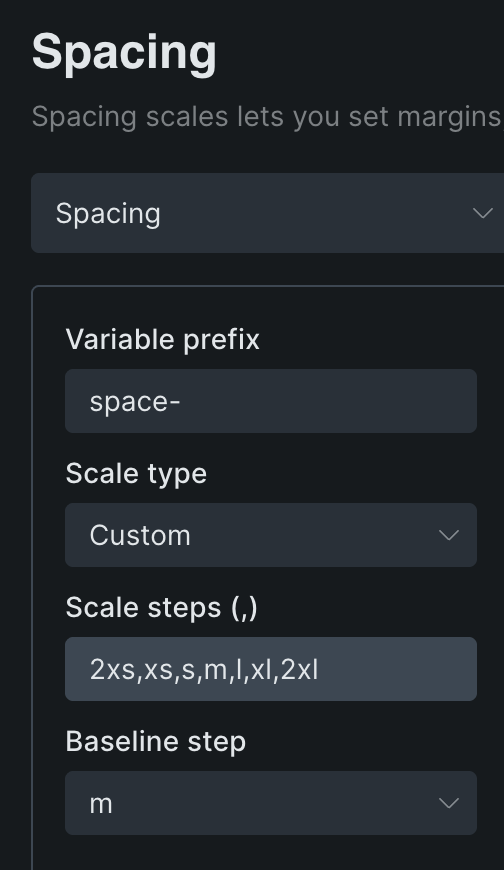
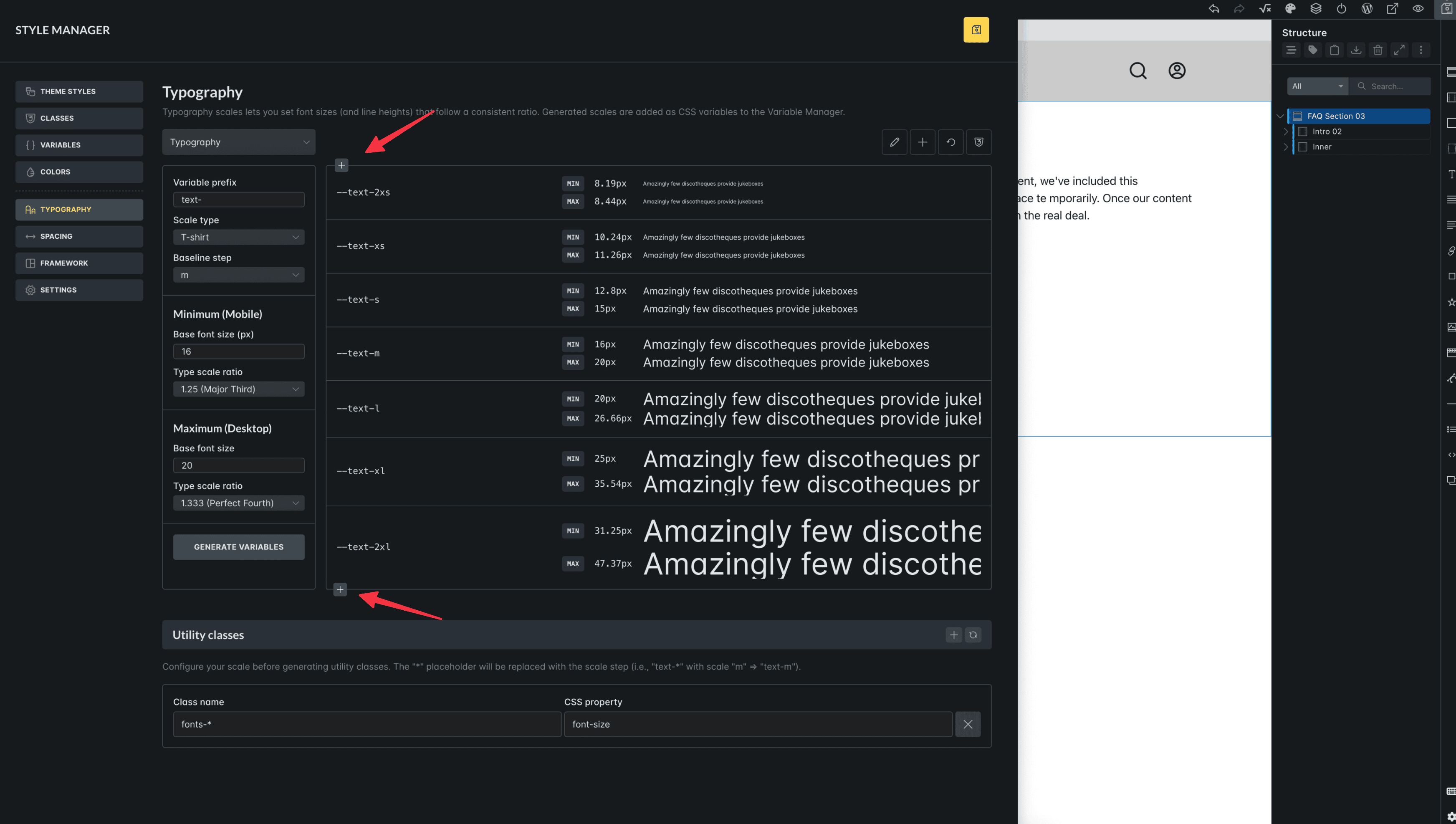
When I create a scale for typography or spacing, there are 7 defined values, from 2xs to 2xl. Shouldn’t there be an option to add more values up and down? The lack of this limits the scaling possibilities, as is the case in many systems.
Just add a plus icon at the top and bottom, which will add new rows and generate new values. Both negative and positive, as you can see in the image below:
Maybe it’s not so much a bug as an improvement… but
Possibility to change the step value within the minimum and maximum scale
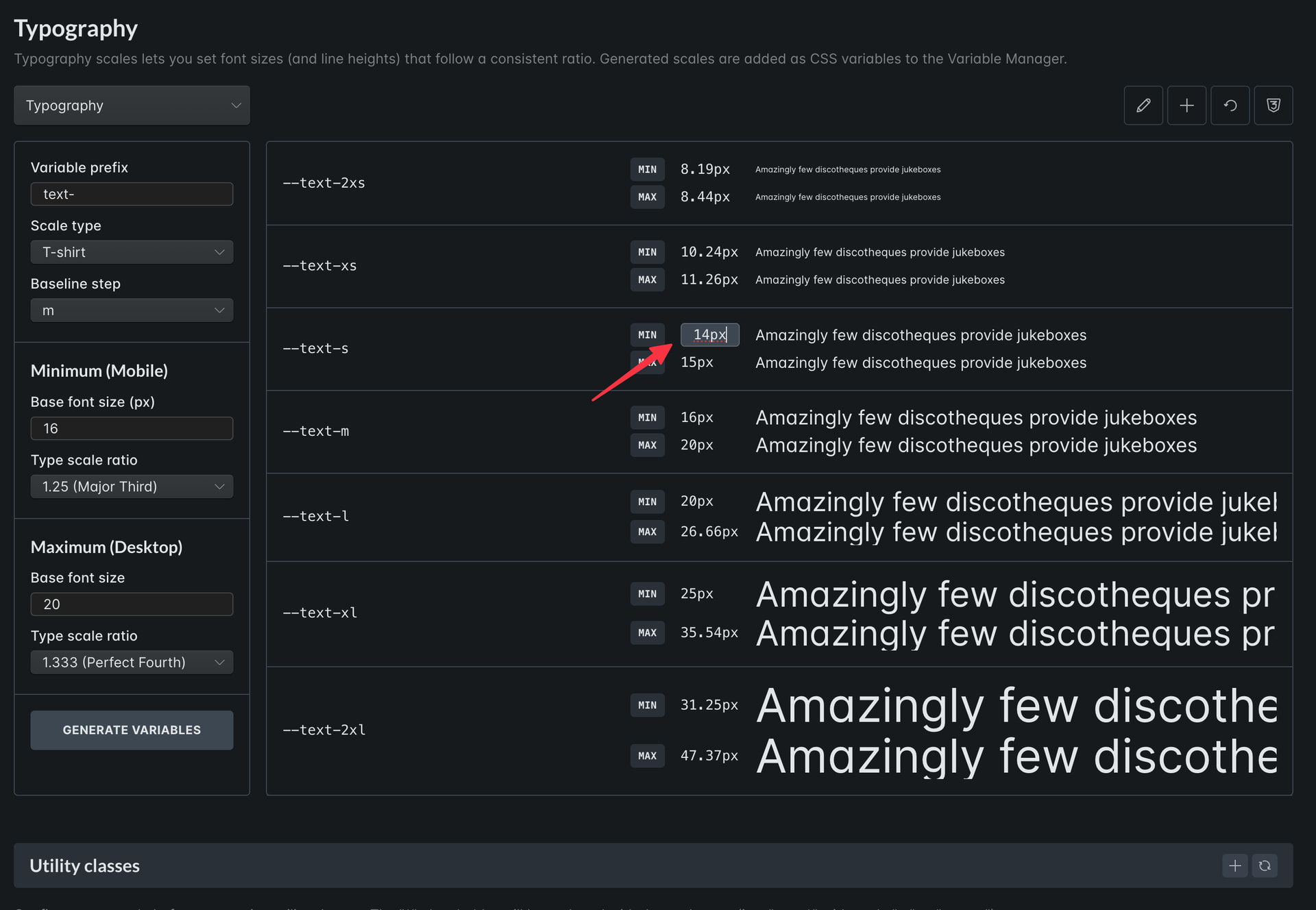
It is also worth mentioning the option that allows us to edit individual anchor points, such as the minimum and maximum pixel values for a specific step.
A given scale does not always give us the flexibility we need for a specific font. (and we know that they can be really different…) So we have to adjust these values ourselves…
For example, based on the final values given by Figma.
The ability to manually enter the scale for individual steps would be great!
Because, unfortunately, the type scale ratio is not always good.
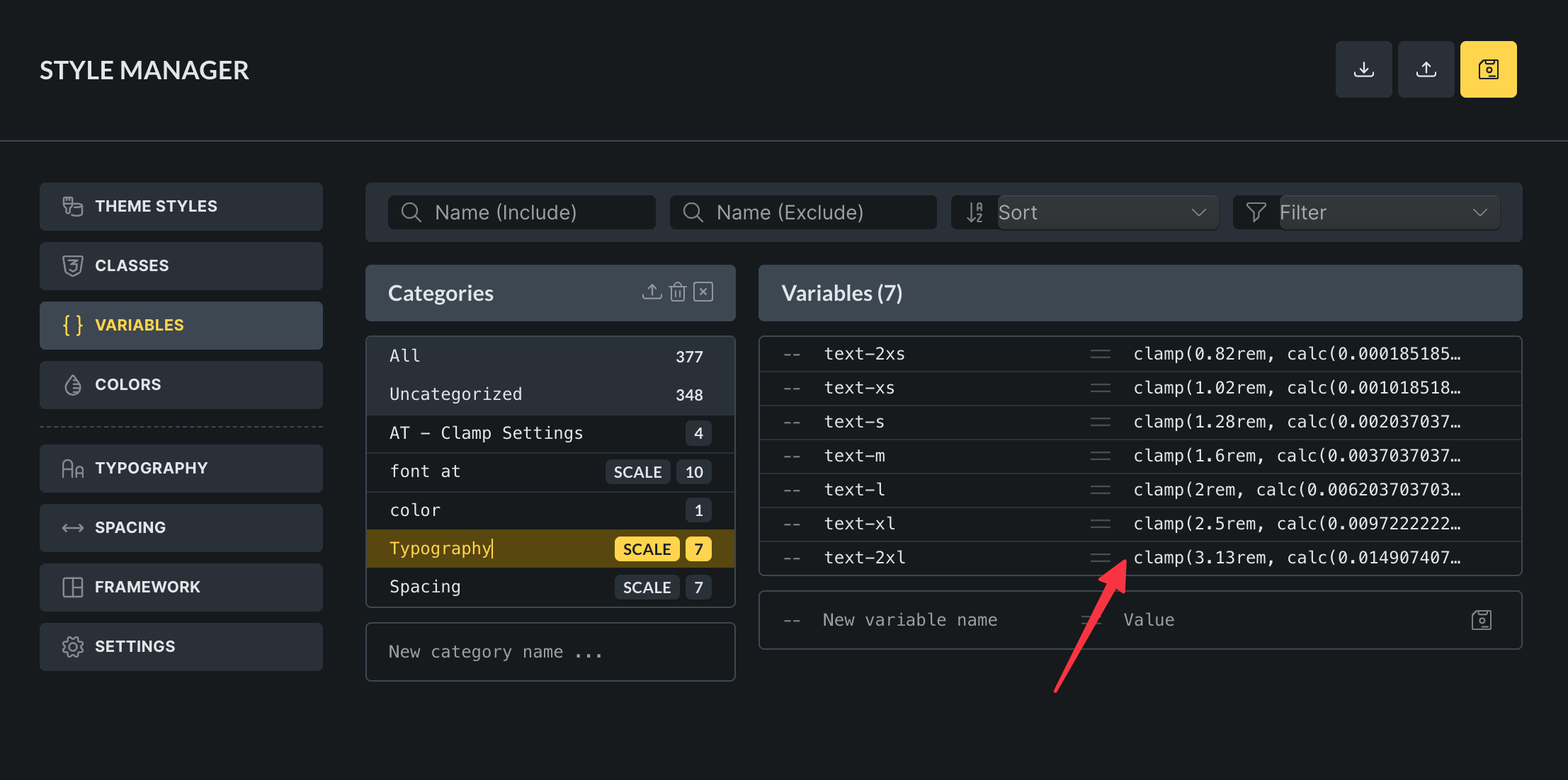
And unfortunately, generating this through typography scale throws these values into variables. And there we have clamp rules with rem and calculations, so it is not easy to adapt it to our project afterwards.
Here I have described typography issues, but the same applies to spacing.
Here’s how this could be implemented in the current view:
Using variables to render clamp rules
An even better option would be to add a base font size here: e.g., as a value of 10/16px (or whatever someone wants).
And adding to the minimum and maximum viewport as variables that are ultimately generated/rendered in the clamp rule…
Then we could change these values in the settings at any time and the sizes would update themselves.
Unfortunately, this is not possible now, because if we change these values for the minimum and maximum viewport width once, or change the base font, we have to regenerate all the rules for typography from scratch.
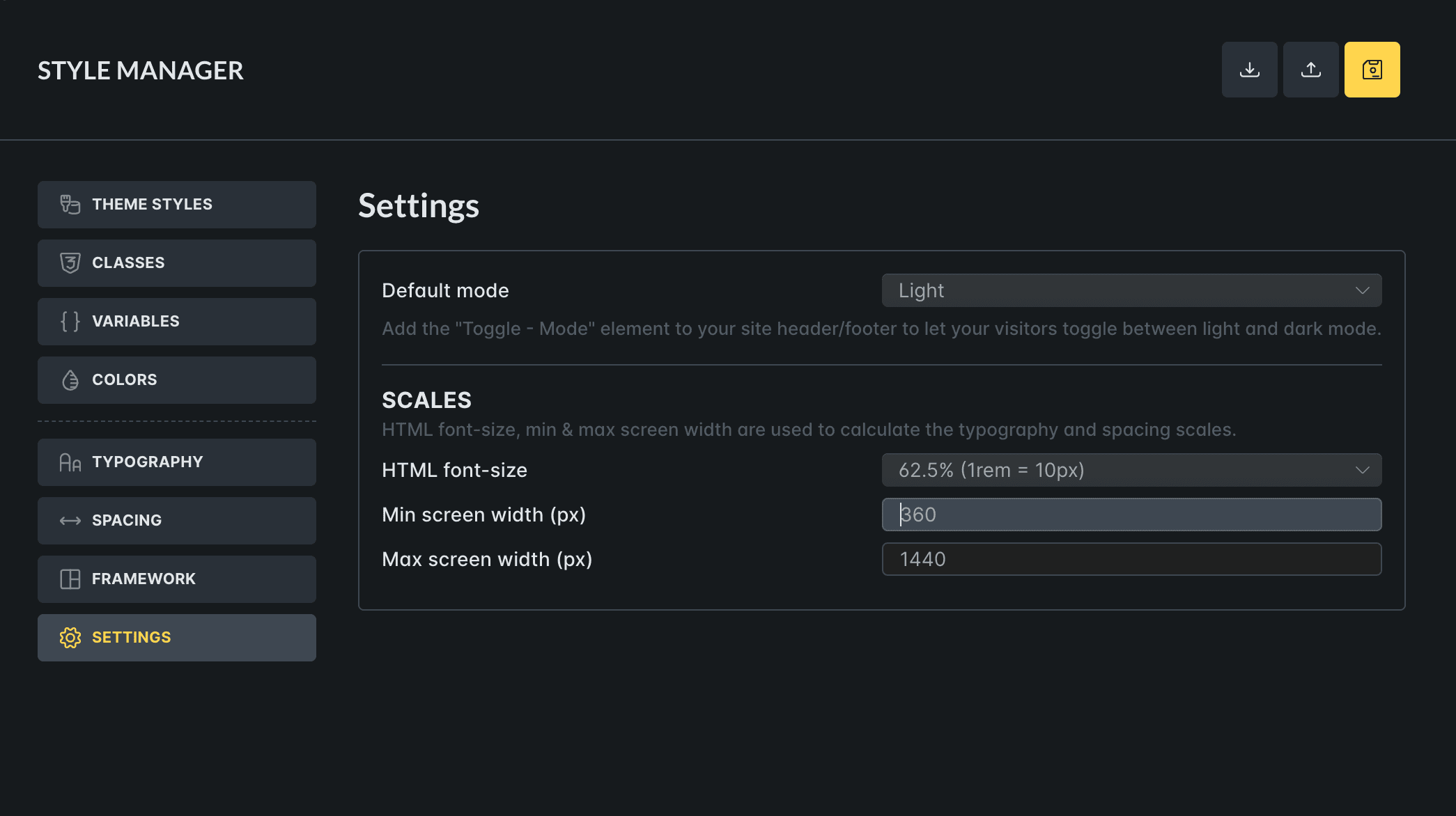
Then we would have a CSS rule that is very easy to edit and very flexible. Here is an example of what I have been using so far:
:root {
  --f-3xs: calc(var(--f-s) * 0.512);
  --f-2xs: calc(var(--f-s) * 0.64);
  --f-xs: calc(var(--f-s) * 0.8);
  --f-s: clamp(calc(1rem * (16 / var(--base-font))), calc(1rem * ((((-1 * var(--min-viewport)) / var(--base-font)) * ((20 - 16) / var(--base-font)) / ((var(--max-viewport) - var(--min-viewport)) / var(--base-font))) + (16 / var(--base-font)))) + (((20 - 16) / var(--base-font)) / ((var(--max-viewport) - var(--min-viewport)) / var(--base-font)) * 100) * var(--clamp-unit), calc(1rem * (20 / var(--base-font))));
  --f-m: calc(var(--f-s) * 1.25);
  --f-l: calc(var(--f-s) * 1.563);
  --f-xl: calc(var(--f-s) * 1.953);
  --f-2xl: calc(var(--f-s) * 2.441);
  --f-3xl: calc(var(--f-s) * 3.052);
  --f-4xl: calc(var(--f-s) * 3.815);
}