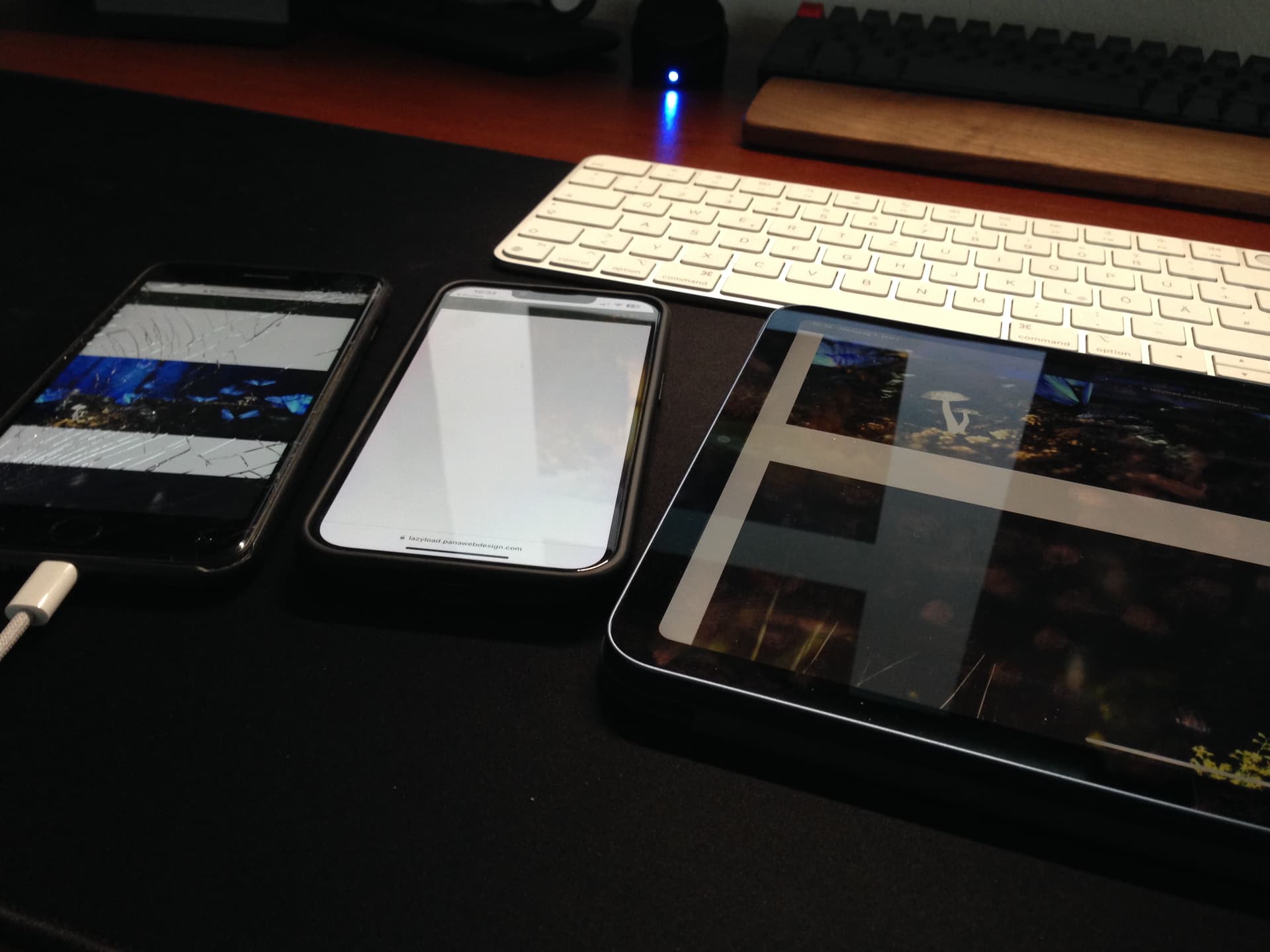
Product elements off screen further down the page seem to load.
If Bricks lazy loading is disabled, the images load correctly but obviously slows down the page significantly. If I install WP Rocket and then apply it’s lazy loading, all works well.
Images seem to load without above issues on my Mac, Windows, Android tablet.
I’ll be removing the staging area shortly and probably will edit out the image above but please reply to this and I’ll be happy to drop an email with these details.
Unfortunately, I cannot test it because I’m lacking an iPad pro, but on my iPhone it works in Safari.
Does the problem only occur on the iPad Pro, or also on other Apple devices?
I did a very quick try when I first noticed the issue and checked on an iPhone and it didn’t seem to have the issue. I set up the site up using Bricks on an iMac and didn’t notice this problem at all so it seemed to be purely on iPads. Ironic as this site’s audience is iPad user heavy!
Let me know if/when you’d like me to setup the staging site back up so you can test. I’m happy with the current workaround I have for now though.
Edit:
I just edited the staging site to remove WP Rocket as I was doing testing (let me know if you need the link again and I’ll email it) and the issue returned on iPad Pro and also on my iPhone. For the homepage on my iPhone, the first product on the woocommerce products section is missing (which may just in the LCP area). The products below this are all showing.
Hey Daniel,
We tested on an up-to-date non-pro iPad and on my iPhone 13 without any issues
These hardware-specific issues are always hard to track, as it’s impossible to own every device Since you’re using WP Rocket anyways which provides also a lazy loading option, go for it and use it instead if it works
Just to avoid any confusion, for me it isn’t random at all and consistently doesn’t work on my three Apple devices (iPhones and iPads) but appreciate you’re not able to replicate it which makes it difficult to fix.
I can confirm that I’m experiencing the same issue with iPhones and iPads. Disabling lazy loading allows all images to show. As I cannot guarantee the device site visitors will use then I reluctantly must disable lazy loading.
I’d very much like to see this issue investigated as this makes the lazy loading feature unusable.
Same for me. Some images are not showing on iPhone Safari. And show up after reloading the page. It might be something with the bricks lazy .bricks-lazy-hidden class?
Well, I have fixed the issue with disabling lazy loading in Bricks and using Breeze plugin and native lazy loading images so I have no site to reference to now. But I will replicate the site on other server disabling the fix and give you admin access to it so you can investigate also issues related to slow performance on complex pages (related to this), because I still experience serious lag in specific cases with flexible content and very complex pages.
But it will take me a while because my hosting provider doesn’t have easy way to duplicate site. (need to export and reupload everything)


 Since you’re using WP Rocket anyways which provides also a lazy loading option, go for it and use it instead if it works