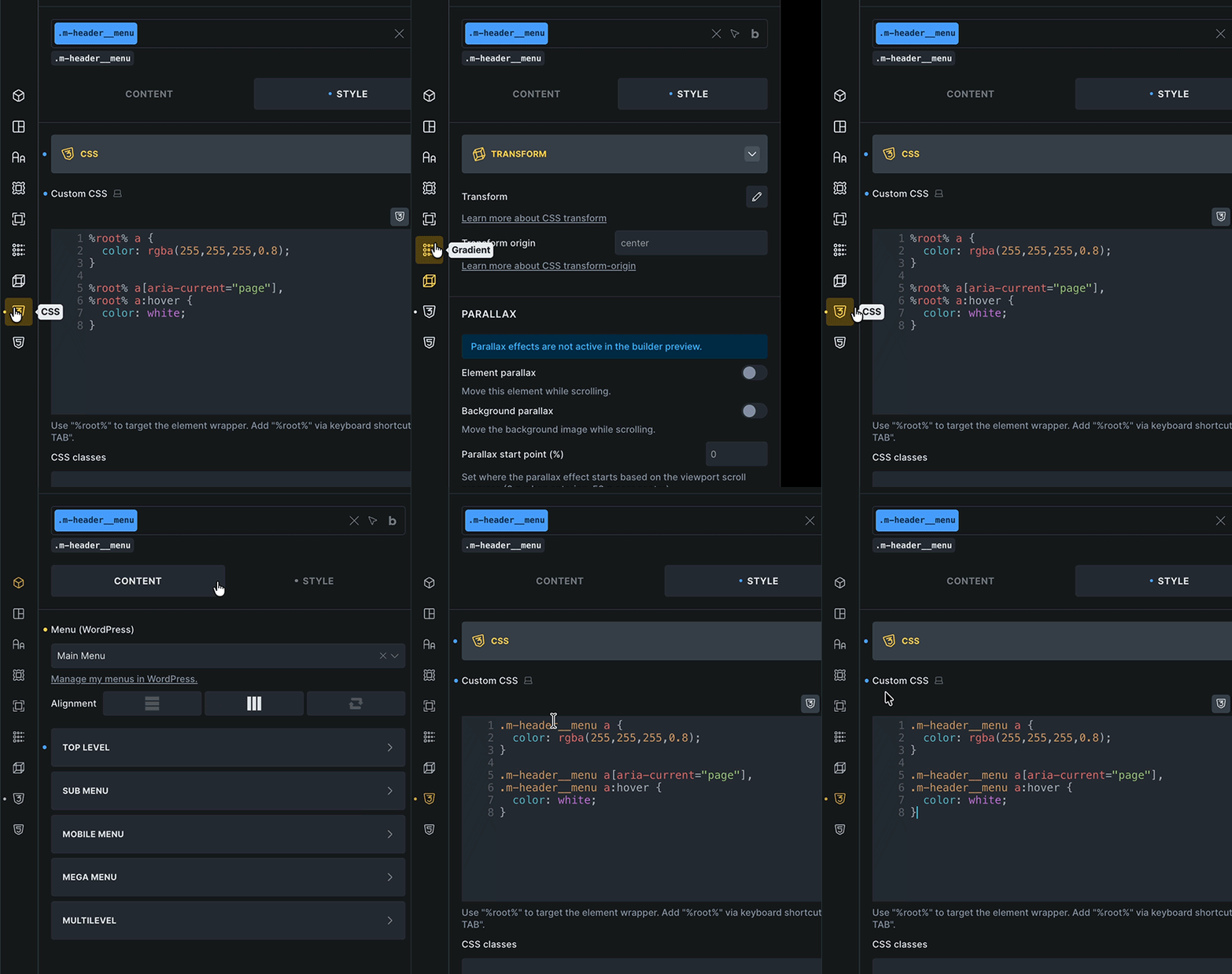
Sometimes when editing Custom CSS %root% randomly change into the class name. I am not a fan of this because it does it inconsistently like it has a mind of it’s own. Can I make it never change %root% randomly into the class name? I’ve had this issue the whole 2 years or so I’ve been using Bricks and it always bothers me because it seems to have no logic to it.
If it’s a feature, not a bug, how to get it to behave consistently? Am I accidentally doing something that is causing it to happen?
I know it’s harmless in that it won’t save the hardcoded values, but when I’m writing custom CSS and it happens I find it frustrating because now the neat little %root% selector is replaced with what’s sometimes a long class name. It messes with readability of the CSS I’m writing in that moment.
In general: this is just a minor visual “glitch,” since %root% is identical to the ID or the selected class, and should, in theory, already have been fixed: SOLVED: Closing the custom CSS popup breaks %root%
If not, please show us in a screencast exactly when it happens.
Usually, closing and reopening the panel helps, as this causes the code editor to rerender.
Here you go. I was able to reproduce it after clicking around for about a minute or so. It doesn’t happen often, but sometimes it happens more frequently and I find it very annoying when it does. I hope it’s fully fixed soon. This is Bricks 2.3.3
For me this also happen all over the place with my last build. I´ll keep this in mind and try to report back when I have some usefull information about it.
I exclusivly use the CSS input-box and therefore encountered this quite often.
One just has to look closer before copy&pasting some CSS code - especially when %root% represents an ID.
Thanks for the additional feedback guys!
The pattern is basically pretty simple and visible in @mindpattern’s GIF:
Click once into the custom CSS field
Switch to the content tab
Switch back to the style tab
Happens with both, ID’s and classes. We’ll let you know once it’s fixed, but as I said: it’s not really problematic as the styles still work. Is it irritating? Yes, I agree
Hah wow! That’s great news. I’ve been loving these stability releases lately. I certainly am not complaining about that. If the issue is fixed some time in the next few months I’d be happy to see that.