SOLVED: Modified control in the Elements Style tab does not work as expected

Browser: Chrome 135.0.7049.115
OS: Windows

Hi,

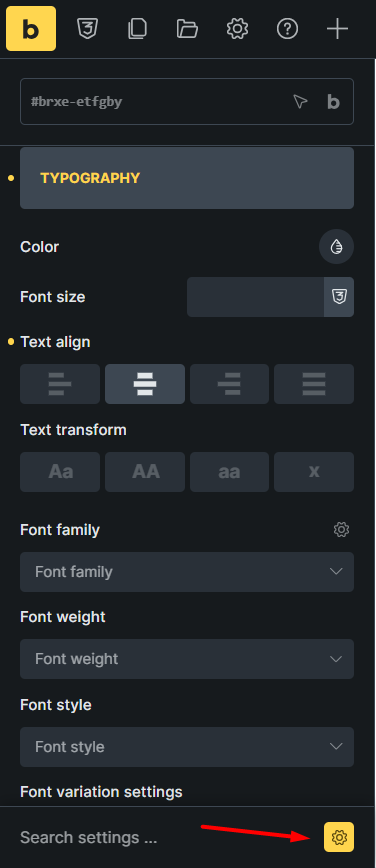
As you know, after clicking the Modified button, only the controls that we have used are displayed. But for example, if you use the Text align control in the Style tab > Typography and then enable the Modified property, all style controls will be displayed.

The screenshot below is from bricks 2.0, but this issue also exists in version 1.12.4 and earlier.

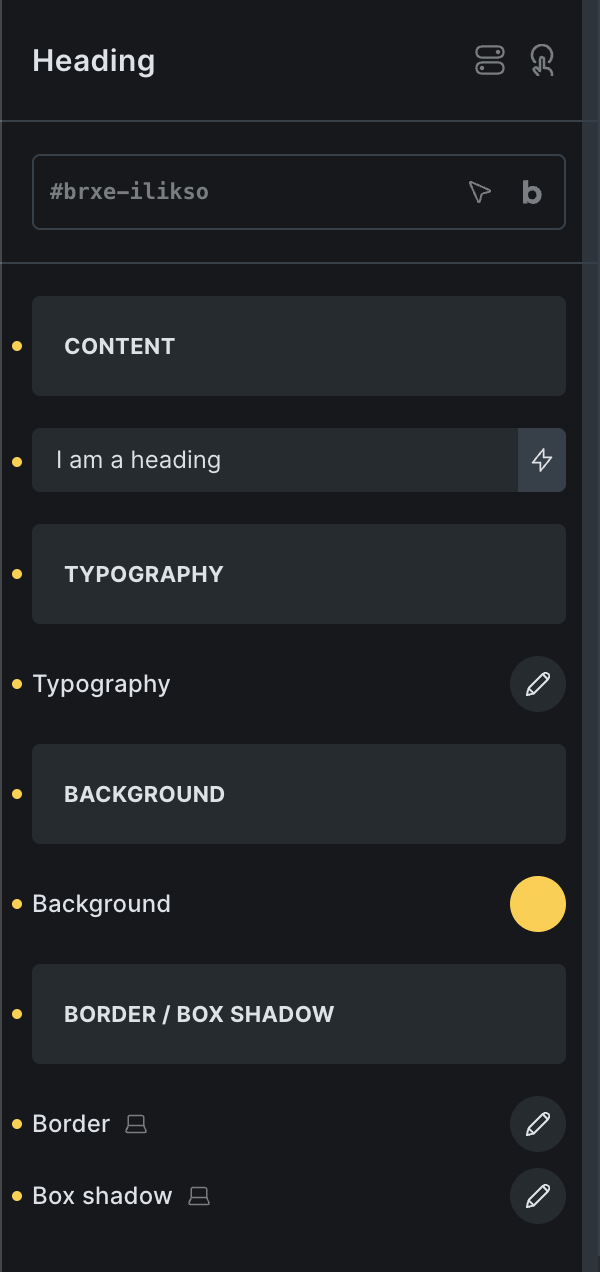
Will be improved in 2.0-beta by showing the background & typography controls in a popup when searching or viewing the modified settings as illustrated in the following screenshot.
3 Likes

Hi Hosein,

We fixed this issue in Bricks 2.0 beta, which is now available in your account.
Changelog: Bricks 2.0-beta Changelog – Bricks

Please let us know if you are still experiencing issues.

As with any pre-stable release, please do not use it on a production/live website. It is only meant for testing in a local or staging environment.

1 Like