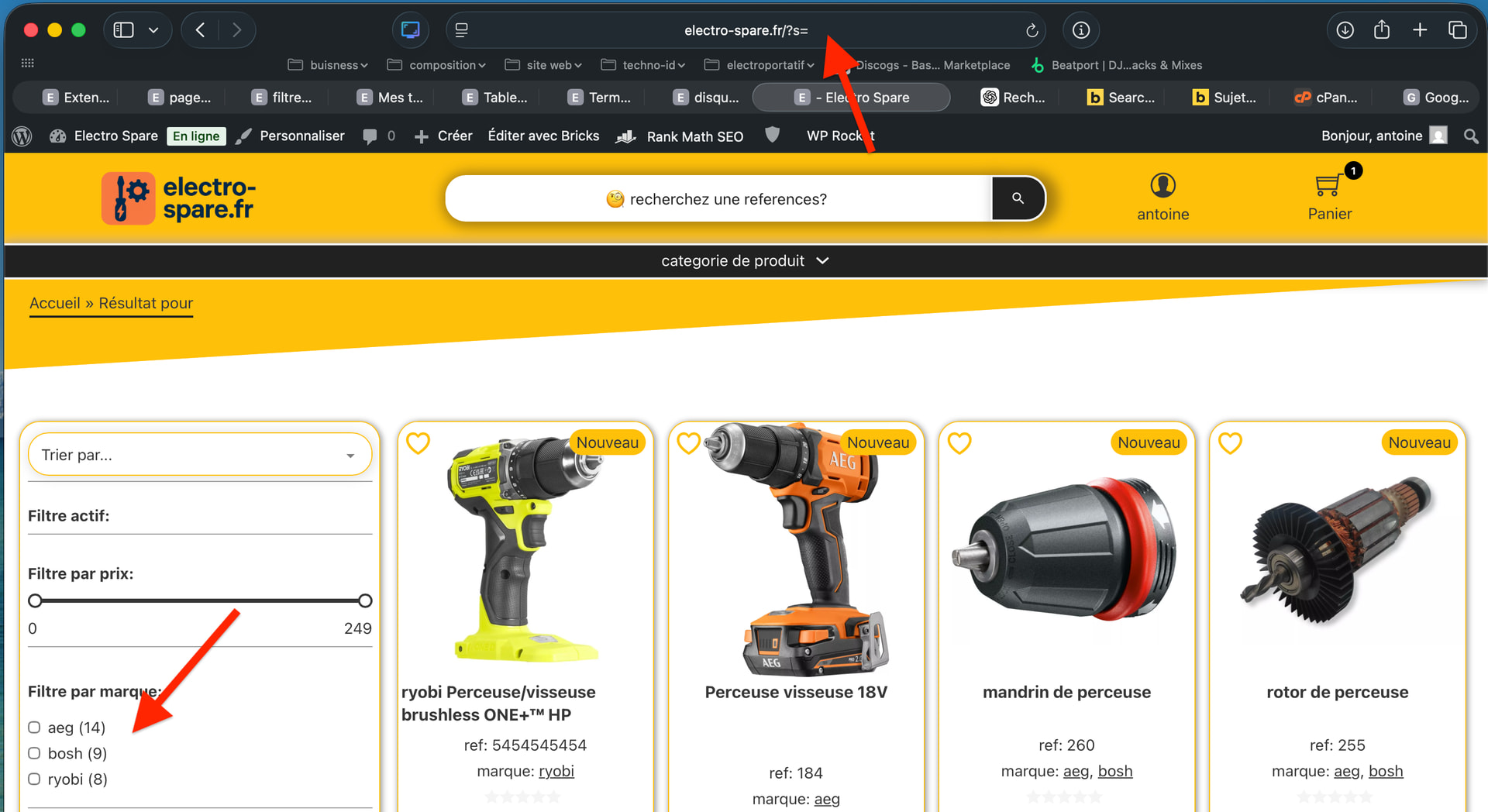
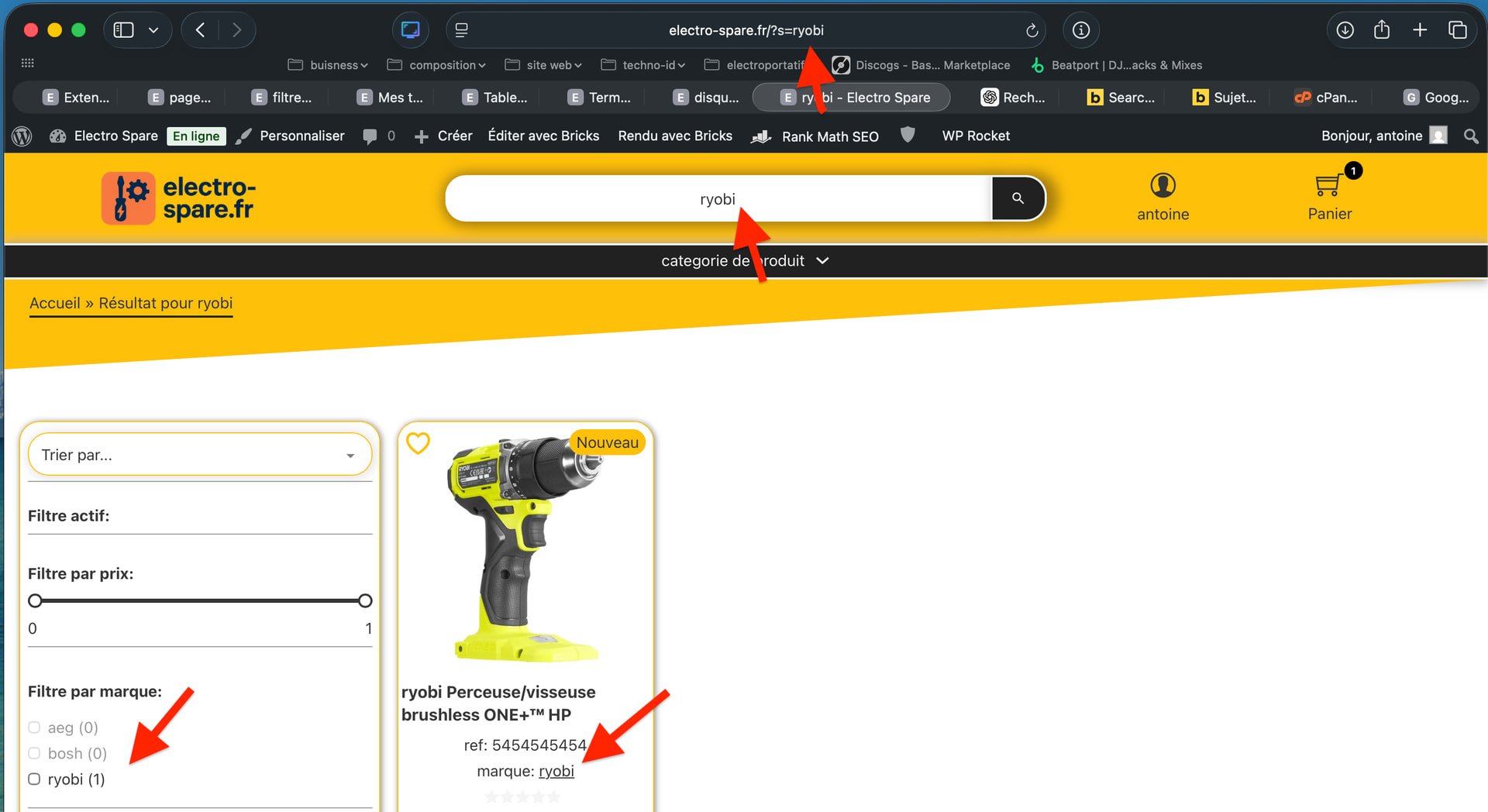
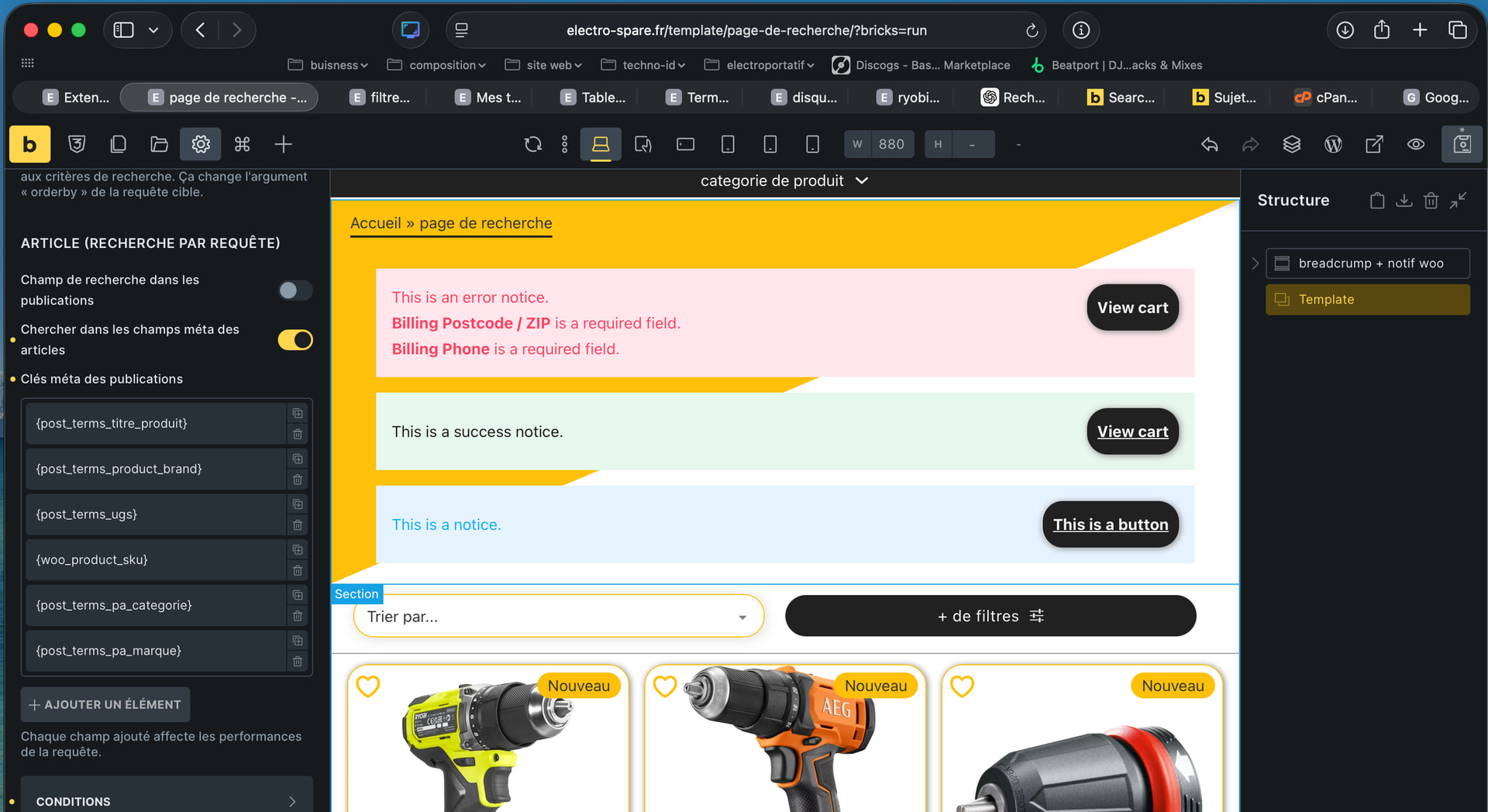
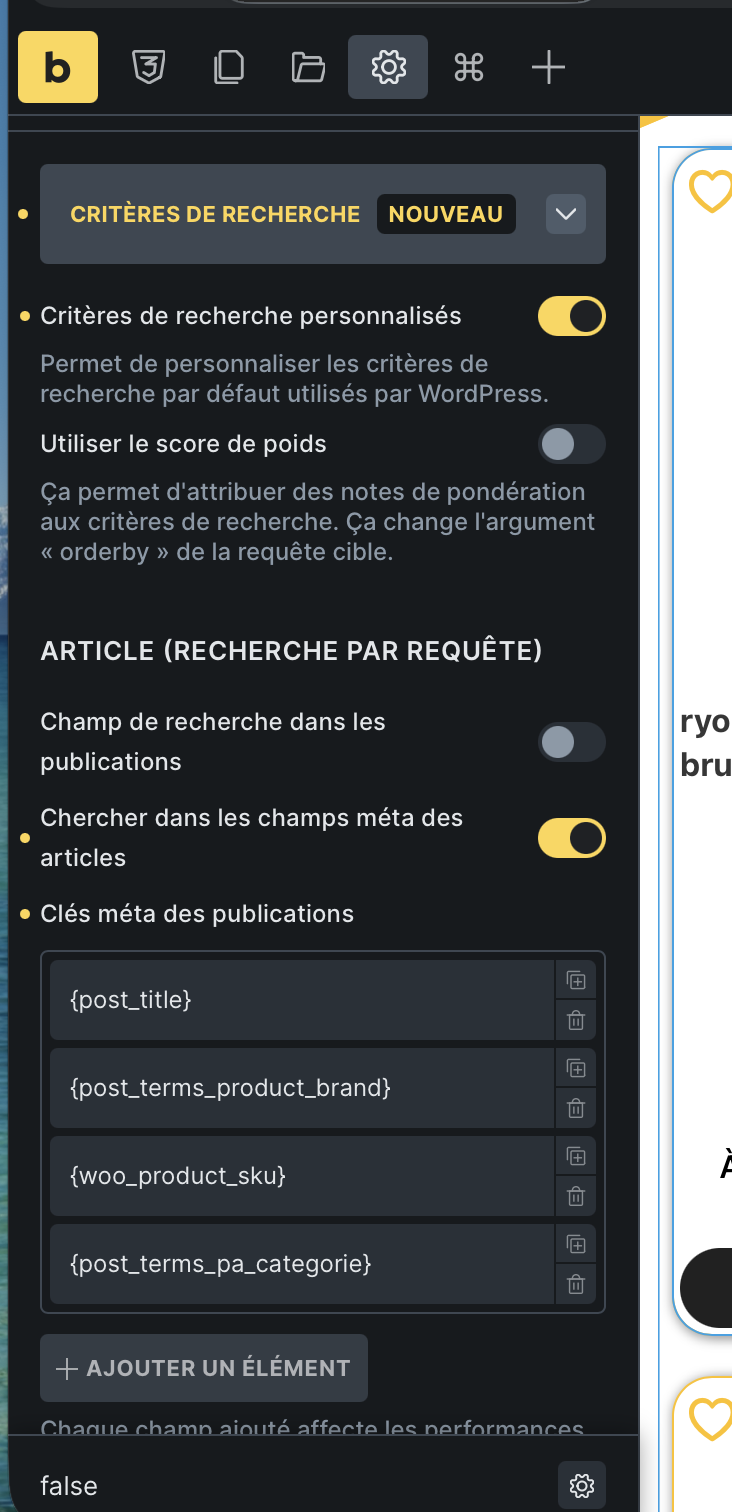
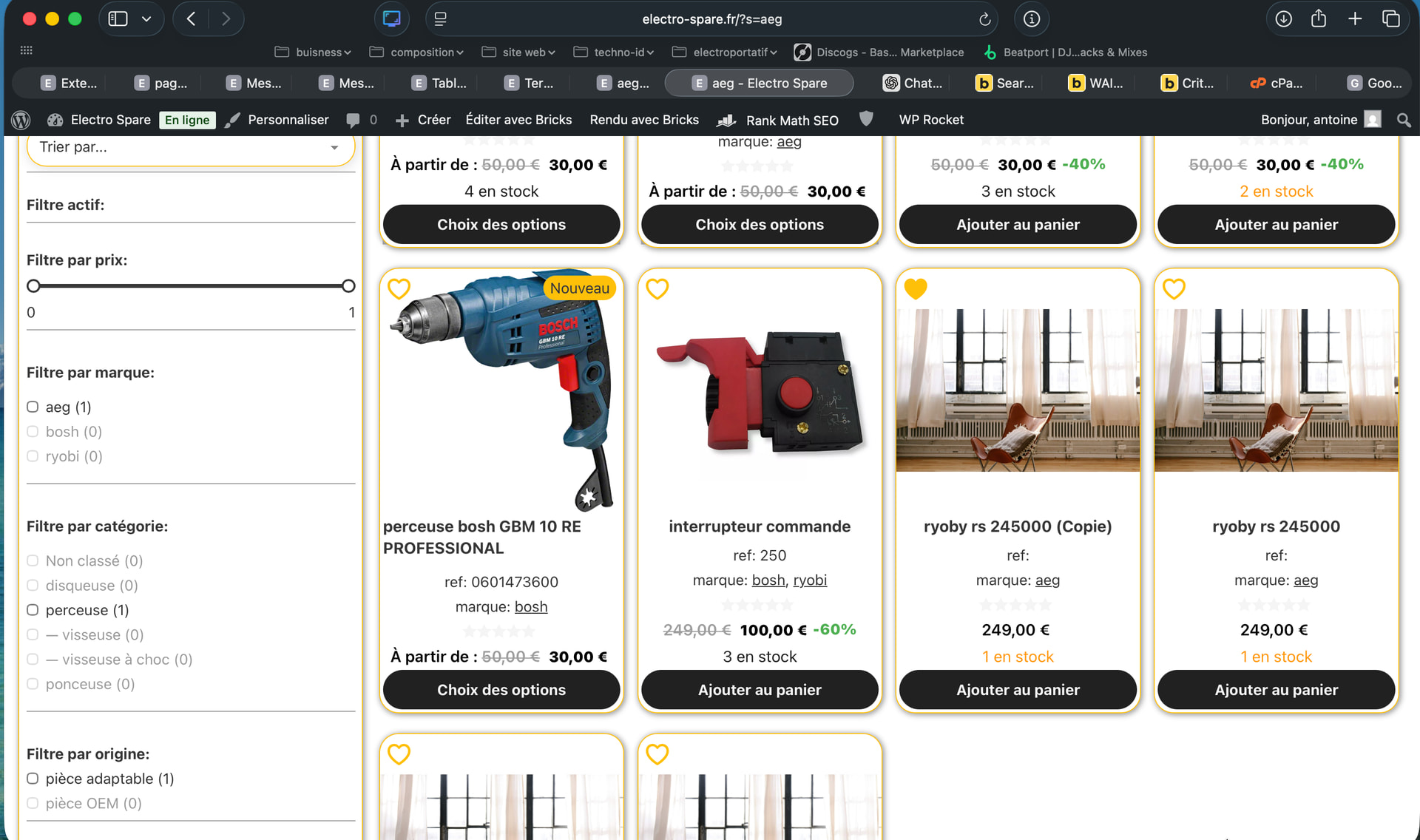
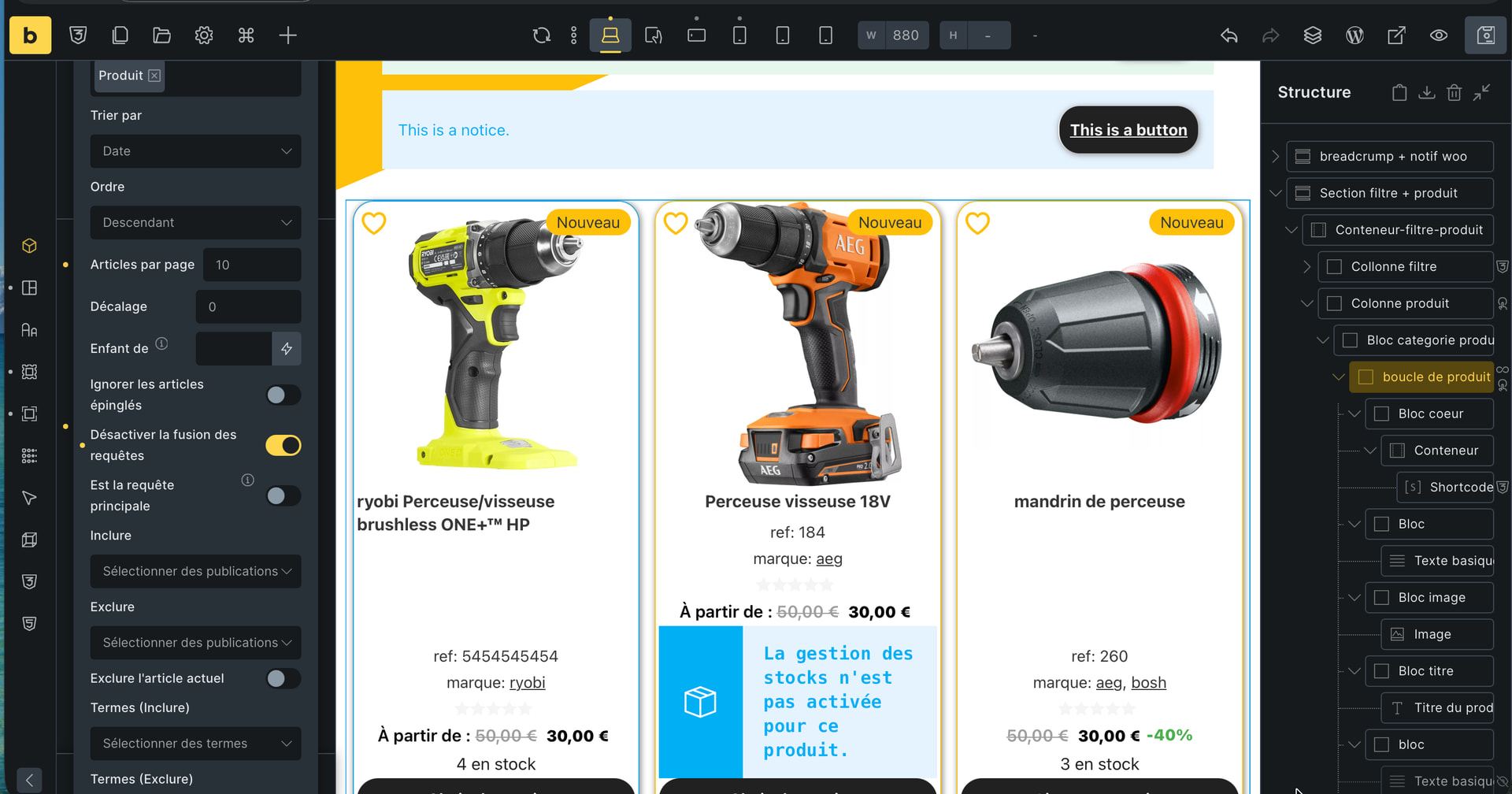
Hello, in case this might help you develop a more advanced search functionality for Bricks/WooCommerce:
Since I don’t know how to code, I asked Chatgpt for a plugin that allows me to perform broader searches using Bricks.
This plugin allows me to search within product titles, categories, brands, and SKUs.
In addition, I asked Chatgpt to generate a report of the search terms.
I’ve attached the code below:
plugin search :
<?php
/**
 * Plugin Name:ES-Recherche wordpress étendue a WooCommerce (taxonomies + Bricks)
 * Description: Étend la recherche wordpress pour les produits WooCommerce (titre + toutes les taxonomies) et l’intègre aux Query Loops Bricks.
 * Author: Antoine + ChatGPT
 */

/**
 * 1) Forcer la recherche principale WordPress sur les produits
 *    (utile si tu utilises la "main query" dans ta template de résultats).
 */
add_action( 'pre_get_posts', 'aw_extended_product_search_main_query' );
function aw_extended_product_search_main_query( $query ) {

    if ( is_admin() ) {
        return;
    }

    if ( ! $query->is_main_query() ) {
        return;
    }

    if ( ! $query->is_search() ) {
        return;
    }

    // On force la recherche uniquement sur les produits
    $query->set( 'post_type', 'product' );
}


/**
 * 2) Étendre la recherche pour les Query Loops Bricks (source = Posts / Products)
 *    => BON FILTRE : bricks/posts/query_vars
 */
add_filter( 'bricks/posts/query_vars', 'aw_extended_product_search_bricks', 30, 4 );
function aw_extended_product_search_bricks( $query_vars, $settings, $element_id, $element_name ) {

    // Front uniquement
    if ( is_admin() ) {
        return $query_vars;
    }

    // On ne fait ça que sur la page de recherche
    if ( ! is_search() ) {
        return $query_vars;
    }

    // Récupérer le terme recherché
    $search_term = get_search_query();
    if ( $search_term === '' ) {
        return $query_vars;
    }

    // Identifier si cette Query Loop concerne les produits
    $post_type = $query_vars['post_type'] ?? 'post';

    if ( is_array( $post_type ) ) {
        if ( ! in_array( 'product', $post_type, true ) ) {
            return $query_vars; // on ne touche pas les autres boucles
        }
    } else {
        if ( $post_type !== 'product' && $post_type !== 'any' ) {
            return $query_vars;
        }
    }

    // On force le post_type = product pour être sûr
    $query_vars['post_type'] = 'product';

    // 🔹 Récupérer toutes les taxonomies liées aux produits
    $taxonomies = get_object_taxonomies( 'product', 'names' );
    $exclude    = array( 'product_type', 'product_visibility', 'product_shipping_class' );
    $taxonomies = array_diff( $taxonomies, $exclude );

    $tax_query      = array( 'relation' => 'OR' );
    $found_any_term = false;

    foreach ( $taxonomies as $taxonomy ) {
        $terms = get_terms( array(
            'taxonomy'   => $taxonomy,
            'name__like' => $search_term,
            'fields'     => 'ids',
            'hide_empty' => true,
        ) );

        if ( is_wp_error( $terms ) || empty( $terms ) ) {
            continue;
        }

        $found_any_term = true;

        $tax_query[] = array(
            'taxonomy' => $taxonomy,
            'field'    => 'term_id',
            'terms'    => $terms,
            'operator' => 'IN',
        );
    }

    // S'il y a des termes de taxonomie qui matchent le mot recherché :
    if ( $found_any_term && count( $tax_query ) > 1 ) {
        // On applique le filtre par taxonomies
        $query_vars['tax_query'] = $tax_query;

        // ❗ IMPORTANT : on enlève le critère texte "s"
        // pour éviter le AND (titre + taxonomie) qui donnait 0 résultat.
        unset( $query_vars['s'] );
    } else {
        // Aucun terme de taxonomie qui match:
        // on fait une recherche classique sur le texte (titre/contenu)
        $query_vars['s'] = $search_term;
    }

    return $query_vars;
}
plugin for report :
<?php
/**
 * Plugin Name:ES-analytique des termes de recherche
 * Description: Rapport "Termes de recherche" dans WooCommerce → Statistiques, basé sur wp_es_search_log.
 * Author: antoine+ chat gpt
 * Version: 1.0.0
 */

if ( ! defined( 'ABSPATH' ) ) {
	exit;
}

class ES_Search_Analytics {

	const MENU_SLUG  = 'es-search-analytics';
	const TABLE_NAME = 'es_search_log';

	public function __construct() {
		add_action( 'admin_menu', array( $this, 'register_admin_page' ) );
		add_filter( 'woocommerce_analytics_report_menu_items', array( $this, 'register_analytics_menu_item' ) );
		add_action( 'admin_init', array( $this, 'handle_wc_admin_redirect' ) );
	}

	/**
	 * Ajoute une page dans le menu WooCommerce (classic admin).
	 */
	public function register_admin_page() {
		add_submenu_page(
			'woocommerce',
			__( 'Termes de recherche (log)', 'es-search-analytics' ),
			__( 'Termes de recherche (log)', 'es-search-analytics' ),
			'manage_woocommerce',
			self::MENU_SLUG,
			array( $this, 'render_page' )
		);
	}

	/**
	 * Ajoute un item dans WooCommerce → Statistiques (Analytics).
	 * C'est le même principe que pour ton rapport Wishlist.
	 */
	public function register_analytics_menu_item( $reports ) {
		$reports['es-search-analytics'] = array(
			'title'    => __( 'Termes de recherche', 'es-search-analytics' ),
			'parent'   => 'woocommerce-analytics',
			'nav_args' => array(
				'path' => '/analytics/es-search-analytics',
			),
		);

		return $reports;
	}

	/**
	 * Quand on clique sur WooCommerce → Statistiques → Termes de recherche,
	 * WooCommerce appelle wc-admin avec &path=/analytics/es-search-analytics.
	 * On redirige vers notre page PHP classique.
	 */
	public function handle_wc_admin_redirect() {
		if ( ! is_admin() ) {
			return;
		}

		if ( empty( $_GET['page'] ) || empty( $_GET['path'] ) ) {
			return;
		}

		if ( 'wc-admin' !== $_GET['page'] ) {
			return;
		}

		$path = wp_unslash( $_GET['path'] );

		if ( '/analytics/es-search-analytics' === $path ) {
			wp_safe_redirect( admin_url( 'admin.php?page=' . self::MENU_SLUG ) );
			exit;
		}
	}

	/**
	 * Rendu de la page : filtres, KPIs, tableau, export CSV.
	 */
	public function render_page() {
		if ( ! current_user_can( 'manage_woocommerce' ) ) {
			wp_die( __( 'Accès refusé.', 'es-search-analytics' ) );
		}

		global $wpdb;

		$table_name = $wpdb->prefix . self::TABLE_NAME;

		// Vérifie que la table existe (MU-plugin bien chargé).
		$table_exists = ( $wpdb->get_var( $wpdb->prepare( 'SHOW TABLES LIKE %s', $table_name ) ) === $table_name );

		if ( ! $table_exists ) {
			echo '<div class="wrap"><h1>' . esc_html__( 'Termes de recherche', 'es-search-analytics' ) . '</h1>';
			echo '<p style="color:red;">' . esc_html__( 'La table de log des recherches n\'existe pas. Vérifie que le MU-plugin "ES Search Log (MU)" est bien en place.', 'es-search-analytics' ) . '</p></div>';
			return;
		}

		// --- Filtres simplifiés : période + "sans résultat uniquement" ---

		$allowed_periods = array( '7d', '30d', '90d', '365d' );
		$period          = isset( $_GET['period'] ) && in_array( $_GET['period'], $allowed_periods, true ) ? $_GET['period'] : '30d';
		$no_results_only = isset( $_GET['no_results_only'] ) && '1' === $_GET['no_results_only'];

		// Gestion export CSV.
		if ( isset( $_GET['export'] ) && '1' === $_GET['export'] ) {
			$this->export_csv( $period, $no_results_only );
			exit;
		}

		// Période From / To (UTC, car la table est stockée en UTC).
		$now = new DateTime( 'now', new DateTimeZone( 'UTC' ) );

		switch ( $period ) {
			case '7d':
				$interval = new DateInterval( 'P7D' );
				break;
			case '90d':
				$interval = new DateInterval( 'P90D' );
				break;
			case '365d':
				$interval = new DateInterval( 'P365D' );
				break;
			case '30d':
			default:
				$interval = new DateInterval( 'P30D' );
				break;
		}

		$from_dt = ( clone $now )->sub( $interval );
		$from    = $from_dt->format( 'Y-m-d H:i:s' );
		$to      = $now->format( 'Y-m-d H:i:s' );

		// Récupère les données agrégées.
		$data = $this->get_aggregated_data( $from, $to, $no_results_only );

		$total_searches = $data['total_searches'];
		$total_terms    = $data['total_terms'];
		$total_no       = $data['total_no'];
		$no_rate        = $total_searches > 0 ? ( $total_no / $total_searches ) : 0;
		$rows           = $data['rows'];

		?>
		<div class="wrap">
			<h1><?php esc_html_e( 'Termes de recherche', 'es-search-analytics' ); ?></h1>

			<form method="get" style="margin-bottom: 16px;">
				<input type="hidden" name="page" value="<?php echo esc_attr( self::MENU_SLUG ); ?>" />
				<table class="form-table">
					<tr>
						<th scope="row"><?php esc_html_e( 'Période', 'es-search-analytics' ); ?></th>
						<td>
							<select name="period">
								<option value="7d" <?php selected( $period, '7d' ); ?>><?php esc_html_e( '7 jours', 'es-search-analytics' ); ?></option>
								<option value="30d" <?php selected( $period, '30d' ); ?>><?php esc_html_e( '30 jours', 'es-search-analytics' ); ?></option>
								<option value="90d" <?php selected( $period, '90d' ); ?>><?php esc_html_e( '90 jours', 'es-search-analytics' ); ?></option>
								<option value="365d" <?php selected( $period, '365d' ); ?>><?php esc_html_e( '1 an', 'es-search-analytics' ); ?></option>
							</select>
						</td>
					</tr>
					<tr>
						<th scope="row"><?php esc_html_e( 'Filtre', 'es-search-analytics' ); ?></th>
						<td>
							<label>
								<input type="checkbox" name="no_results_only" value="1" <?php checked( $no_results_only ); ?> />
								<?php esc_html_e( 'Uniquement les recherches sans résultat', 'es-search-analytics' ); ?>
							</label>
						</td>
					</tr>
				</table>

				<p>
					<button type="submit" class="button button-primary"><?php esc_html_e( 'Mettre à jour', 'es-search-analytics' ); ?></button>
					<button type="submit" name="export" value="1" class="button"><?php esc_html_e( 'Exporter en CSV', 'es-search-analytics' ); ?></button>
				</p>
			</form>

			<h2><?php esc_html_e( 'Indicateurs clés', 'es-search-analytics' ); ?></h2>
			<div style="display:flex;gap:24px;flex-wrap:wrap;margin-bottom:16px;">
				<div style="min-width:150px;">
					<div style="font-size:12px;text-transform:uppercase;opacity:.7;"><?php esc_html_e( 'Recherches totales', 'es-search-analytics' ); ?></div>
					<div style="font-size:20px;font-weight:bold;"><?php echo esc_html( number_format_i18n( $total_searches ) ); ?></div>
				</div>
				<div style="min-width:150px;">
					<div style="font-size:12px;text-transform:uppercase;opacity:.7;"><?php esc_html_e( 'Termes uniques', 'es-search-analytics' ); ?></div>
					<div style="font-size:20px;font-weight:bold;"><?php echo esc_html( number_format_i18n( $total_terms ) ); ?></div>
				</div>
				<div style="min-width:150px;">
					<div style="font-size:12px;text-transform:uppercase;opacity:.7;"><?php esc_html_e( 'Recherches sans résultat', 'es-search-analytics' ); ?></div>
					<div style="font-size:20px;font-weight:bold;"><?php echo esc_html( number_format_i18n( $total_no ) ); ?></div>
				</div>
				<div style="min-width:150px;">
					<div style="font-size:12px;text-transform:uppercase;opacity:.7;"><?php esc_html_e( 'Taux sans résultat', 'es-search-analytics' ); ?></div>
					<div style="font-size:20px;font-weight:bold;">
						<?php echo esc_html( number_format_i18n( $no_rate * 100, 1 ) ); ?> %
					</div>
				</div>
			</div>

			<h2><?php esc_html_e( 'Termes de recherche', 'es-search-analytics' ); ?></h2>

			<?php if ( empty( $rows ) ) : ?>
				<p><?php esc_html_e( 'Aucune recherche pour cette période.', 'es-search-analytics' ); ?></p>
			<?php else : ?>
				<div style="overflow-x:auto;">
					<table class="widefat striped">
						<thead>
							<tr>
								<th><?php esc_html_e( 'Terme', 'es-search-analytics' ); ?></th>
								<th><?php esc_html_e( 'Recherches', 'es-search-analytics' ); ?></th>
								<th><?php esc_html_e( 'Sans résultat', 'es-search-analytics' ); ?></th>
								<th><?php esc_html_e( 'Dernière recherche (UTC)', 'es-search-analytics' ); ?></th>
							</tr>
						</thead>
						<tbody>
							<?php foreach ( $rows as $row ) : ?>
								<tr>
									<td><?php echo esc_html( $row['term'] ); ?></td>
									<td><?php echo esc_html( number_format_i18n( $row['total_searches'] ) ); ?></td>
									<td><?php echo esc_html( number_format_i18n( $row['no_results_searches'] ) ); ?></td>
									<td><?php echo esc_html( $row['last_searched_at'] ); ?></td>
								</tr>
							<?php endforeach; ?>
						</tbody>
					</table>
				</div>
			<?php endif; ?>
		</div>
		<?php
	}

	/**
	 * Récupère les données agrégées par terme.
	 */
	private function get_aggregated_data( $from, $to, $no_results_only ) {
		global $wpdb;

		$table_name = $wpdb->prefix . self::TABLE_NAME;

		$where   = array();
		$params  = array();

		$where[]  = 'searched_at >= %s';
		$params[] = $from;

		$where[]  = 'searched_at <= %s';
		$params[] = $to;

		if ( $no_results_only ) {
			$where[]  = 'has_results = %d';
			$params[] = 0;
		}

		$where_sql = implode( ' AND ', $where );

		$sql = "
			SELECT
				term,
				COUNT(*) AS total_searches,
				SUM( CASE WHEN has_results = 0 THEN 1 ELSE 0 END ) AS no_results_searches,
				MAX(searched_at) AS last_searched_at
			FROM {$table_name}
			WHERE {$where_sql}
			GROUP BY term
			ORDER BY total_searches DESC
			LIMIT 500
		";

		$prepared = $wpdb->prepare( $sql, $params );
		$rows     = $wpdb->get_results( $prepared, ARRAY_A );

		if ( ! $rows ) {
			return array(
				'rows'           => array(),
				'total_terms'    => 0,
				'total_searches' => 0,
				'total_no'       => 0,
			);
		}

		$total_searches = 0;
		$total_no       = 0;

		foreach ( $rows as $row ) {
			$total_searches += (int) $row['total_searches'];
			$total_no       += (int) $row['no_results_searches'];
		}

		return array(
			'rows'           => $rows,
			'total_terms'    => count( $rows ),
			'total_searches' => $total_searches,
			'total_no'       => $total_no,
		);
	}

	/**
	 * Export CSV des résultats visibles.
	 */
	private function export_csv( $period, $no_results_only ) {
		// Recalcule from/to identiques à render_page.
		$now = new DateTime( 'now', new DateTimeZone( 'UTC' ) );

		switch ( $period ) {
			case '7d':
				$interval = new DateInterval( 'P7D' );
				break;
			case '90d':
				$interval = new DateInterval( 'P90D' );
				break;
			case '365d':
				$interval = new DateInterval( 'P365D' );
				break;
			case '30d':
			default:
				$interval = new DateInterval( 'P30D' );
				break;
		}

		$from_dt = ( clone $now )->sub( $interval );
		$from    = $from_dt->format( 'Y-m-d H:i:s' );
		$to      = $now->format( 'Y-m-d H:i:s' );

		$data = $this->get_aggregated_data( $from, $to, $no_results_only );
		$rows = $data['rows'];

		nocache_headers();
		header( 'Content-Type: text/csv; charset=utf-8' );
		header( 'Content-Disposition: attachment; filename=search-terms-report.csv' );

		$output = fopen( 'php://output', 'w' );

		// En-têtes.
		fputcsv( $output, array( 'term', 'total_searches', 'no_results_searches', 'last_searched_at' ) );

		foreach ( $rows as $row ) {
			fputcsv(
				$output,
				array(
					$row['term'],
					$row['total_searches'],
					$row['no_results_searches'],
					$row['last_searched_at'],
				)
			);
		}

		fclose( $output );
		exit;
	}
}

new ES_Search_Analytics();
and
<?php
/**
 * Plugin Name:ES-Search Log (MU)
 * Description: Journalise les termes de recherche produits (Bricks filter-search / ?s=...).
 * Author: ES
 */

if ( ! defined( 'ABSPATH' ) ) {
	exit;
}

class ES_Search_Log_MU {

	const TABLE_NAME   = 'es_search_log';
	const TABLE_OPTION = 'es_search_log_table_created';

	public function __construct() {
		add_action( 'init', array( $this, 'maybe_create_table' ) );
		add_action( 'wp', array( $this, 'maybe_log_search' ) );
	}

	/**
	 * Crée la table au premier passage.
	 */
	public function maybe_create_table() {
		if ( get_option( self::TABLE_OPTION ) ) {
			return;
		}

		global $wpdb;
		$table_name      = $wpdb->prefix . self::TABLE_NAME;
		$charset_collate = $wpdb->get_charset_collate();

		require_once ABSPATH . 'wp-admin/includes/upgrade.php';

		$sql = "CREATE TABLE {$table_name} (
			id BIGINT UNSIGNED NOT NULL AUTO_INCREMENT,
			term VARCHAR(255) NOT NULL,
			results_count INT UNSIGNED NOT NULL DEFAULT 0,
			has_results TINYINT(1) NOT NULL DEFAULT 0,
			user_id BIGINT UNSIGNED NULL,
			session_id VARCHAR(100) NULL,
			ip_address VARCHAR(45) NULL,
			user_agent TEXT NULL,
			searched_at DATETIME NOT NULL,
			PRIMARY KEY  (id),
			KEY term (term),
			KEY has_results (has_results),
			KEY searched_at (searched_at)
		) {$charset_collate};";

		dbDelta( $sql );
		update_option( self::TABLE_OPTION, 1 );
	}

	/**
	 * Log la recherche courante si elle existe.
	 * On se base sur le paramètre GET "s" (recherche WordPress/produits).
	 */
	public function maybe_log_search() {
    if ( is_admin() ) {
        return;
    }

    // 🔧 NOM DU PARAMÈTRE UTILISÉ PAR BRICKS
    // Si dans Bricks tu as mis "s" => laisse "s"
    // Si dans Bricks tu utilises "search", mets "search" ici.
    $param_name = 's';

    $search_term = isset( $_GET[ $param_name ] ) ? sanitize_text_field( wp_unslash( $_GET[ $param_name ] ) ) : '';

    if ( '' === $search_term ) {
        return;
    }

    global $wp_query, $wpdb;

    // On ne bloque plus sur is_product_archive / etc.
    // On log TOUTES les recherches faites avec ce paramètre,
    // quel que soit le template utilisé.
    $results_count = 0;

    if ( $wp_query instanceof WP_Query ) {
        $results_count = (int) $wp_query->found_posts;
    }

    $has_results = $results_count > 0 ? 1 : 0;

    $table_name = $wpdb->prefix . self::TABLE_NAME;

    $user_id    = get_current_user_id() ?: null;
    $session_id = isset( $_COOKIE[ 'woocommerce_session_' . COOKIEHASH ] ) ? sanitize_text_field( wp_unslash( $_COOKIE[ 'woocommerce_session_' . COOKIEHASH ] ) ) : null;
    $ip         = isset( $_SERVER['REMOTE_ADDR'] ) ? sanitize_text_field( wp_unslash( $_SERVER['REMOTE_ADDR'] ) ) : null;
    $ua         = isset( $_SERVER['HTTP_USER_AGENT'] ) ? sanitize_textarea_field( wp_unslash( $_SERVER['HTTP_USER_AGENT'] ) ) : null;

    $wpdb->insert(
        $table_name,
        array(
            'term'          => $search_term,
            'results_count' => $results_count,
            'has_results'   => $has_results,
            'user_id'       => $user_id,
            'session_id'    => $session_id,
            'ip_address'    => $ip,
            'user_agent'    => $ua,
            'searched_at'   => current_time( 'mysql', true ), // UTC
        ),
        array(
            '%s',
            '%d',
            '%d',
            '%d',
            '%s',
            '%s',
            '%s',
            '%s',
        )
    );
}
}

new ES_Search_Log_MU();
If BricksBuilder could do this natively, that would be great.
It’s important for WooCommerce users to know which products are most searched for and which products return no results.
Furthermore, this will avoid having a multitude of plugins and therefore conflicts during updates.