DUPLICATE: Selector detector / code element position issue

Browser: Chrome 138.0.7204.184
OS: Windows

Hi team,

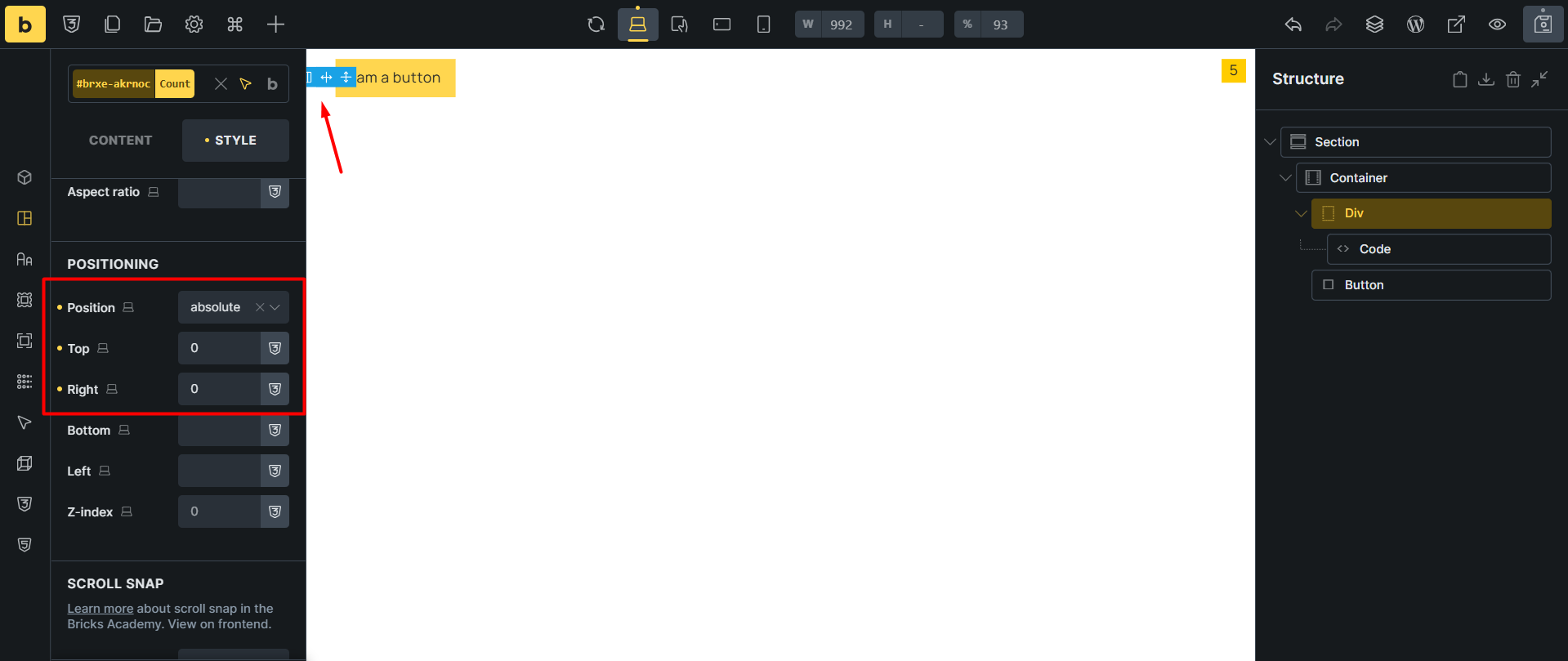
I’m not sure if this is a bug or expected behavior, but I added a dynamic data element inside the element code and then gave it an absolute position using the selector detector. Everything works fine, but the empty code element position remains.
Code

{"content":[{"id":"uswogc","name":"section","parent":0,"children":["imdgdr"],"settings":[]},{"id":"imdgdr","name":"container","parent":"uswogc","children":["akrnoc","lpexuv"],"settings":{"_direction":"row","_alignItems":"center","_columnGap":"20","_position":"relative"},"selectors":[]},{"id":"ihnwpg","name":"code","parent":"akrnoc","children":[],"settings":{"executeCode":true,"signature":"cf8b94e286af16b7dcc9db5031c5ee75","user_id":1,"time":1753957092,"noRoot":true,"code":"{cart_count}","parseDynamicData":true},"themeStyles":{},"selectors":[]},{"id":"lpexuv","name":"button","parent":"imdgdr","children":[],"settings":{"text":"I am a button","style":"primary"}},{"id":"akrnoc","name":"div","parent":"imdgdr","children":["ihnwpg"],"settings":{},"selectors":[{"id":"oktdad","selector":"[data-brx-cart-count]","settings":{"_background":{"color":{"hex":"#ffcc00","id":"bngoja","name":"Main color"}},"_display":"flex","_width":"25","_height":"25","_justifyContent":"center","_alignItems":"center","_position":"absolute","_right":"0","_top":"0"},"label":"Count"}]}],"source":"bricksCopiedElements","sourceUrl":"https://avangtheme.ir","version":"2.0.1","globalClasses":[],"globalElements":[]}

Thank you

Hi @HOSEIN,

as far as I see, the content of the code element is correctly positioned on the right, but what you see there is probably a “DIV” element - the one that it’s highlighted on your screenshot.

It’s best to check it on the front end- I believe it will be an element with the akrnoc ID, which is a DIV one :slight_smile:

Unless I misunderstood it.

Let me know.
Matej

1 Like

Hi Matej,

Thanks for checking this report. Yes you are right. I removed the div and applied the selector detector to the container this time. Everything is fine on the front end, but in the builder there is still a blank space that seems to belong to the code element.

This is while the Render without wrapper option is enabled in the code element and the dynamic data within the code has an absolute position. Am I doing something wrong?

Code

{"content":[{"id":"tgeefe","name":"section","parent":0,"children":["uarrkd"],"settings":{}},{"id":"uarrkd","name":"container","parent":"tgeefe","children":["vauieb","ylgcrl"],"settings":{"_direction":"row","_alignItems":"center","_columnGap":"20","_position":"relative"},"selectors":[{"id":"nzpays","selector":"[data-brx-cart-count]","settings":{"_background":{"color":{"hex":"#ffcc00","id":"bngoja","name":"Main color"}},"_width":"25","_height":"25","_display":"flex","_alignItems":"center","_justifyContent":"center","_position":"absolute","_top":"0","_right":"0"},"label":"Count"}]},{"id":"vauieb","name":"code","parent":"uarrkd","children":[],"settings":{"executeCode":true,"signature":"cf8b94e286af16b7dcc9db5031c5ee75","user_id":1,"time":1753957092,"noRoot":true,"code":"{cart_count}","parseDynamicData":true},"themeStyles":{},"selectors":[]},{"id":"ylgcrl","name":"button","parent":"uarrkd","children":[],"settings":{"text":"I am a button","style":"primary"}}],"source":"bricksCopiedElements","sourceUrl":"https://avangtheme.ir","version":"2.0.1","globalClasses":[],"globalElements":[]}

Please watch the video below.

Hi @HOSEIN,

I see.

The wrapper you see in the builder is still needed, even though you select “render without wrapper”. But the issue might be because of this:

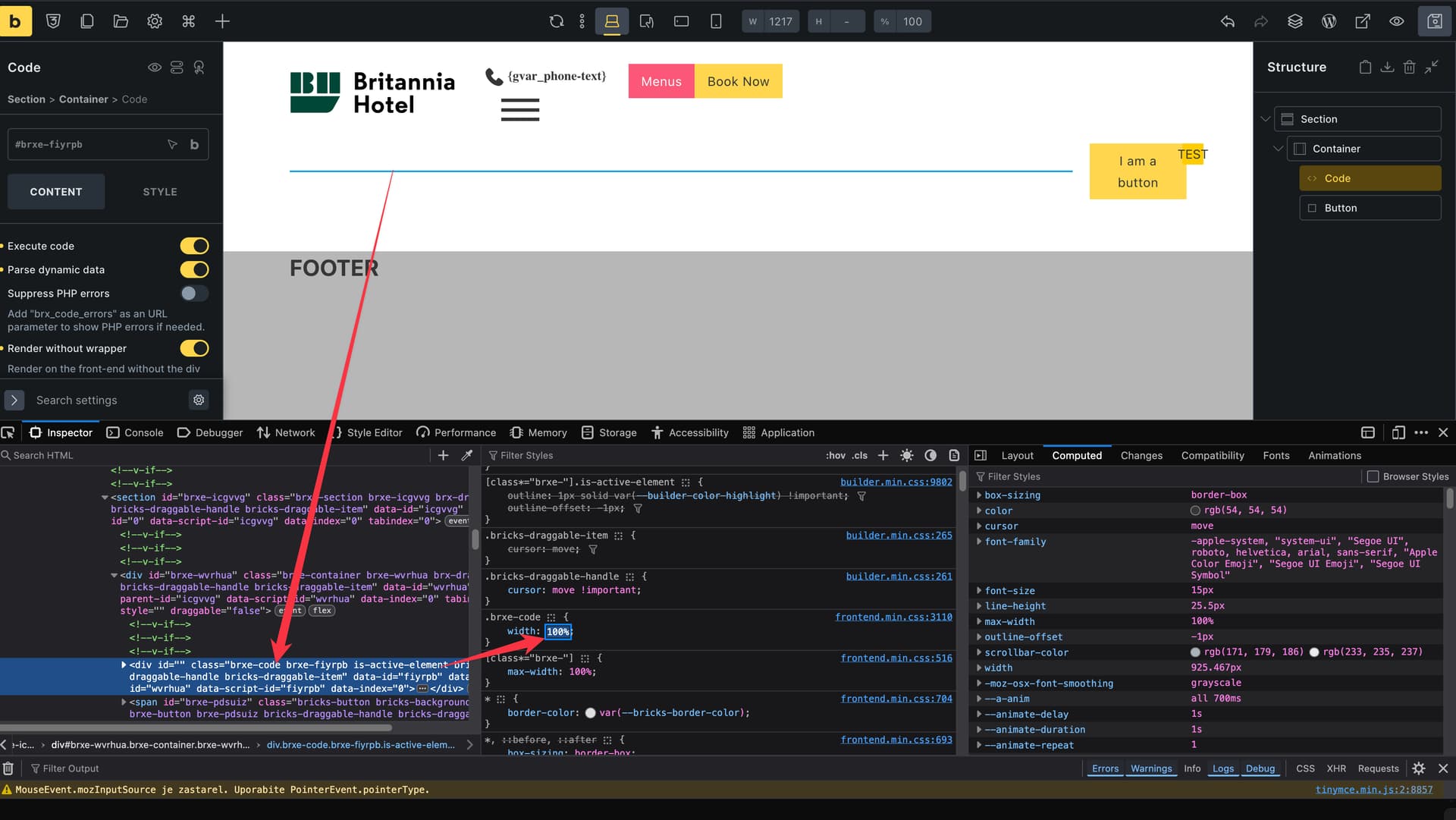
Can you chck dev tools, and see if there is width:100% applied to the code element wrapper? If it is, and you change it to auto, does it work?

If it solved the issue, then it’s the same reason as here: WIP: The width of the code element in the builder is out of control

Let me know please :slight_smile:
Matej

1 Like

Can you chck dev tools, and see if there is width:100% applied to the code element wrapper? If it is, and you change it to auto, does it work?

Yes, that’s exactly it.

Thanks as always Matej

Thanks for confirming @HOSEIN. In this case, I’ll mark it as a duplicate and close the topic.

The following topic will be the one that we will update once we release a fix:

Best regards,
Matej

1 Like