Browser: Chrome 110
OS: Windows
URL: Link to a page that illustrates this issue
Video: Jam
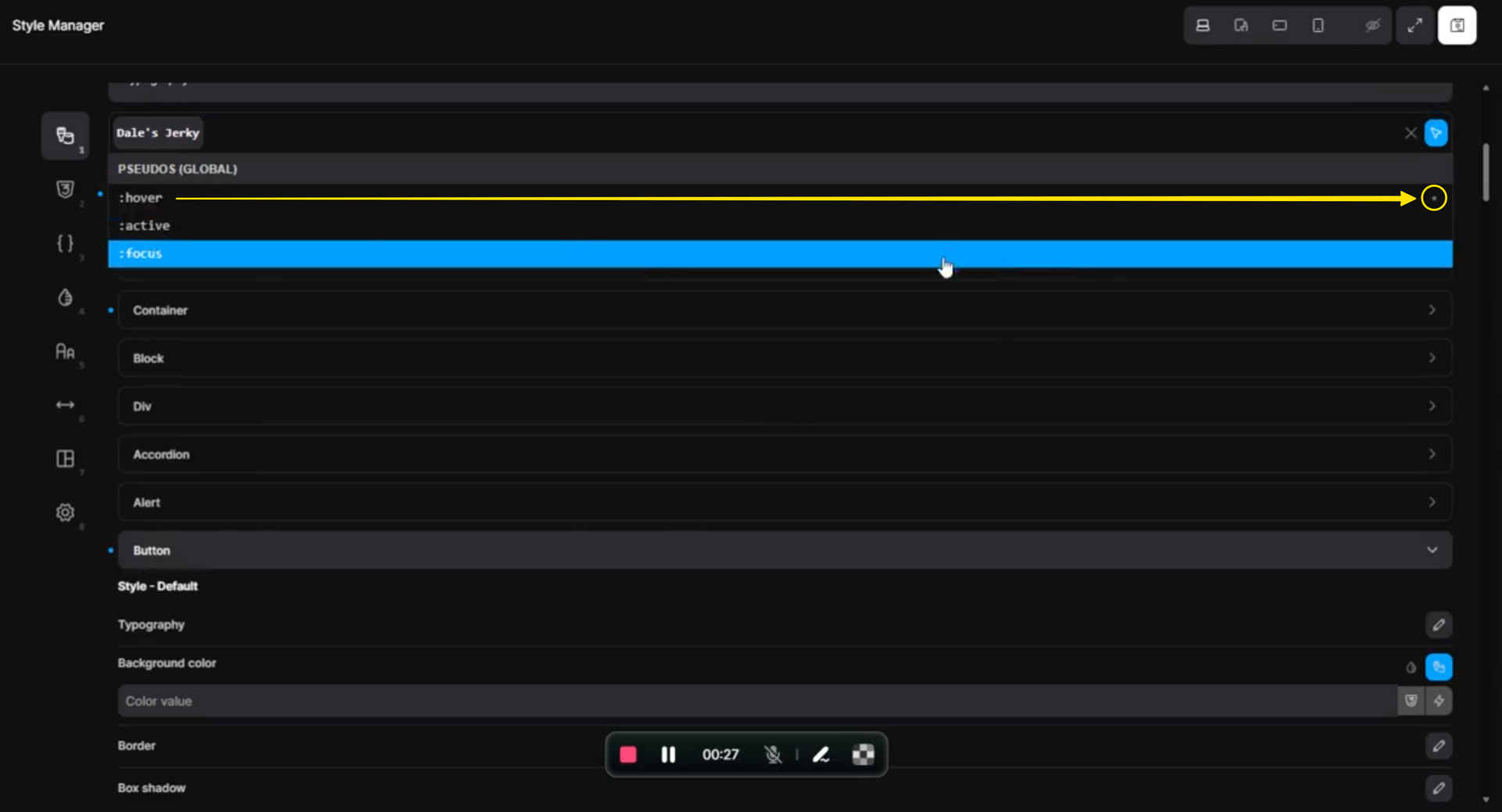
Hello, I imported the Brixies theme style which adds in a bunch of different items into the element section of the Theme settings. No matter how hard I try to remove the button setting that will not fully dissapear. I have not had any problems in the past doing this method this is the first time.
Hi Tanner,
Thanks so much for your report, and welcome to the forum!
It’s a little hard to see because of the video quality, but that little dot here means there are some hover styles set. If you remove them, the “main” settings dot will disappear too.
However, I understand the confusion and have created an improvement task regarding this.
We’ll update this thread once it’s fixed 
Best regards,
timmse
Hey, thank you for the response!
One possible enhancement would be making it clearer when styles exist under a selector state, like Hover. I did not notice the dot at first when looking through the selectors. When I clicked into Hover, there was no blue dot next to the Button element indicating that styles existed there, but after scrolling through the settings, I found that there were in fact Hover styles applied.
Replication steps:
-
Create a Theme Style with a regular Button style and a Hover Button style.
-
In the Theme Style sheet, click the blue dot/button to clear all styles while no selector state is active.
-
The regular Button styles are cleared as expected.
-
The blue dot is still visible, but when checking other selectors, specifically Hover, there is no blue dot next to the Button element showing that styles still exist there.
-
The blue dot only appears when no selector is selected.
It would be helpful if the Button element also showed a blue dot under Hover when Hover styles are present.
If you need to discuss more about this I would be happy to help! I am a BA in my 9-5, so I am very acustom to walking through UAT and finding bugs and trying to replicate.
Best,
Tanner