Browser: Any
OS: Any
Theme Styles are not loaded in error template, then it’s a login page, changed by custom authentication page.
Regular 404:
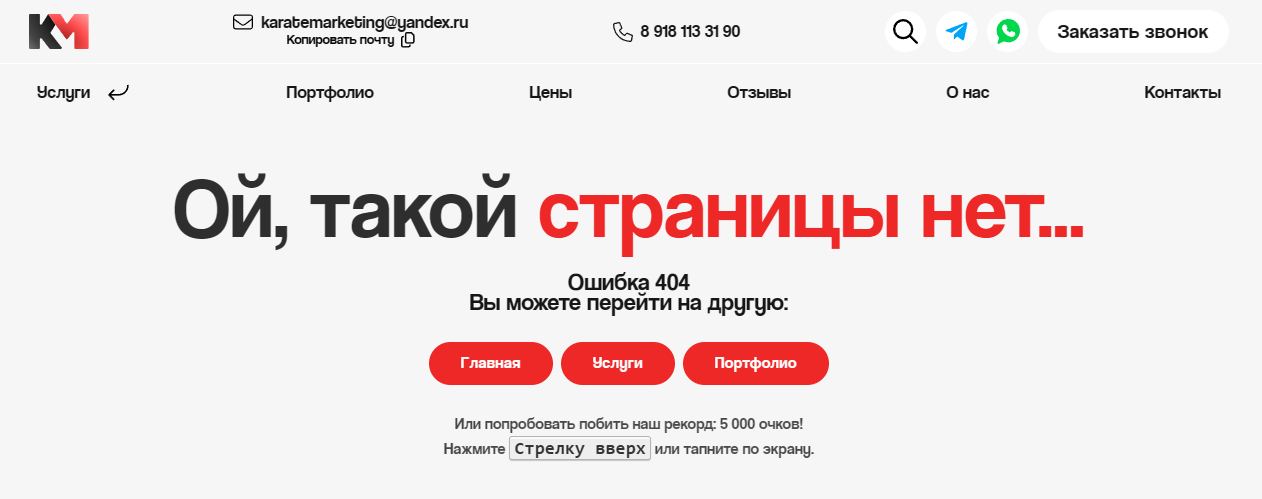
wp-admin:
Browser: Any
OS: Any
Theme Styles are not loaded in error template, then it’s a login page, changed by custom authentication page.
Regular 404:
wp-admin:
Usually when a page renders like that it’s because of a CSS syntax error that breaks everything below it. Worth making sure you didn’t accidentally enter a bum value or forget to close a { if you wrote some custom CSS that’s on the page.
Hi @Illarion,
I’m not sure if I know how to reproduce this issue. I’ve created an error template, and I can see my theme styles applied, if I visit some non existing page.
Can you please show me how you have custom authentication pages set, to show this template?
Thank you,
Matej
I created a new page and set it in bricks setting (https://academy.bricksbuilder.io/article/custom-authentication-pages/)
No, the <link rel='stylesheet' id='bricks-theme-style-main-css' href='/wp-content/uploads/bricks/css/theme-style-main.min.css?ver=1741255497' media='all' /> just not loaded inside my <head> tag
Hi,
I see. I sadly can’t reproduce the issue locally, so if you can, can you send temporary login credentials to your website and a link to this topic to help@bricksbuilder.io using the email address you used during the purchase, so we can have a look?
Thank you very much.
Matej
Unfortunately, I don’t have access to our agency email, which was used for purchase. Can I confirm in some other way?
Mention the agency email address in the email, and then we can verify it  @Illarion
Hi @Illarion,
I was able to reproduce the issue, and I’ve added it to our bug tracker.
Thanks,
Matej
Is this issue fixed? I’m working on localhost new website… and my 404 template is having same issues. The styles show fine when editing or viewing the template itself. However, when testing on a random /missing-page the styles don’t work.
Is there a known work around? Like.. recreate the template, or something simple?
The most reliable solution will be the official patch since the root cause is likely deep within the theme rendering logic You could try temporarily applying inline styles to your 404 template as a short-term visual fix