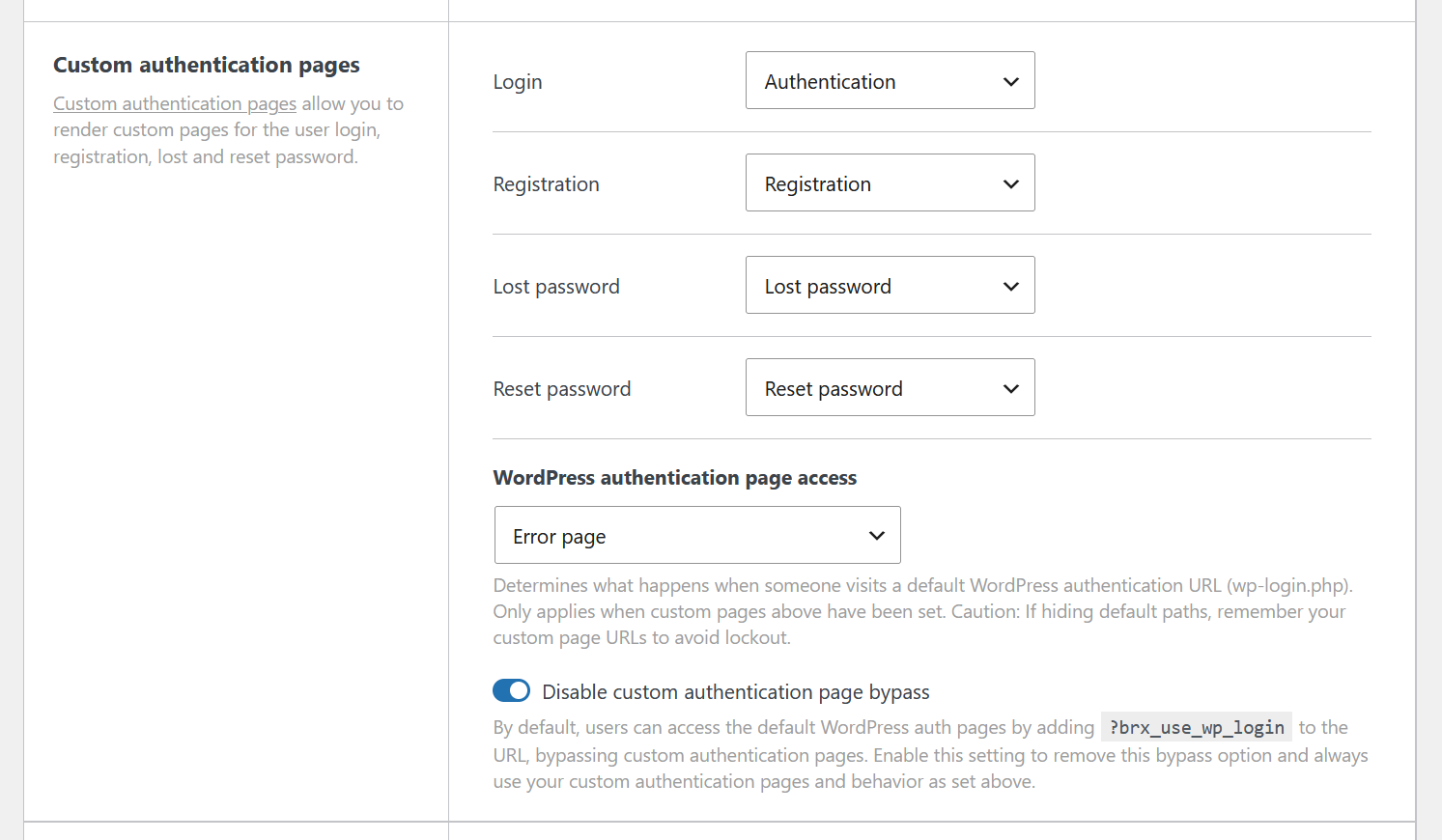
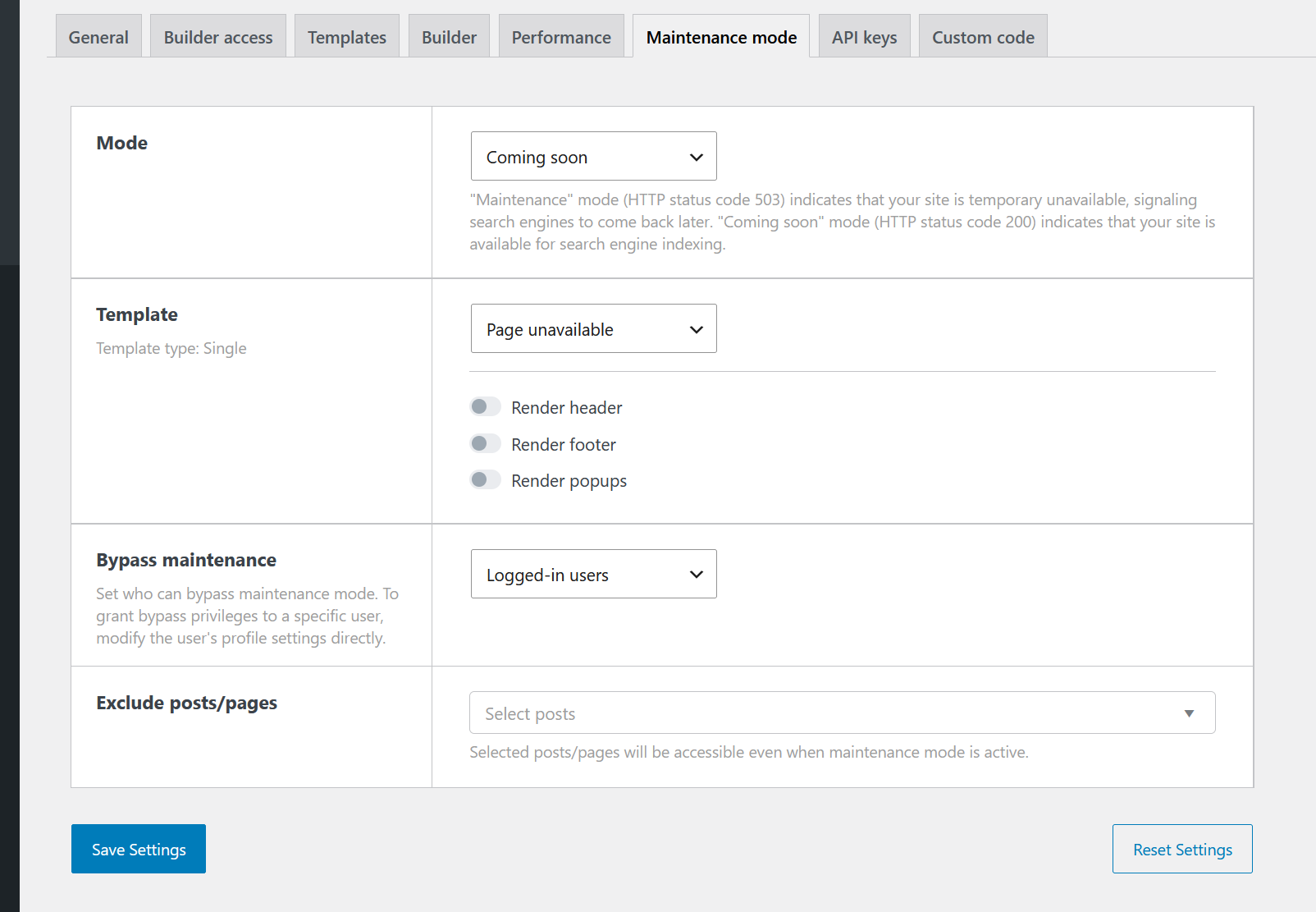
The error page that supersedes WordPress’s default authentication pages when setting custom authentication pages does not follow maintenance mode settings, resulting in the full error page appearing as if no maintenance mode were enabled, allowing access to the header and footer. Since the standard 404 page isn’t displayed during maintenance mode, this behavior is likely a bug.
Steps to reproduce:
-
Set up a custom login page with “WordPress authentication page access” configured to “Error page”.
-
Activate maintenance mode. (either Mode setting, and the Template can be the default)
-
Access
/wp-login.phpwithout an authenticated session. The site will show the 404 error page as configured through the custom authentication page with the page header and footer, ignoring the maintenance mode.