Browser: Safari
OS: macOS
This might be classified as a “feature request” though this seems more like a defect to me…
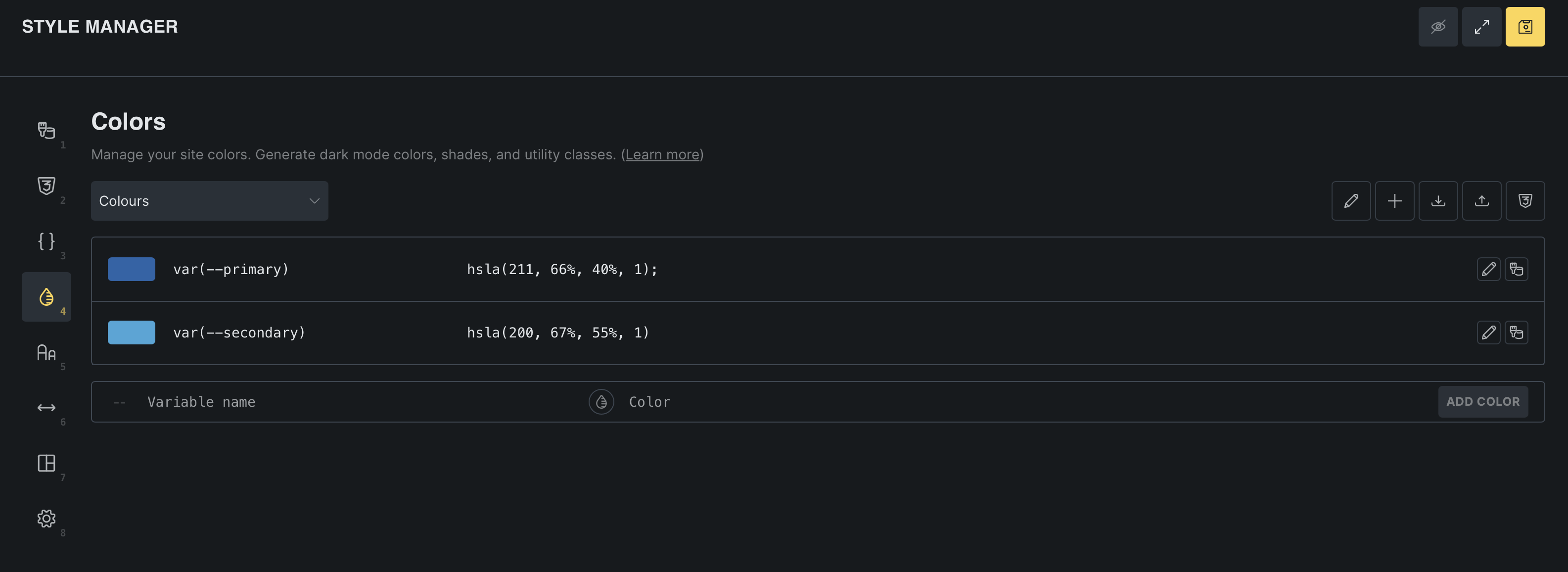
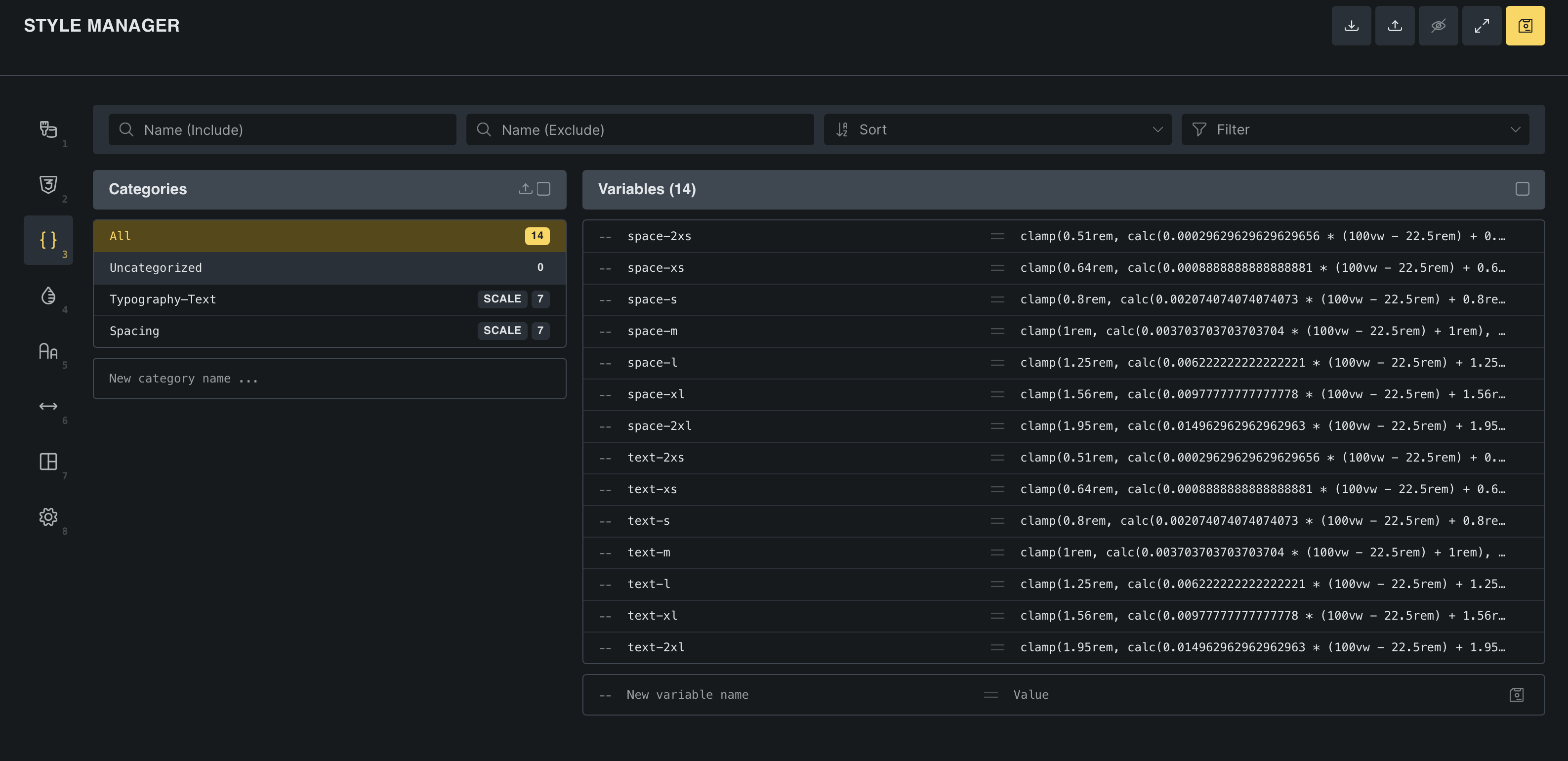
When generating colours via the Colors page in the Style Manager (Bricks Builder 2.2), even though it’s generating a bunch of colour variables, it is not showing these generated variables (and thus no ability to rename some of the generated transparent variables either for example) in the Variables page of the Style Manager. Screenshots attached.
The reason this seems like a defect to me is because the Spacing and Typography pages in Style Manager do indeed show the generated variables in the Variable page for further adjustments (renaming, etc)… so why does generated variables for colours via the Color page in Style Manager not do the same thing? This current behaviour seems inconsistent and a poor UX. If there is a reason for this behaviour and it’s not considered something to “fix”, then I would at least hope for a bit of a message or documentation stating why it behaves this way so users at least know that it’s expected behaviour.
The current documentation for this feature ( Color Manager – Bricks Academy ) states “Each color is stored as a CSS variable”, so I think it is reasonable that a user would expect to see these variables in the Variable page in Style Manager just as it does for Spacing and Typography variables.