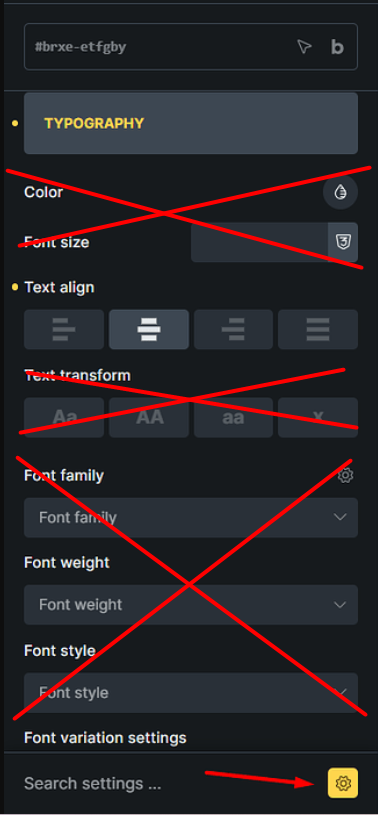
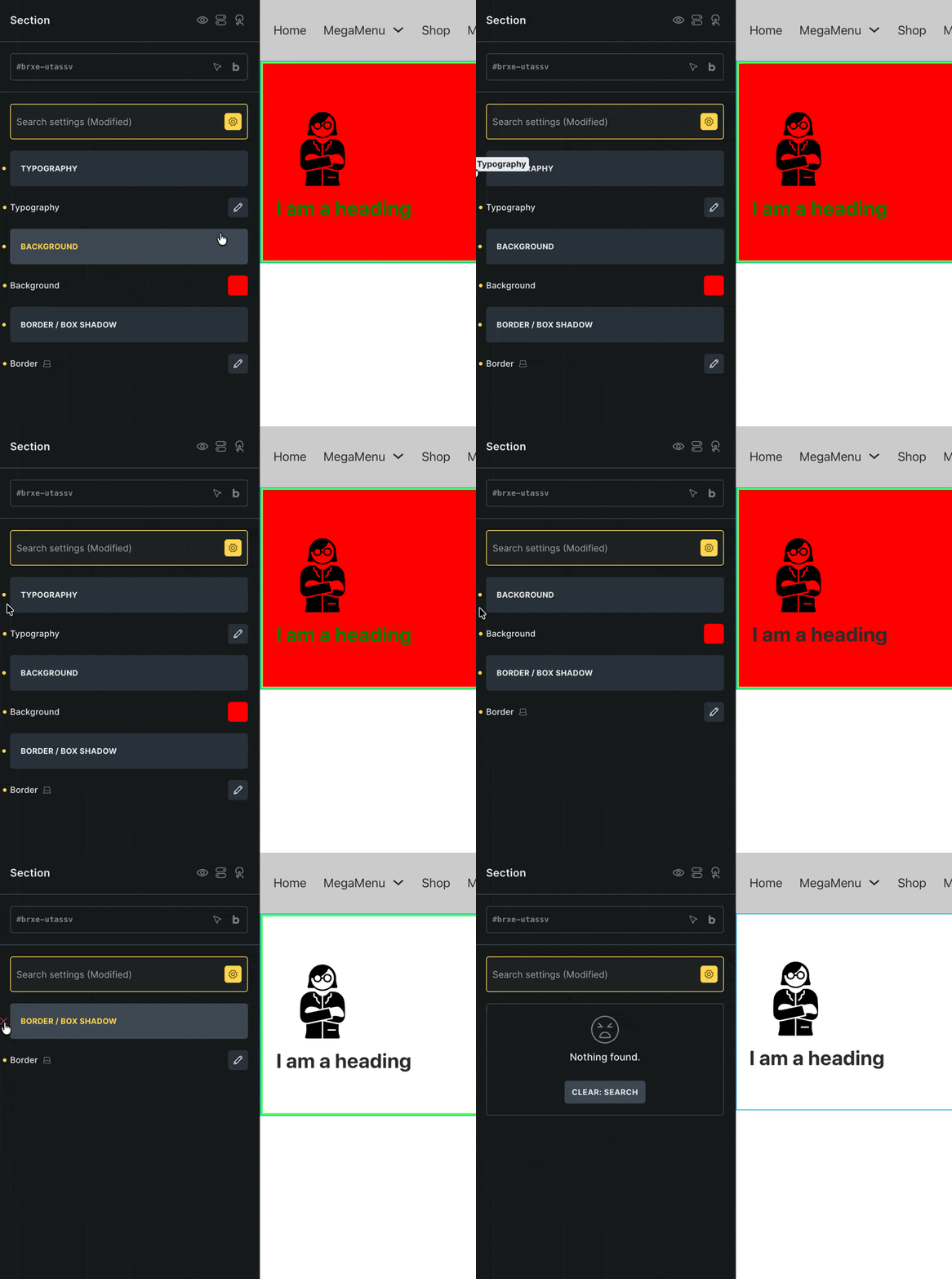
2- If you make a change in the Typography group, the typography controls will be displayed as a pop-up in Modified settings. While they are not in a pop-up in normal mode.
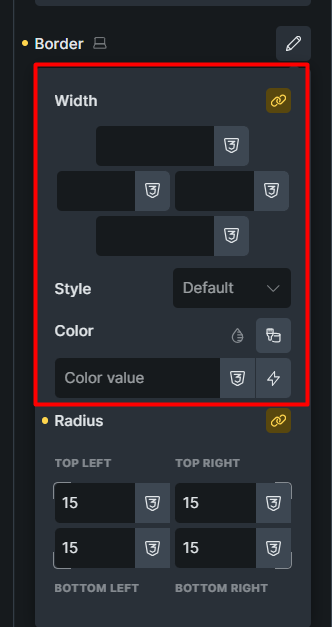
3- If I’m not mistaken, this problem was fixed in version 2.0, but it still happens now. If you make changes in the Typography or Border group, the controls that are not active will also be displayed in Modified settings.
4- I’m not sure if we can consider this a bug or not. But when Modified settings are enabled, the Quick access bar buttons don’t work. But it would make sense if they did, right? Like when the Interactions or Conditions panel is open, clicking on the Quick access bar buttons closes them.
Yes, I remembered talking about this with Thomas before, but I couldn’t find it before this report. Thanks for the link
To be honest, I didn’t check this after version 2 because I don’t use Modified settings much. But if you agree, before and after version 2.0 the problem still exists and controls are displayed that are never modified, except that before version 2 the typography and border controls were outside the pop-up, now they are inside the popup.
Overall, I think the approach before Bricks 2.0 is more appropriate. Except that only the modified controls should be displayed. Outside of the popup.
Well, you “liked” the info that the problem had been fixed back then, after all
Anyways.. I don’t find the current behaviour annoying (personal opinion), and as far as I know, we haven’t received any other reports apart from yours. So it seems that not many users find this problematic. If that changes, we’ll be happy to take another look at it
PS: #1 I cannot reproduce this under Windows either
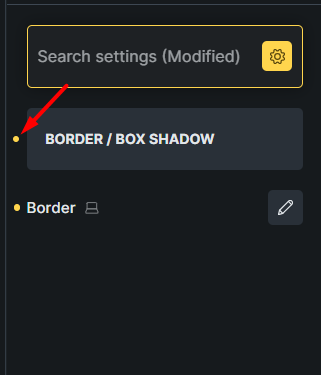
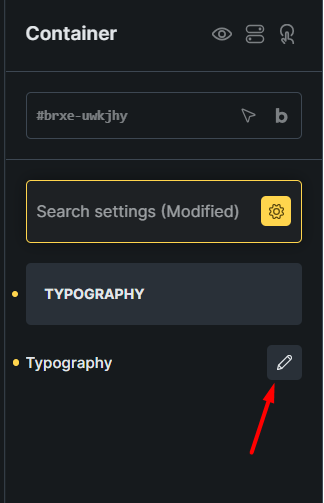
 At the moment, they only add the icons that are missing in the modified settings panels anyway