Browser: Chrome Version 147.0.7727.117 (Official Build) (64-bit) OS: Windows 11
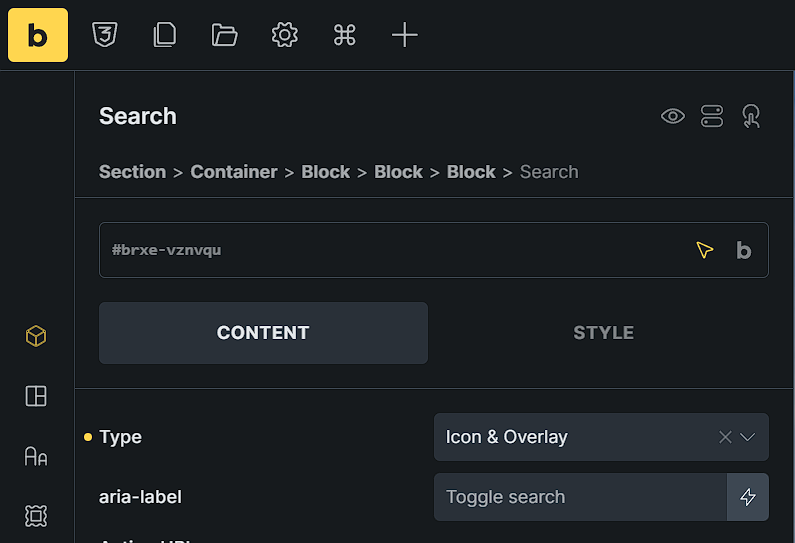
I am experiencing an issue with styling the Close Button of the Search element when the “Icon & Overlay” type is selected.
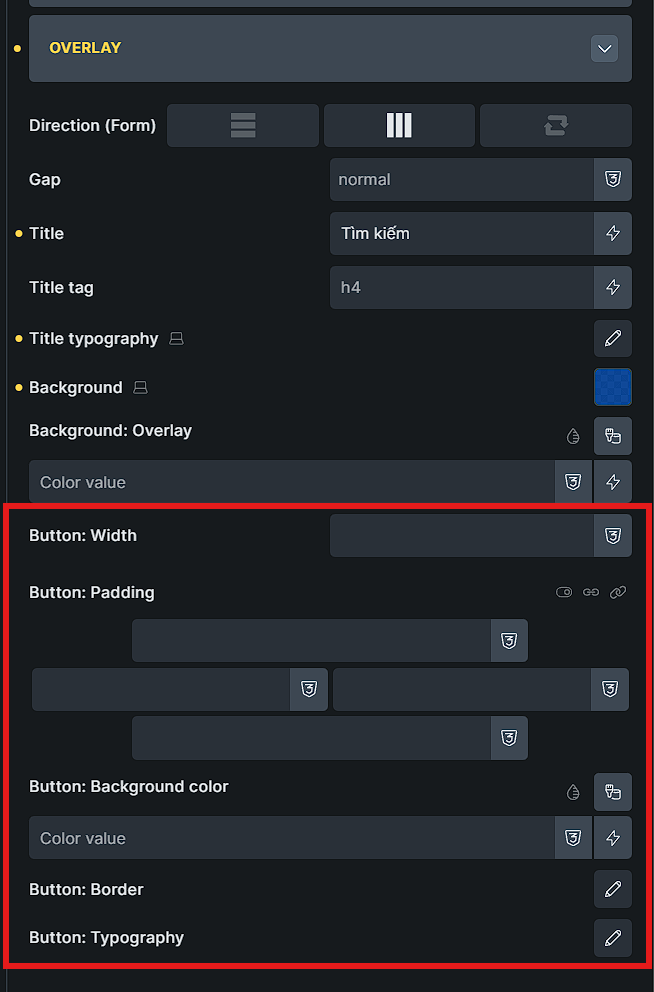
Scope Clarification: Under Content tab → Overlay, there is a “Button” settings group (Width, Padding, Background, Typography, etc. - see Image 2). Are these controls specifically intended to style the Overlay’s “Close” button?
Current Bug: If the answer is yes, these controls are currently not working. Changing the Typography or Background color within this panel has no effect on the Close button in the frontend; it remains at its default style.
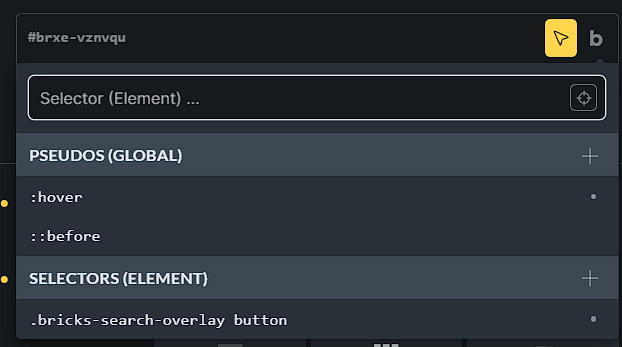
Current Workaround: To style the Close button, I am forced to create a custom element selector: .bricks-search-overlay button
The close icon uses the same styles as the search icon itself, which can be set under Button / Icon. The overlay button settings affect the search field’s submit button, as long as you’ve set a text.
It might be worth considering to adjust the grouping or the labels, because it’s not immediately clear what the settings do.
Thank you for the clarification, but I find the current logic leads to several inconsistencies and design limitations:
Redundant Controls: When the “Icon & Overlay” type is selected, the “Text” input under the Button/Icon section has no effect on the frontend, yet its styles are applied to the Close button. This is counter-intuitive from a UX perspective.
Ambiguous Scoping: - The “Button/Icon” section should be strictly for the initial Search trigger (Input/Button).
The “Overlay” section needs independent controls for:
Internal Input & Submit Button: Specific text and styling within the overlay.
Close Button: It currently inherits styles from the Open button, which is very restrictive.
Icon Customization Gap: There is a clear need for independent Icon selection. What if a design requires a small “Search” icon to open the overlay, but a large, specific “X” icon to close it? Currently, we cannot choose a different icon or set a different size for the Close button specifically.
I highly recommend restructuring these setting groups. The Overlay Close button should have its own dedicated Icon selector and Style settings to provide the flexibility needed for modern web design.
Yep, that’s right. They should be reorganized like that. With more distinct customization options and placed correctly within the groups they belong to.