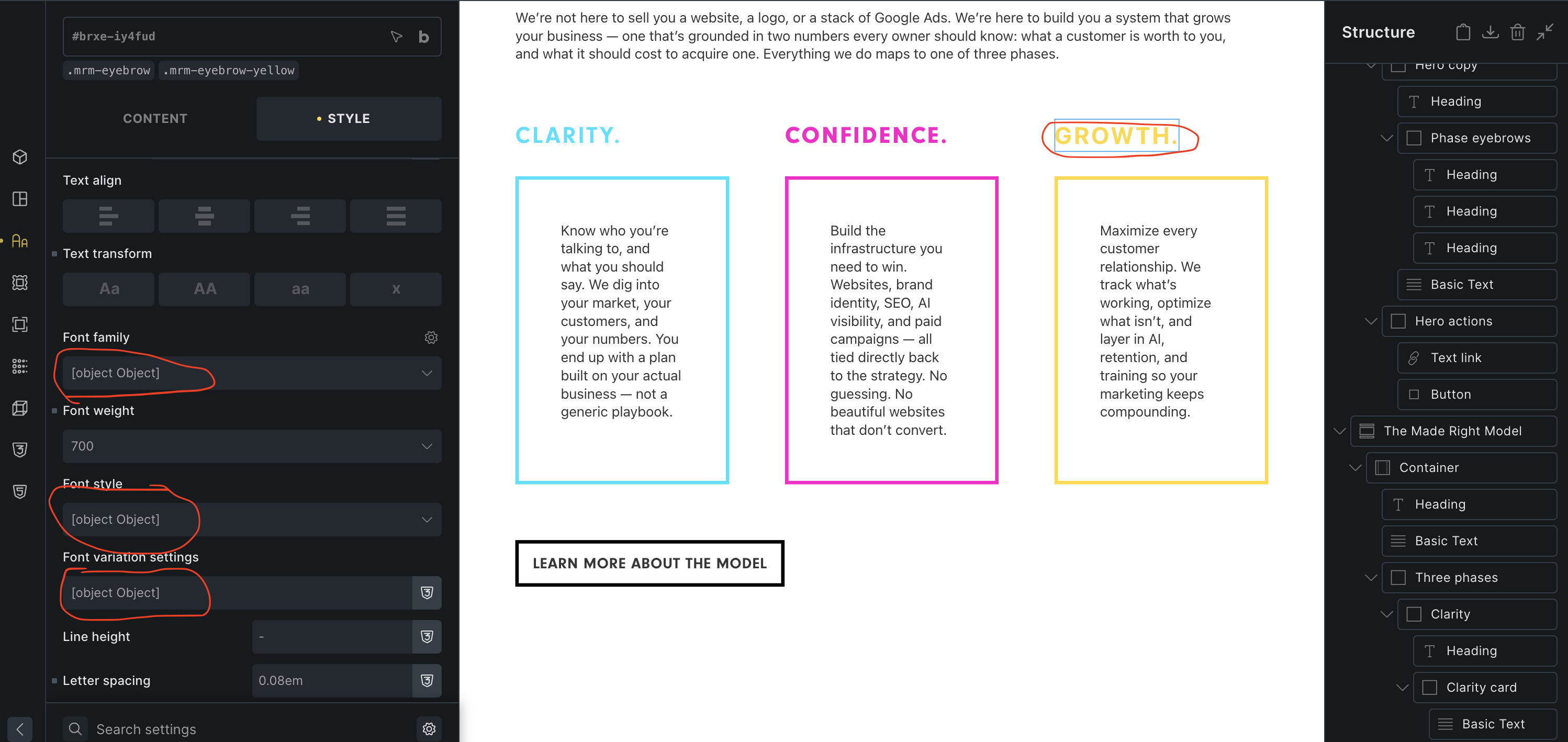
Browser: Chrome 110 OS: macOS / Windows / Linux / etc.
I have a clean site running on Flywheel Local. I have a basic style framework saved (just 100 lines or so of our own styles, not a full framework). I gave Claude Code a PDF mockup and had it build the page. My mind was completely blown. Looking through the page it built, I’ve noticed a few places where the bricks builder shows ‘[object Object]’. It appears to render fine, but I thought I would point it out.
Thank you for your bug report. However, I’m unable to replicate the issue locally. You mentioned that you have Bricks installed on your local machine, correct? In that case, could you please copy the entire page structure and send it over? You can paste it here in the forum or send it via DM or email.
I’ll try to see if I can identify the problem that way.
I will send you the site page structure via DM. I asked Claude to investigate it a bit in the same conversation to see if it was a Claude issue. I’m not sure if this is helpful, but two lines it gave back were:
Nothing is saved as [object Object] yet — so the builder is displaying it for a value whose type doesn’t match the control. Let me find object values sitting in scalar typography fields.
And
Theme styles and elements are all type-clean, and nothing is literally persisted as [object Object]. So this is the builder rendering a value it can’t stringify. Let me check how Bricks’ UI derives display text for font/colour values.
I also had Claude build a similar page that was created in Claude Design and imported, and this problem didn’t happen on that page.
Please let me know if I can do anything else to help.