Browser: Version 140.0.7312.0 (Official Build) dev (64-bit)
OS: Windows 11 PRO Version 24H2 Build 26100.4652
URL: https://mac.circea.dev/
PHP: 8.3.22
WP: 6.8.2
Description
“is empty” and “is not empty” conditions don’t work properly in components (at least with dynamic data, specifically images).
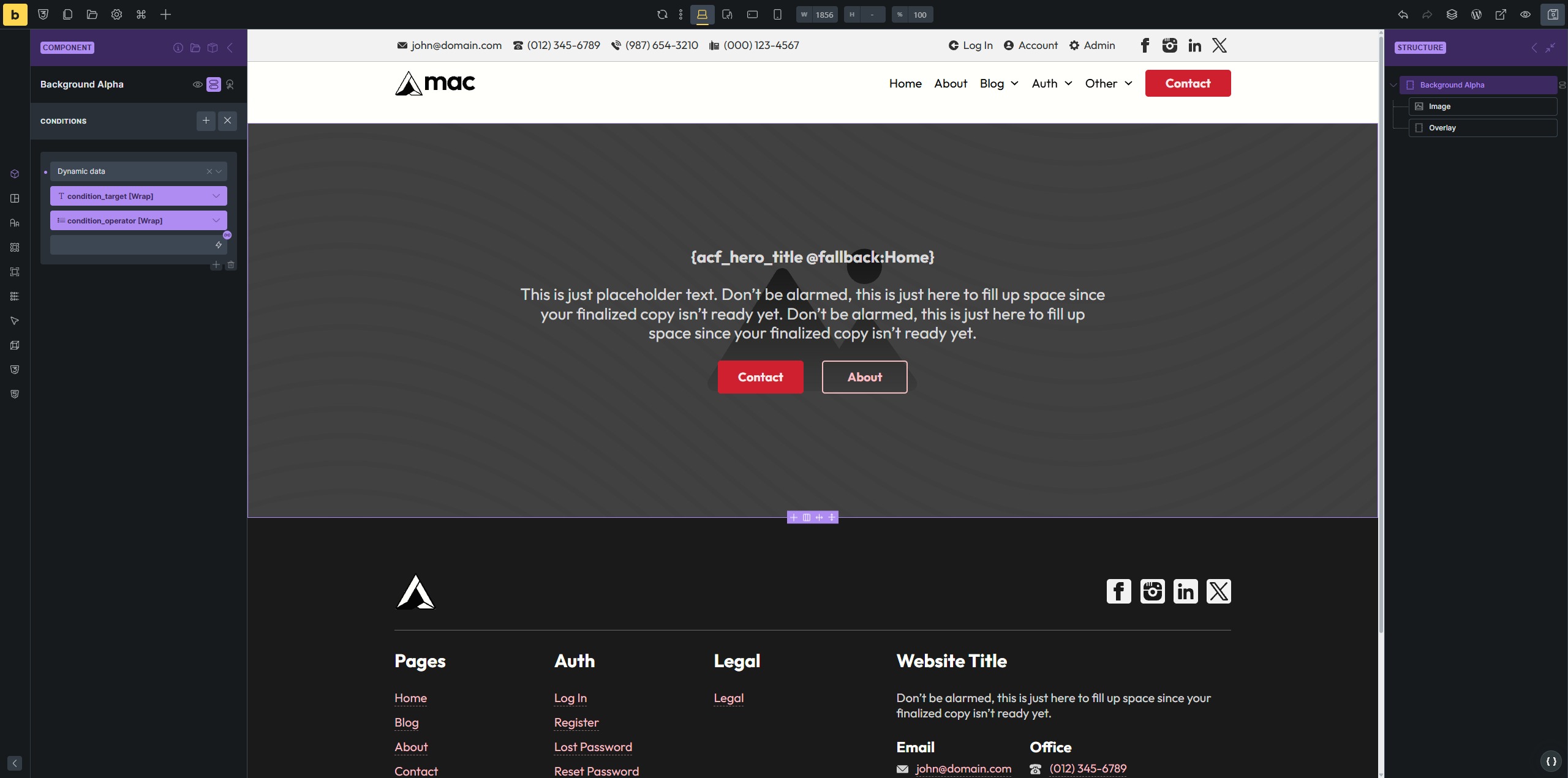
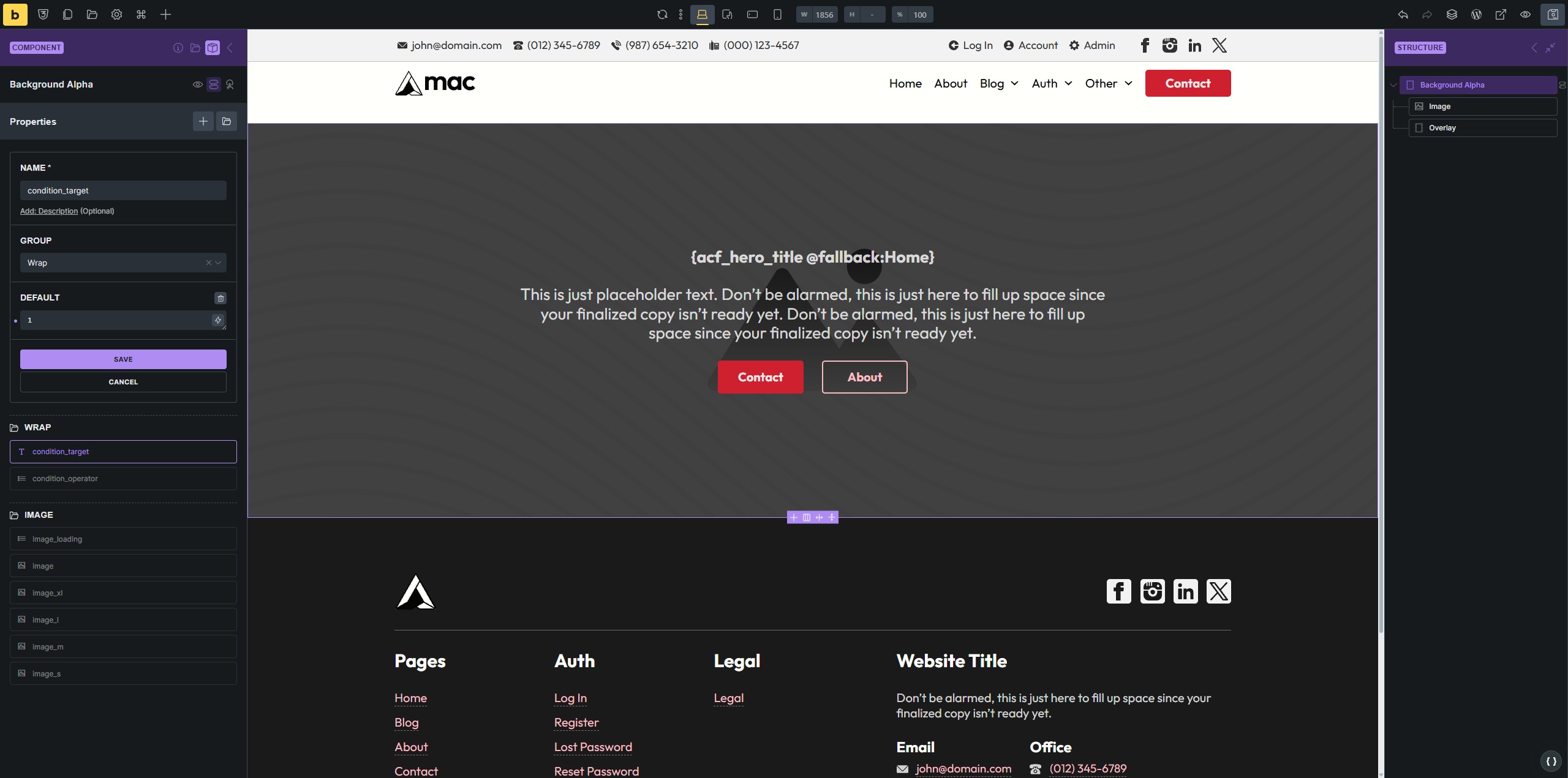
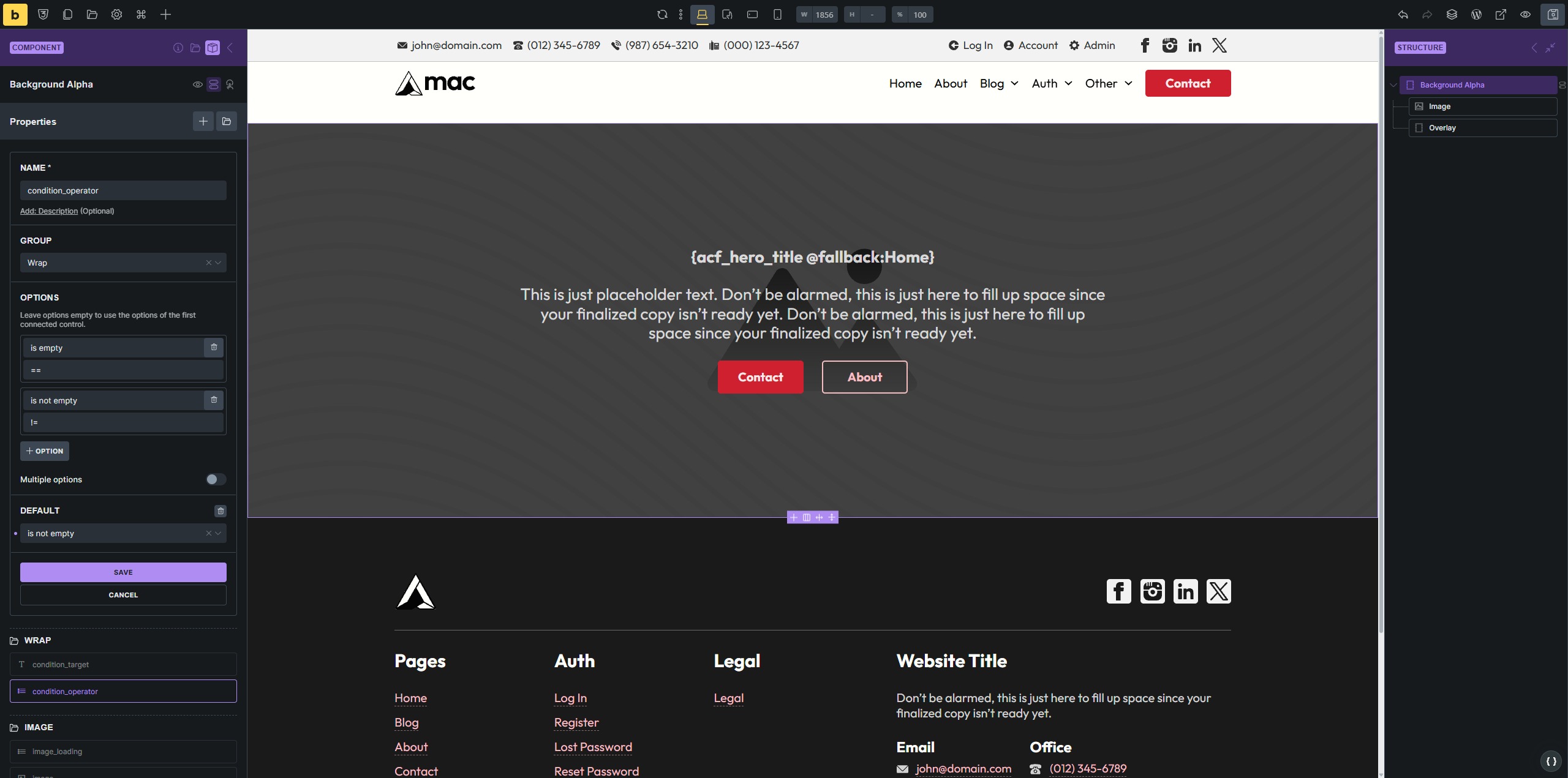
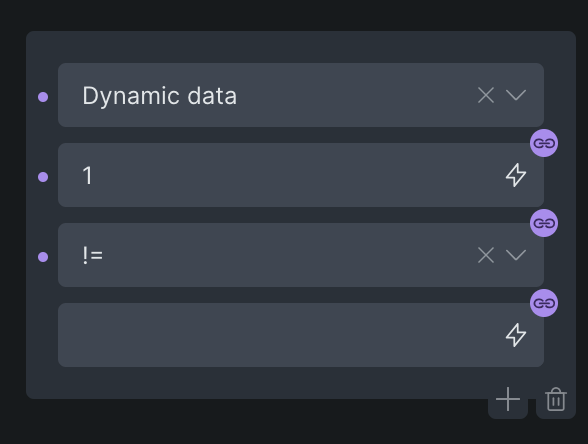
In the example below, I have a Background Alpha component, with props “condition_target” and “condition_operator”. The “condition_target” property has a default of “1”, and the “condition_operator” has a default of “is not empty” (actual value is !=).
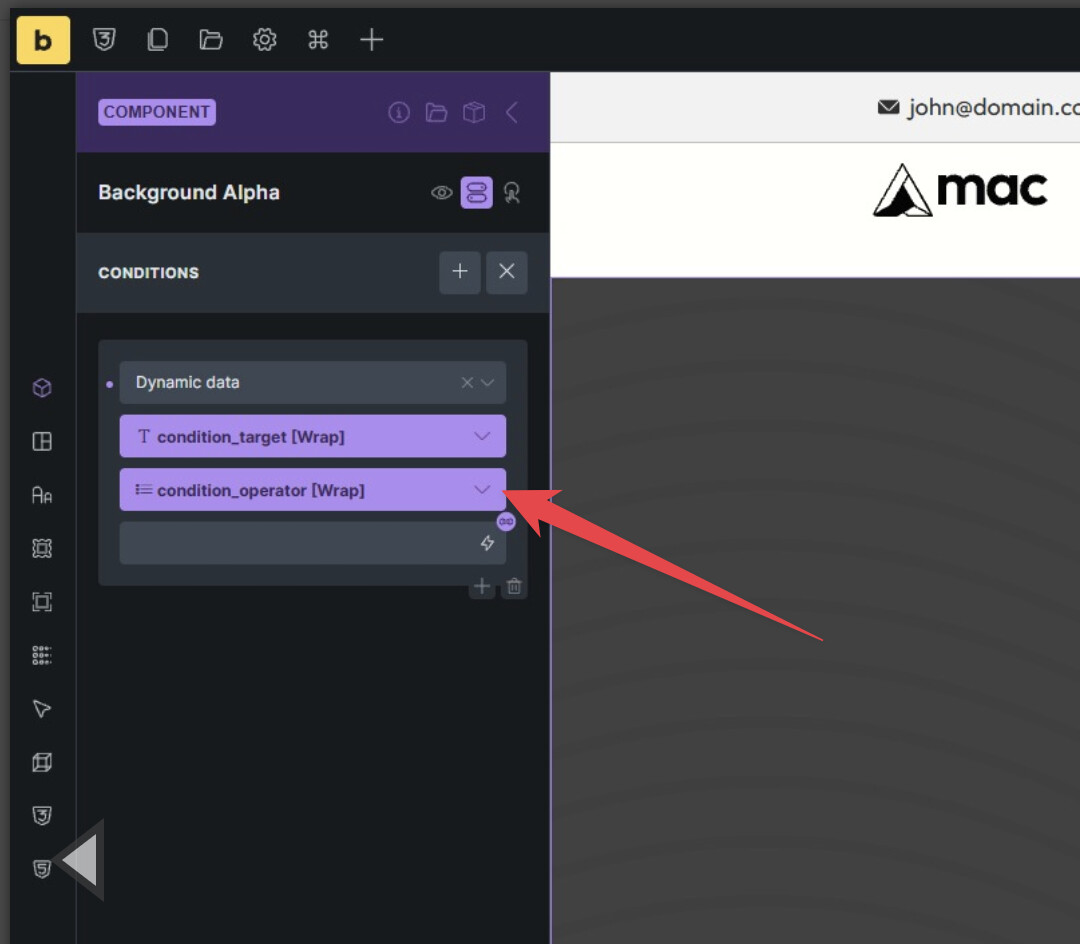
I’ve used a select prop with custom options because the select prop won’t auto populate when attached to the condition operator dropdown. Actually, I think that’s the case for all dropdowns of the condition builder.
The settings of the condition are
- “Dynamic data”
- “condition_target : 1”
- “condition_operator : !=”
- [empty]
I would expect the condition “1 != empty/false/0” to be true and the image to be displayed by default, but it doesn’t seem to work that way.
In my Hero Section Alpha component I have 2x Background Alpha. The first one should display when “acf_term_image” is not empty, and the second one when “acf_term_image” is empty.
In reality, not only do the conditions not work, but only one Background Alpha is displayed on the front-end, even with both having the exact same condition (either both acf_term_image is empty, or both acf_term_image is not empty; same story with featured_image).
My Footer Alpha footer component should also have a background image, but same story - the behavior is very strange. Conditions seem to be working, but incorrectly. For example, if I set the condition featured_image is not empty (via props) on the Background Alpha component that’s in my footer, the Background Alpha background will display on the front-end, but it SHOULD NOT, as my featured_image is actually empty.