Browser: Chrome Version 145.0.7632.76 (Official Build) (64-bit)
OS: Windows 11.
Hi,
[1] Environment Setup & Initial Data (v2.1.4):
To reproduce the issue, the following data was initialized in Bricks v2.1.4:
-
CSS Variable:
--foo-bluewith value#2f00ff. -
Color Palette: “Default”.
Create Colors:
- Color 1 (Foo Red): Value set as HEX #ff0400.
- Color 2 (Foo Blue): Value set as RAW var(–foo-blue).
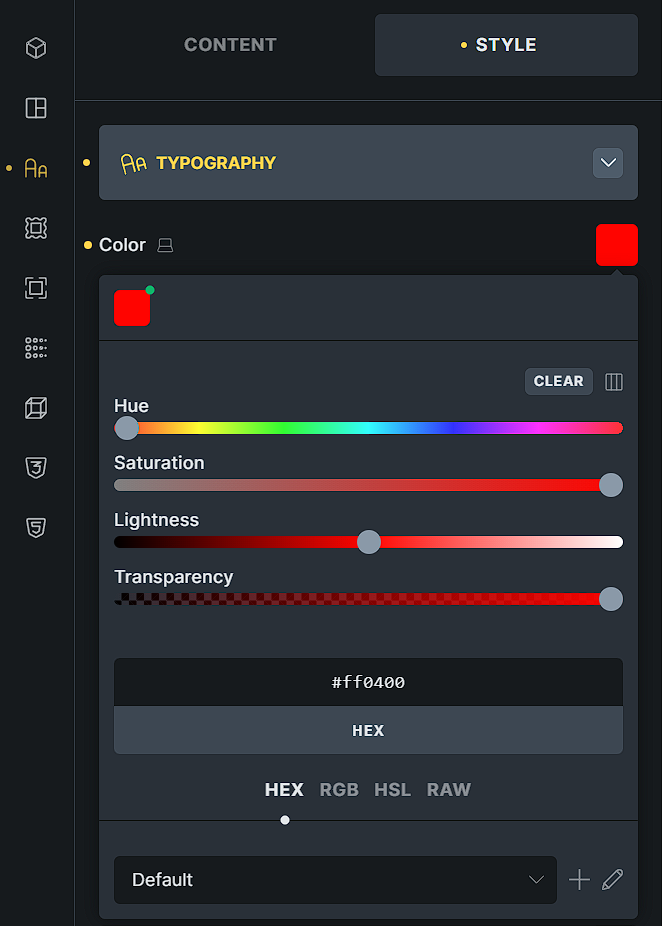
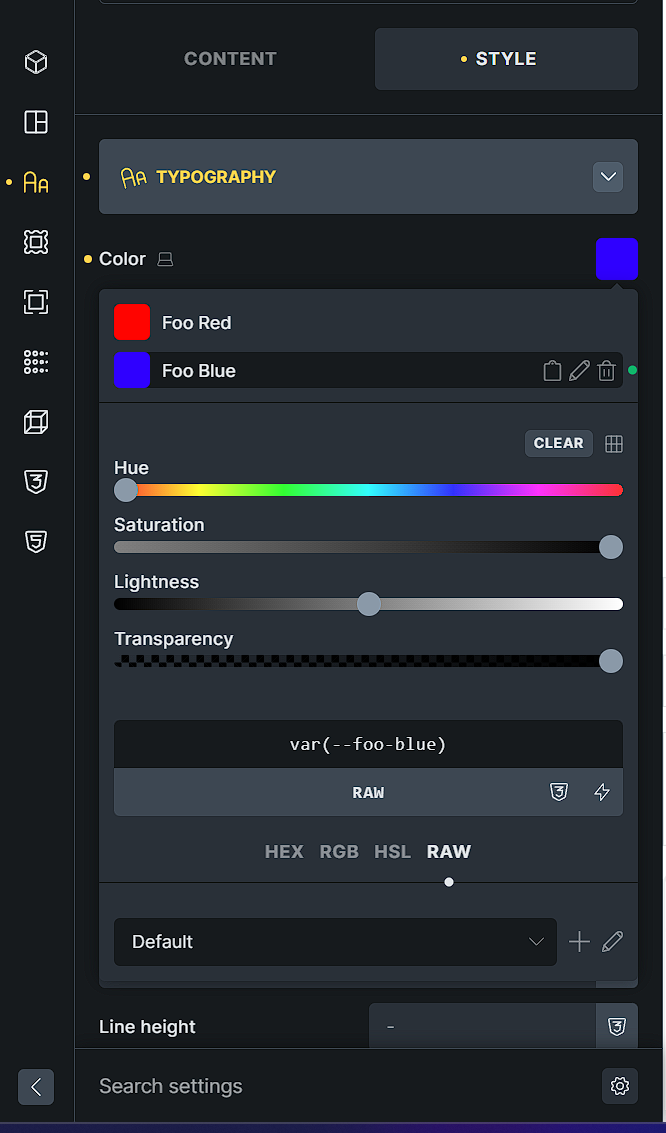
Database state in wp_options (bricks_color_palette) at v2.1.4:
option_name: bricks_color_palette
option_value: a:1:{i:0;a:4:{s:2:“id”;s:6:“chitem”;s:4:“name”;s:7:“Default”;s:6:“colors”;a:1:{i:0;a:3:{s:3:“hex”;s:7:“#ff0400”;s:2:“id”;s:6:“kiokno”;s:4:“name”;s:7:“Foo Red”;}}s:6:“prefix”;s:0:“”;}}
[2] The Issues identified in v2.2.0:
After upgrading to v2.2.0, two different actions were performed in the Style Manager for migration. Comparing “Convert color to variable” (Foo Red) and “Populate from variable manager” (Foo Blue) reveals the following bugs:
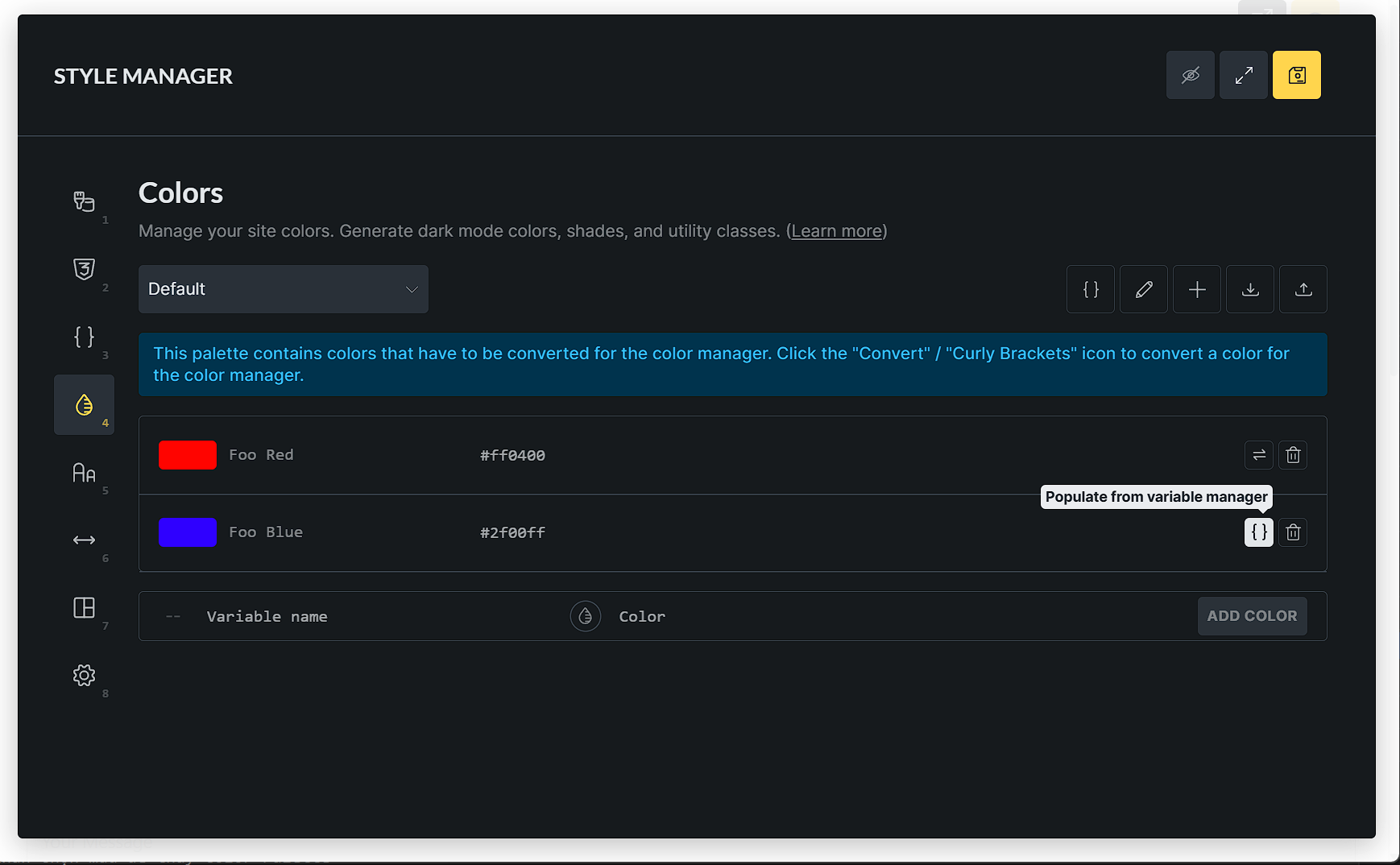
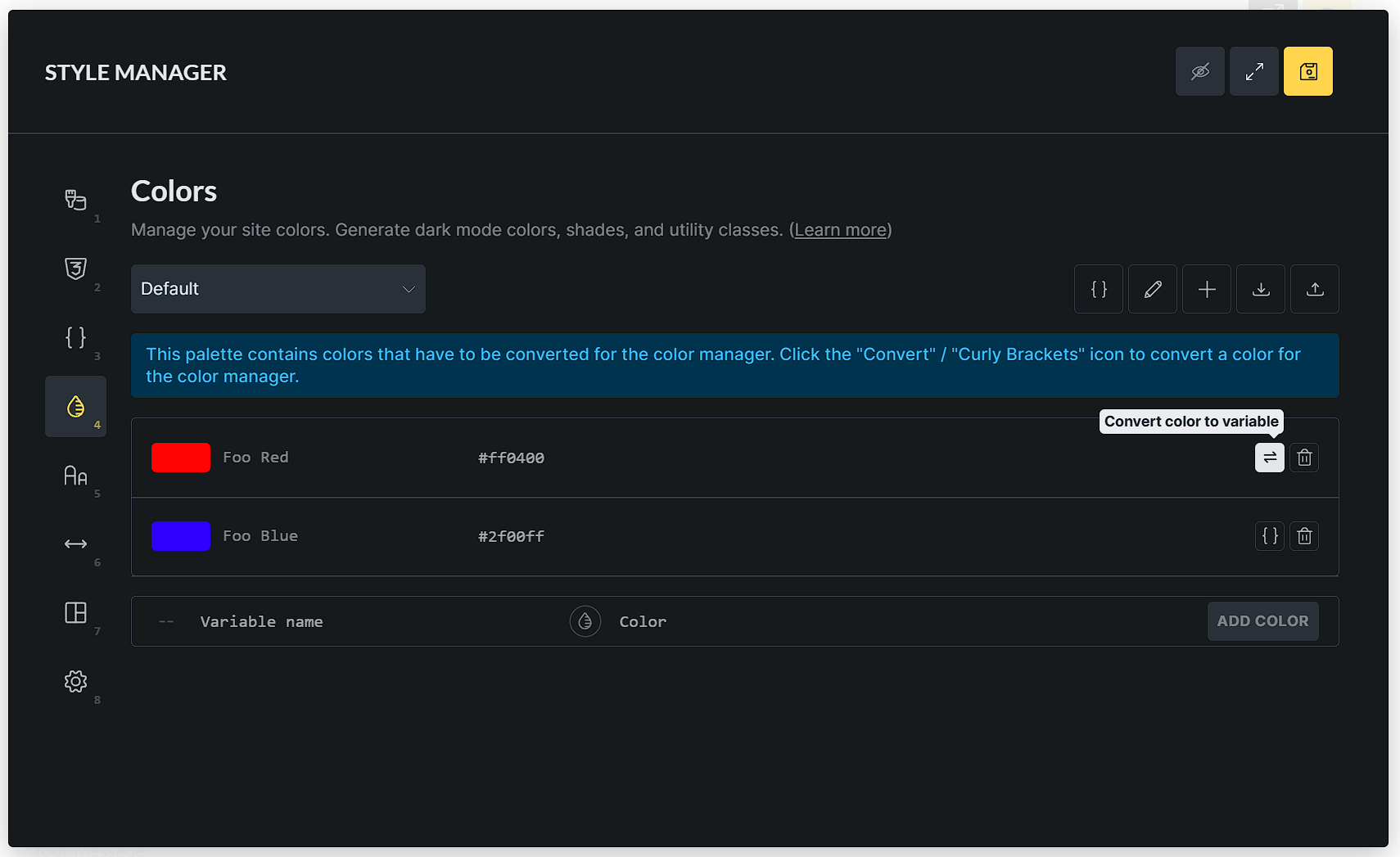
Issue 2.1: Failure to Normalize HEX to HSL When using “Populate from variable manager” for Foo Blue, Bricks fails to convert the source HEX value (#2f00ff) into HSL within the light key. The “Convert” action handles this correctly, but “Populate” does not.
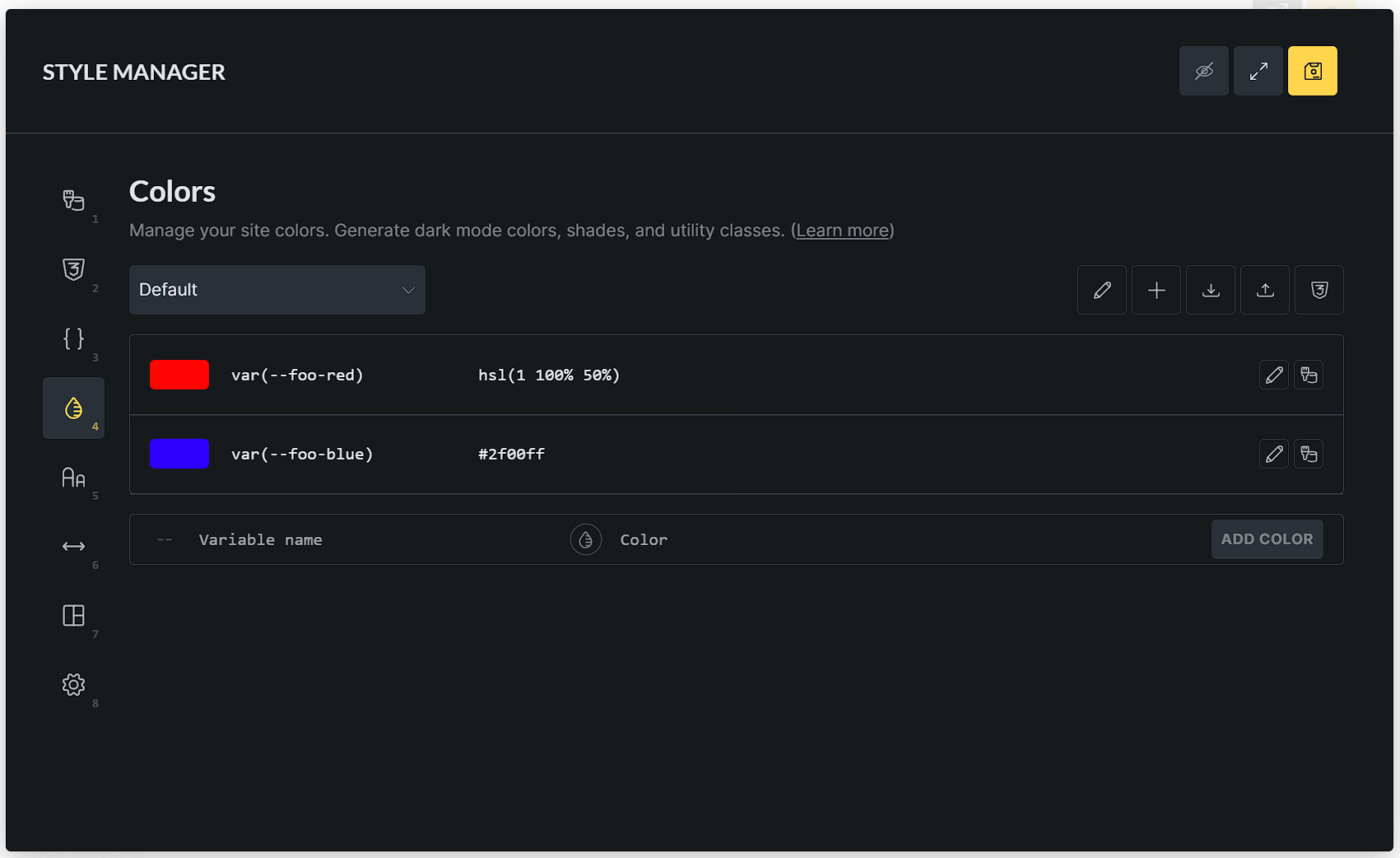
Issue 2.2: Management Failure (Sync, Move, and Delete) After the “Populate” action, the CSS variable --foo-blue remains static.
-
It does NOT sync, move, or delete itself from its original location to the designated “Color” group in the Style Manager (Variables Tab Panel 3).
-
It remains as a redundant/orphaned entry in the system, forcing the user to manually clean up the Variable Manager.
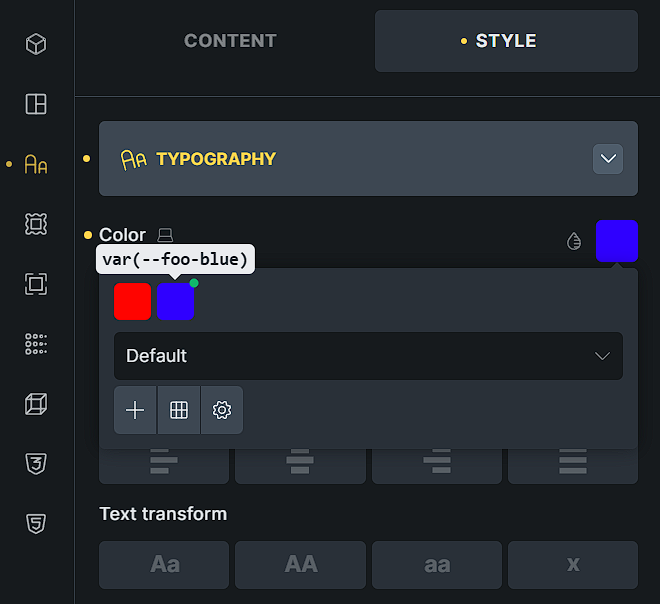
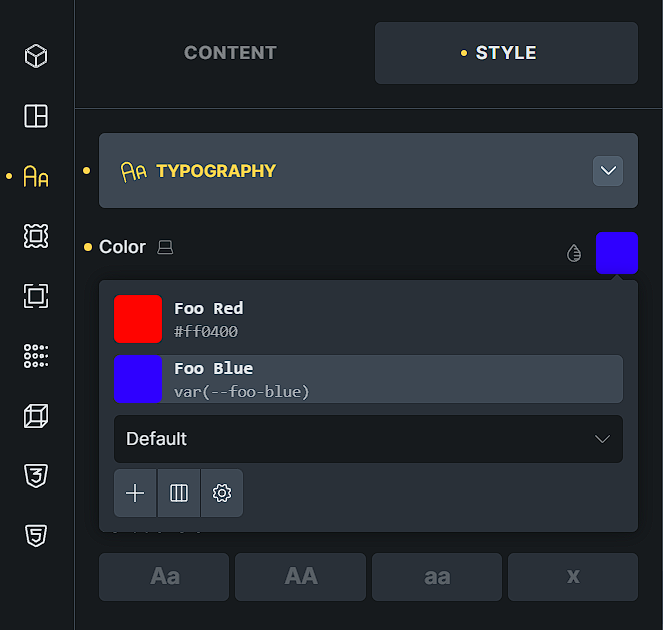
Issue 2.3: Metadata Persistence (The ‘name’ key) & UI Inconsistency For “Converted” colors, the name key is stripped from the database. However, for “Populated” colors, the name key persists.
- UI Bug: This causes a fragmented experience. In List View, the palette displays the legacy “Name” (Foo Blue), while in Grid View, it behaves differently. The UI should be unified to show the Variable reference.
[3] Database Comparison in wp_options (v2.2):
option_name: bricks_color_palette
option_value: a:1:{i:0;a:4:{s:2:“id”;s:6:“chitem”;s:4:“name”;s:7:“Default”;s:6:“colors”;a:2:{i:0;a:3:{s:2:“id”;s:6:“kiokno”;s:3:“raw”;s:14:“var(–foo-red)”;s:5:“light”;s:15:“hsl(1 100% 50%)”;}i:1;a:4:{s:3:“raw”;s:15:“var(–foo-blue)”;s:2:“id”;s:6:“sjzcna”;s:4:“name”;s:8:“Foo Blue”;s:5:“light”;s:7:“#2f00ff”;}}s:6:“prefix”;s:0:“”;}}
- Foo Red (Correct): No name key, light is hsl(1 100% 50%).
- Foo Blue (Buggy): name key still exists (s:4:“name”;s:8:“Foo Blue”), and light is still HEX #2f00ff.
Expectation:
The “Populate from variable manager” action should mirror the “Convert” logic:
-
Strip the
namekey to ensure UI consistency. -
Convert HEX values to HSL in the
lightmetadata. -
Bricks should automatically create a “Colors” Category (Folder) within the Style Manager > Variables panel. All populated or converted color variables should be automatically moved into this “Colors” category to ensure a clean, organized Variable Manager and avoid manual cleanup.
Thanks

