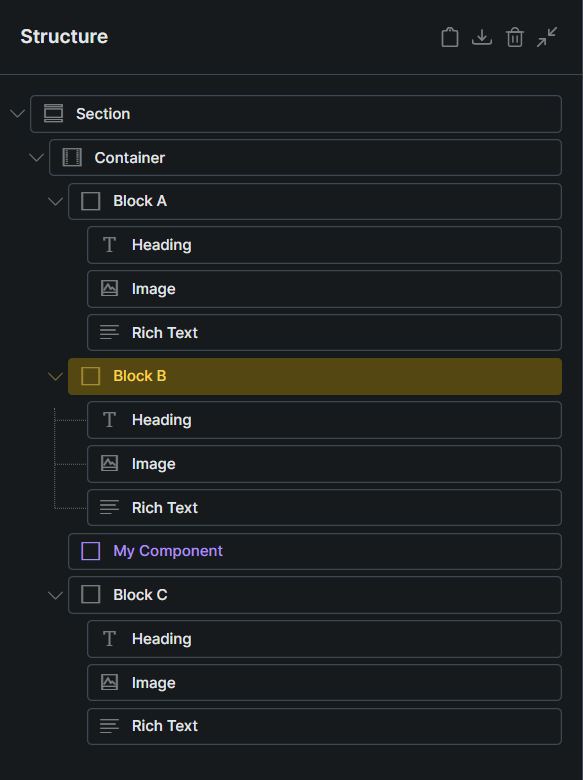
If I drag a component to the position shown in the screenshot above, the resulting position of that component varies:
If Block B is NOT selected, the component is inserted at the position of the yellow indicator as expected.
If Block B IS selected, the component is inserted AFTER Block B (see screenshot below). This seems like a bug to me: It is confusing and requires to reposition the component after inserting it.
I’ve tried with the same structure on Chrome and Firefox, but could not replicate the issue Can you record a video, just to see if I’m missing any steps?

 Can you record a video, just to see if I’m missing any steps?