Browser: Chrome 152
OS: Windows 11
User Role: Administrator - with bricks_execute_code capability explicitly granted
Bricks Settings: Code execution is enabled
Hi,
When importing a template bundle containing a Code Element (or any template using the Query Editor / sensitive component properties) via the new IMPORT / EXPORT tool in Bricks 2.4 (Settings → IMPORT / EXPORT → IMPORT), the import process is halted with a red banner error:
Current user lacks the "bricks_execute_code" builder permission.
| data: {"code":"bricks_forbidden_builder_permission","permission":"bricks_execute_code"}
Steps to Reproduce:
-
Create a new Bricks template (e.g., a Header template named
Header__Alter). -
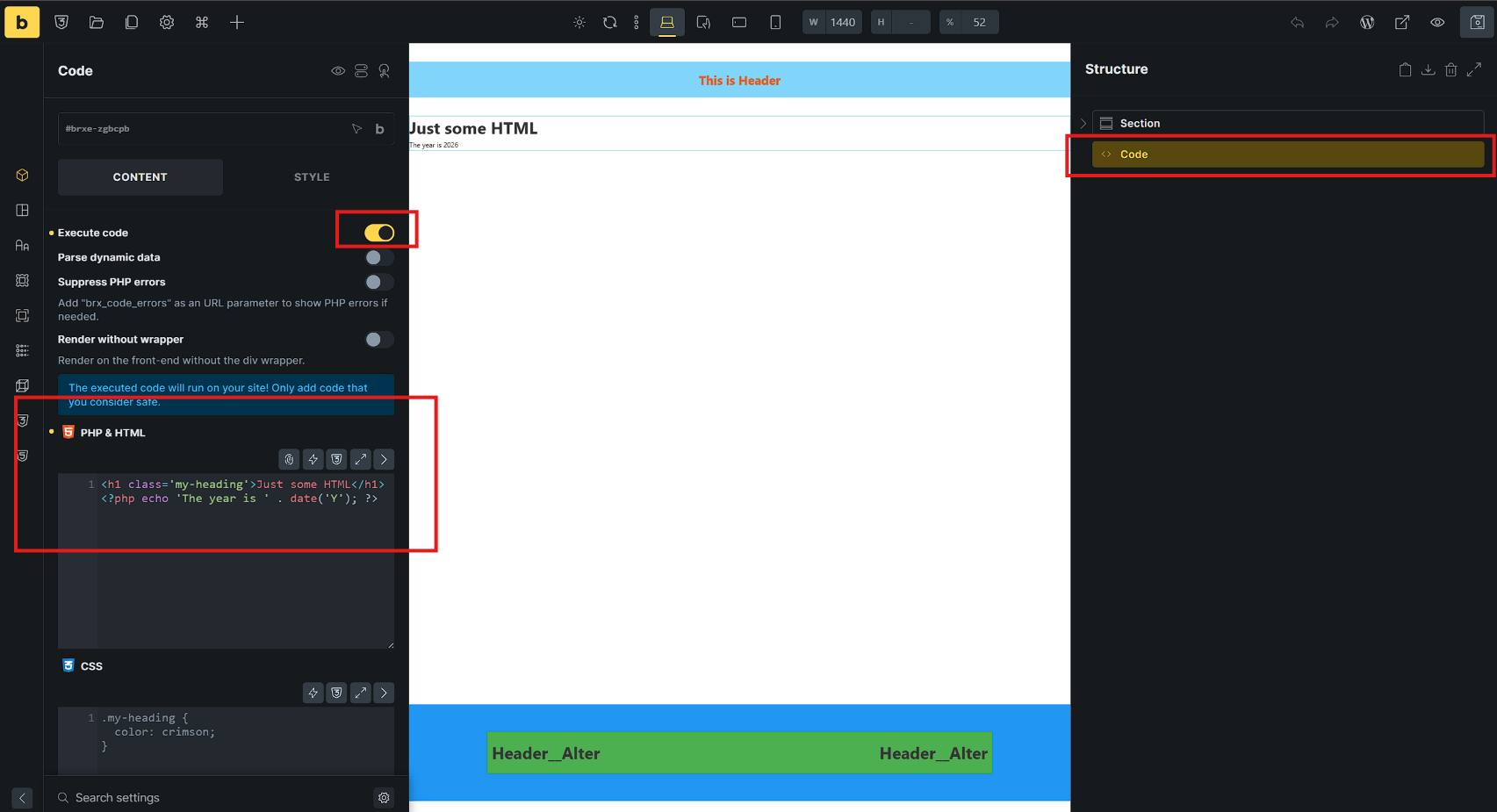
Add a Section element, then add a Code element inside it.
-
In the Code element settings, turn ON the Execute code toggle, and enter valid PHP/HTML code (e.g.,
<h1>Just some HTML</h1><?php echo 'The year is ' . date('Y'); ?>) (Screenshot 1). -
Open Builder Settings →
IMPORT / EXPORT→EXPORT. Select EXPORT BUNDLE, check only the newly created template (Header__Alter), and click EXPORT BUNDLE (Screenshot 2). -
In the target site (or same site), verify that the logged-in user has the
bricks_execute_codecapability and Code Execution is enabled inBricks → Settings → Custom Code. -
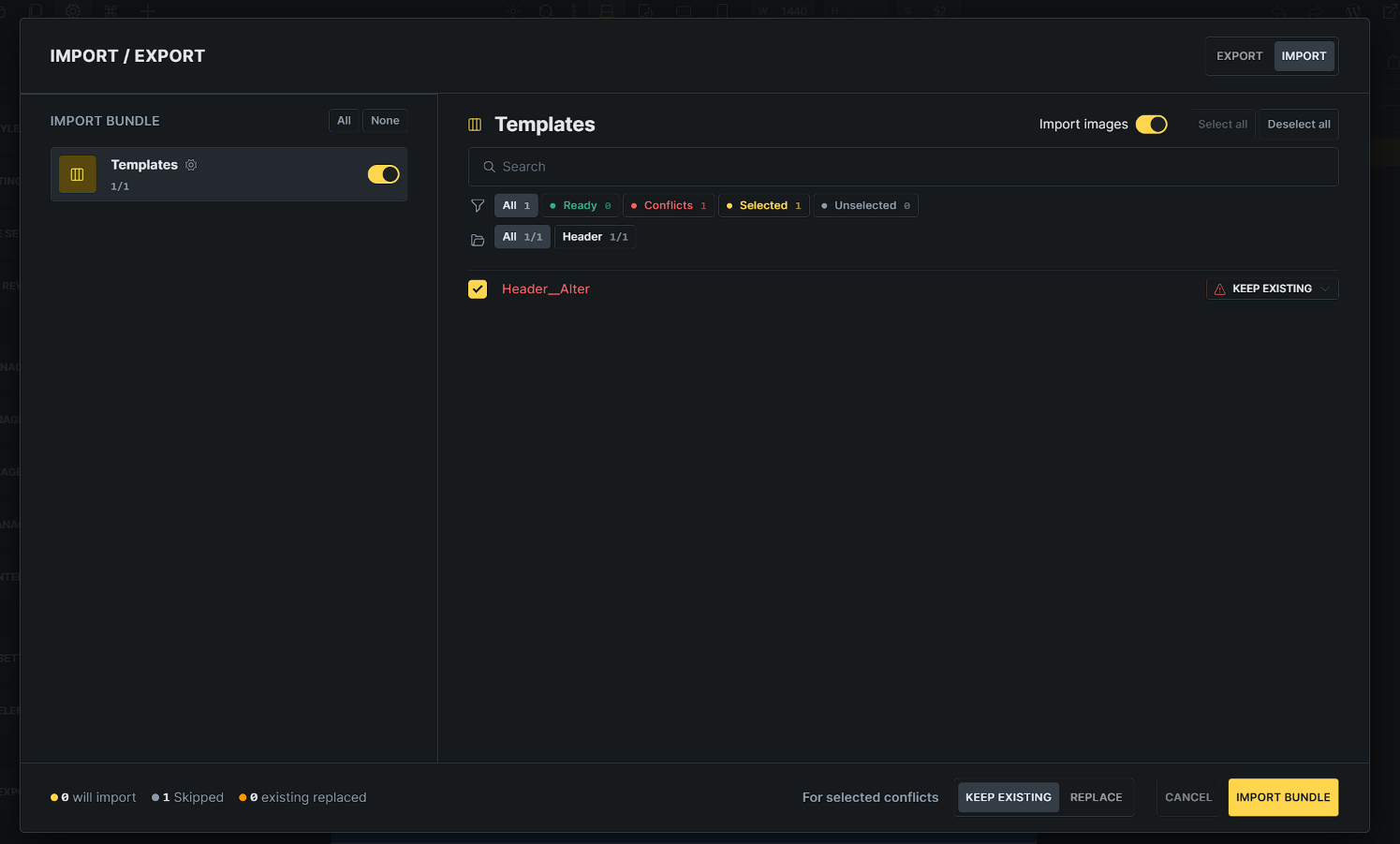
Open Builder Settings →
IMPORT / EXPORT→IMPORT. Load the bundle, toggle on Templates (Header__Alter), leave Import images enabled, and click IMPORT BUNDLE (Screenshot 3). -
The import fails immediately with the red error banner claiming missing permissions (Screenshot 4).

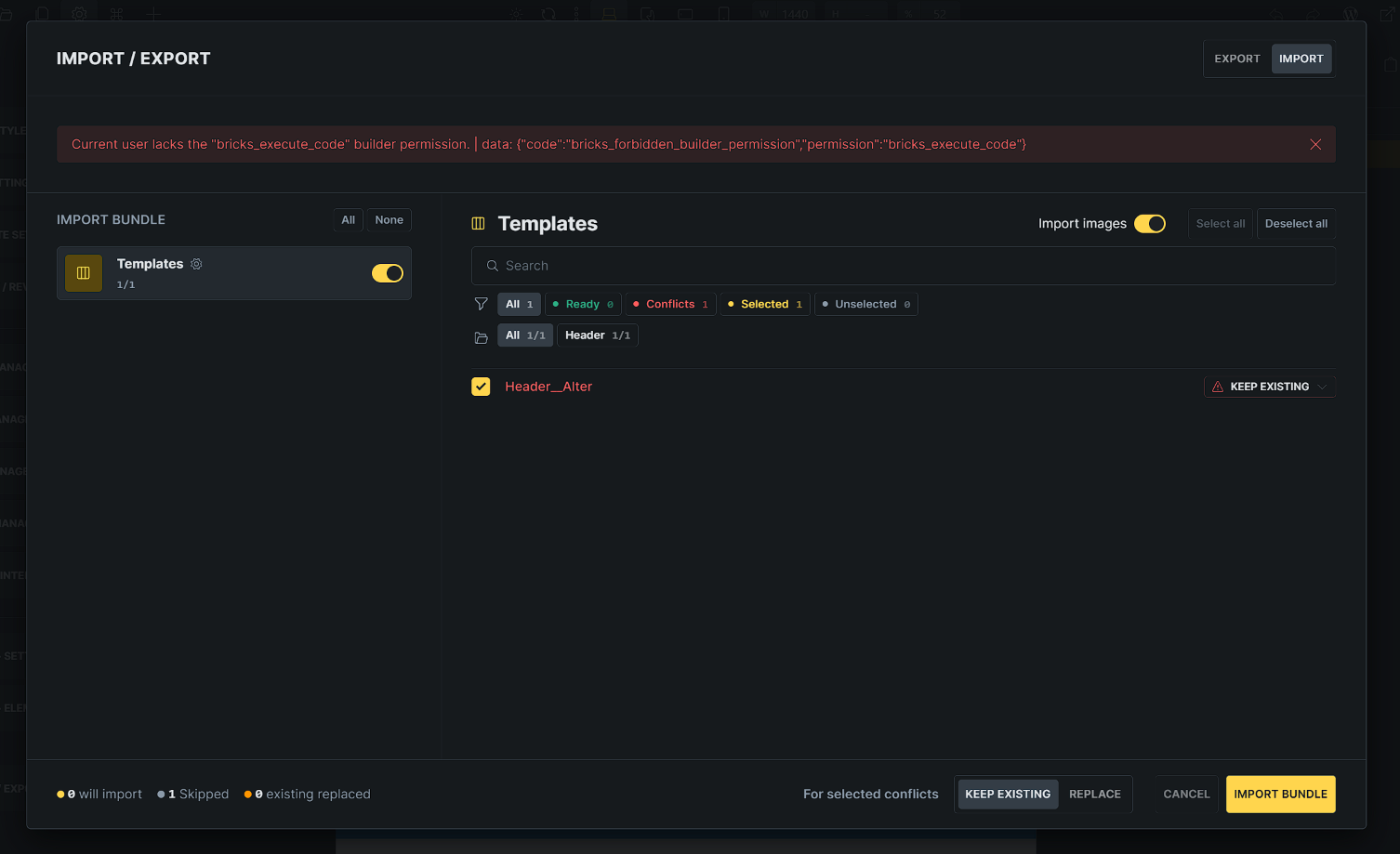
Import fails with: Current user lacks the "bricks_execute_code" builder permission. | data: {"code":"bricks_forbidden_builder_permission","permission":"bricks_execute_code"}
Observations:
- Legacy template export/import (
.jsontemplate file) imports the same template without issues. - The new Import Bundle tool works fine if the bundle contains templates without Code elements or Query Editor payloads.
- Not check/test with “SVG”
Thanks
