Browser: Chrome 110
OS: macOS / Windows / Linux / etc.
URL: Link to a page that illustrates this issue
Video: Short screen recording that illustrates this issue (free tool: jam.dev)
Hello,
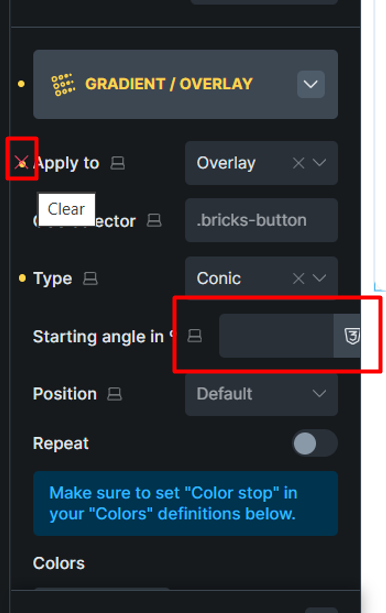
In the Gradient/Overlay settings, if you select the Conic option, a yellow clearing point is added for the “Apply to” option. Now set the Apply to option to overlay. Now two yellow dots will appear for the Apply to option. Also, the width of the Starting angle in º control looks unusual.