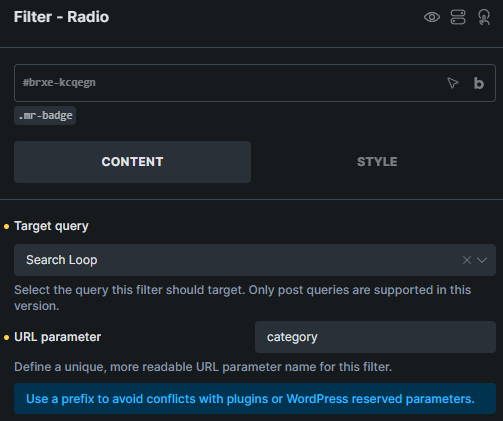
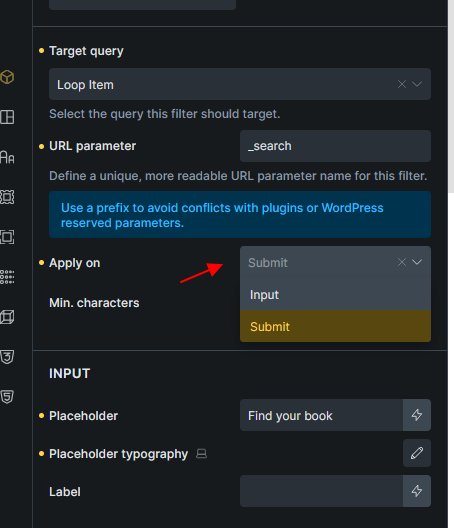
I’m using the filter - submit in my live-search results to redirect the user to a dedicated search page for more results. However, the URL-Parameters set for the filter - search and also for a filter-radio in my live search results container are not passed after redirect.
So is this intended to work like this? Additionally it would be nice to not add the URL parameter for the filter - submit in the redirect, as we can not set and it is empty anyway.
I should have checked that before. I found the problem, putting the live search into a wrapper after adding this tag to the allowed ones via ‘bricks/allowed_html_tags’ filter, obviously causes the URL parameter not to work anymore. There was a good reason for me though, to put it into a wrapper:
I added a “action” attribut with the same url to the form wrapper, as I have set in my Filter - Submit (which is a button type=”submit”). I wanted to get a redirected to while typing into my Filter - Search and pressing enter which is not possible by default. The simplest solution for me was, to put it into a wrapper.
Can you look into this? It would be great, if we could actually use this in future, otherwise I have to overthink and come up with a js solution for something, which should work out of the box.
Do you mean you want to hit “Enter” when focused on the Filter - Search element to directly “Redirect” to the target URL instead of performing the search?
It would be great to have a video and a link to your page if I misunderstood what you want.
Exactly that’s what I want! When the search field is focused and I’m typing, I want to be able to hit enter to instantly get to the “Redirect to” - URL defined in the Filter - Submit element. There’s no need to replace the default search though. The live search results can be displayed, but if the Filter - Submit acts as a “More Results” button and It would be nice if there’s no need to grab the mouse again and click the more results button. As I use every search, I’m typing and then pressing enter to get to all results.
I assume this new setting should only be applicable if the “Apply on” is set to “Submit”. Am I right?
Which means, if the Filter - Search element “Apply on” = “Submit”:
If new Redirect URL is empty, hit Enter = trigger AJAX search (Like current behaviour)
If new Redirect URL is not empty, hit Enter = redirect with all other filter’s URL parameter.
A setting for a redirect on the Filter - Search element would be nice! So the user could either press enter or use the Filter - Submit button for “More results”. On the Filter - Search element I’m using apply on “Input”, as I want the search results to show up on user input.
It would be great, that if the user inputs something in the Filter - Search, the results appear without hitting enter. If the user hits enter though as long as the input is focused, he get’s redirected to a dedicated URL. Alternatively he could use the mouse to click a Filter - Submit button with a redirect URL which is placed in my live search results container below the results.
Is this feature the same as the one where we are redirected to the search results page by pressing the Enter key in the search box? I really need it and I’m looking for it.
A related question and I actually think there is a problem. As you know, we can use the filter-submit element to redirect to the search results after a live search by clicking the filter-submit button. To do this, simply set the s parameter for filter-search and, on the other hand, in the filter-submit element, set the site address in the Redirect to field. The problem is that if we use search criteria, we can no longer have this redirect. Because to implement this redirect, we need to set the s parameter in filter-search, while search criteria does not work with this parameter. So is there a problem here or am I missing something?