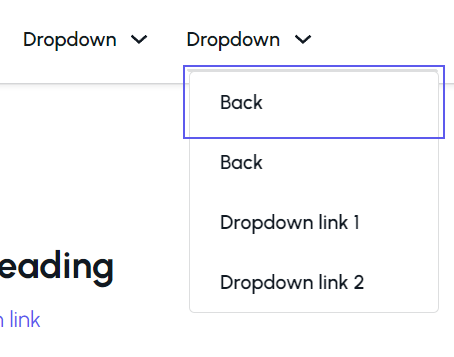
As the title implies, I have two back button menu items listed when I open a multilevel dropdown to the 3rd level. I have a video that demonstrates this problem.
Browser: Chrome 110 OS: macOS / Windows / Linux / etc. URL: Link to a page that illustrates this issue Video: Short screen recording that illustrates this issue (free tool: jam.dev)
[Please describe this bug in as much detail as possible so we can replicate & debug this bug]
Just a reminder. It seems this issue is still not resolved. I had to define a CSS snippet to hide it in my Multilevel Header Menu template. But right now I’m attempting to do some more advanced work with the menu on another project and the extra back buttons are getting in the way.
Hi Oscar,
Unfortunately, the issue is not fixed yet. Please try the following:
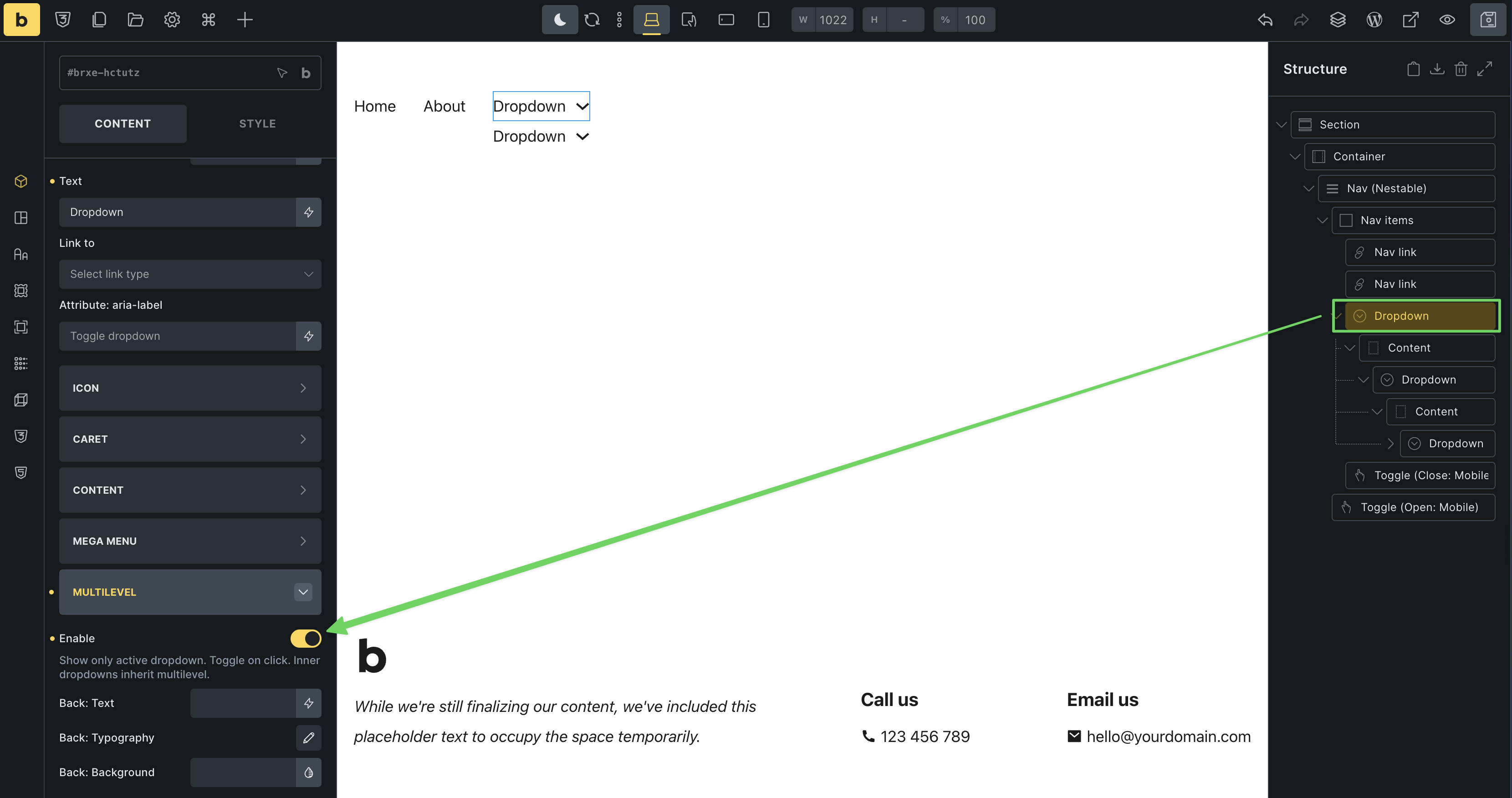
Instead of enabling the multilevel setting in the nav nestable settings, please enable it on the outermost dropdown element. This should avoid the duplicate links. Can you give this a try?
For example, I enabled the setting on the outermost dropdown element – everything else is untouched: