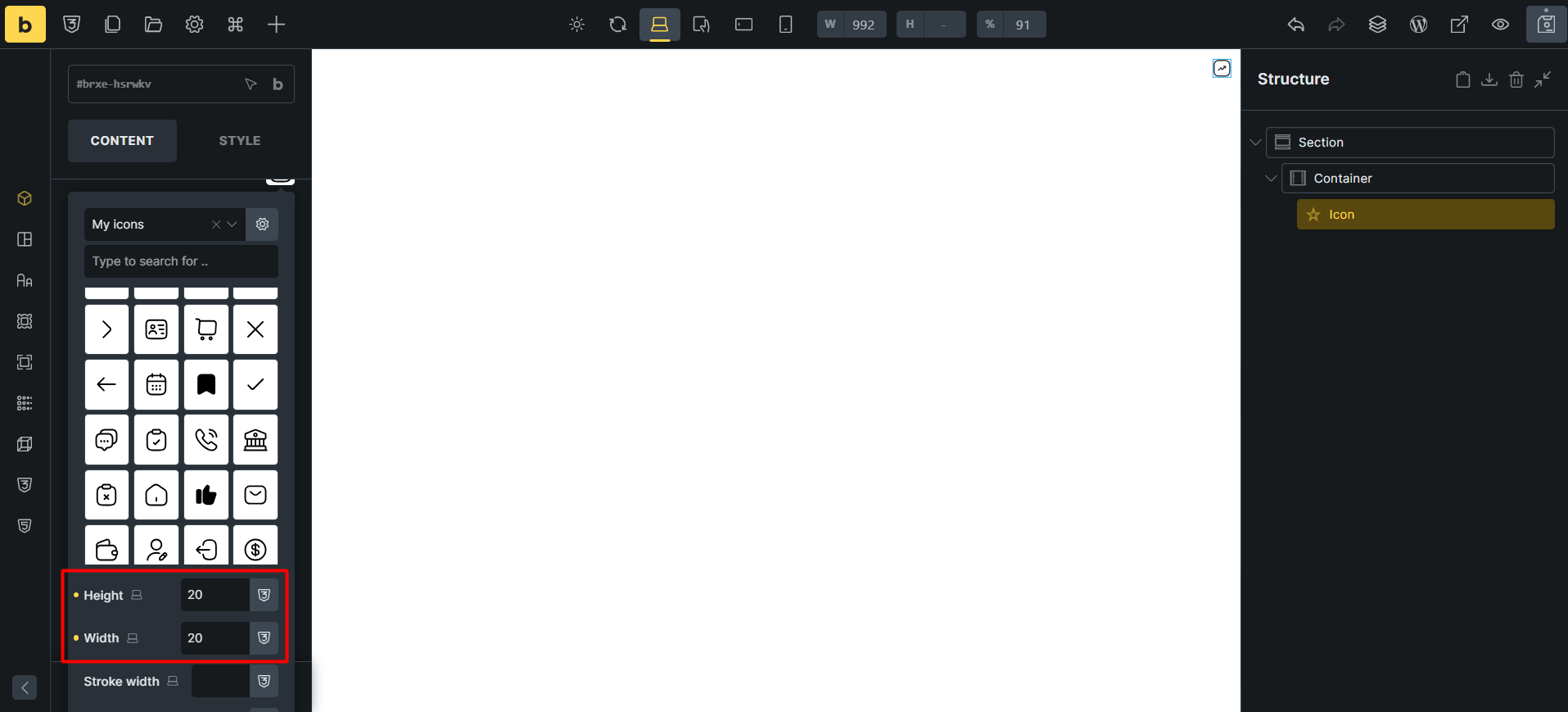
WIP: Custom icon sets: The width and height set in SVG icons are reset after the add new icon

Browser: Chrome 148.0.7778.168
OS: Windows

In various icon controls, if we use an svg icon and set the width and height, the width and height will be reset after uploading another icon.

1- Using Custom icon sets, select an icon and set its width and height.

2- In the icon manager, add a new icon to the icon sets. Insert to add the icon. After that, the width and height values ​​will be reset.

Thank you

Hey @HOSEIN,

I was unable to replicate the issue. Here are the steps I followed:

  1. Added an “Icon” element.
  2. Selected one of my icon sets and chose an icon.
  3. Added width and height settings.
  4. Opened the icon set and added an icon.
  5. Opened the icon picker again and picked the new icon…but the width and height settings remained unchanged.

What might I be missing?

Matej

Hi Matej,

I’m so sorry I couldn’t send a video. This is one of those reports that needs a video for more detailed investigation. I apologize for the inconvenience. Luckily I just found out exactly where this bug occurs. When you click the insert button in icon sets. After that, the initial width and height values ​​are reset. So just to be sure, the steps are as follows:

  1. Add an icon element and in it, set an icon from the icon sets and set the width and height for it.
  2. Open icon sets again, and insert an icon. The initial width and height values ​​will be reset.

No worries @HOSEIN, I totally understand. Hope your situation will normalize again as soon as possible.

However, with your additional info, I was able to replicate the issue and I’ve added it to our internal bug tracker.

Thank you so much,
Matej

1 Like