WIP: Components - No controls revealed for Video source

Browser: Chrome Version 137.0.7151.104
OS: macOS

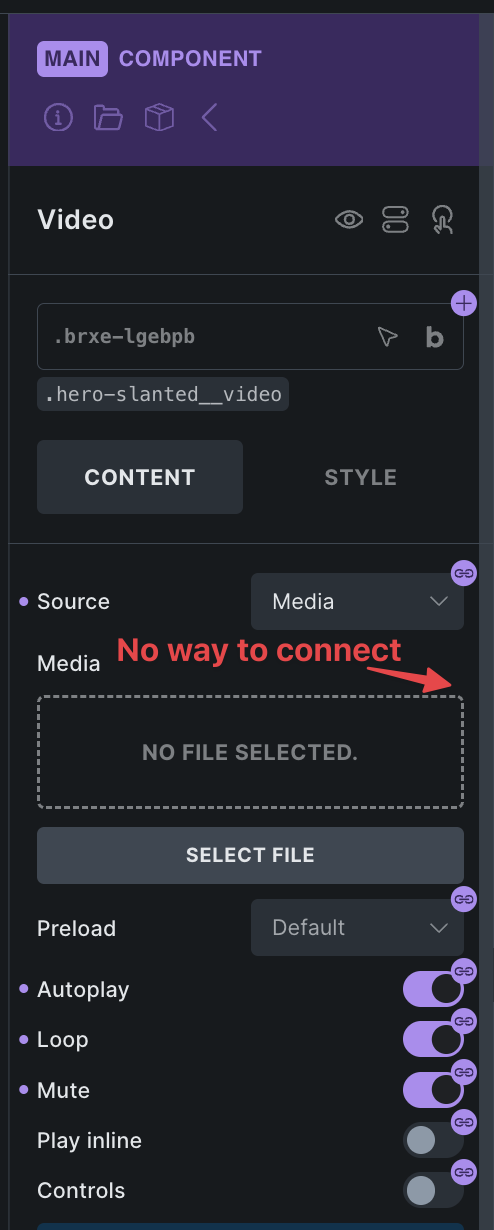
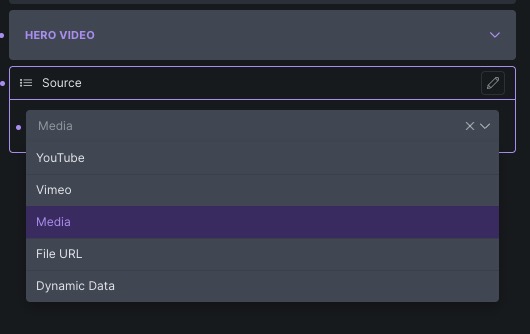
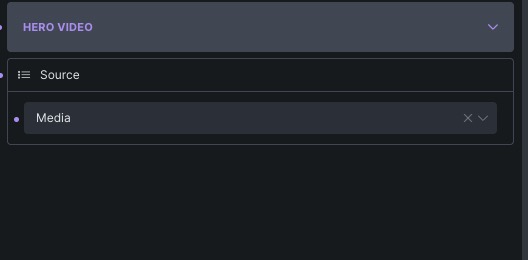
When creating a component that has a video, if you connect a ‘Select’ property to the video Source, you get the dropdown, but when you select a dropdown option, no further controls are revealed.

e.g. If I select Media in the dropdown, I would expect to be able to then select the media from the library / and set things like autoplay / mute / poster etc.

Or if I selected ‘File URL’ I would expect it to then show me a field to input the URL. Nothing shows for any of the options.

June-30-2025-005072

June-30-2025-005073

1 Like

Hi @Codebee,

Thank you for your report. I’ve recorded it to our internal bug tracker as an improvement, but I’m not sure if and how this could be improved.

I expect this issue to be visible on all controls that are visible based on other controls.

I think you could manually connect the other properties as well, but I know this is not the best solution.

Best regards,
Matej

I think you could manually connect the other properties as well, but I know this is not the best solution.

I did try this, but unfortunately, there’s no way to connect a control to pick a video from the media library? If we had that, it would be usable.

I see. We do have a gallery picker, but a video picker is still missing, you are right. We have it in a task.

Best regards,
Matej

1 Like

Thanks Matej! That’d be great if we can get that :smile:

Just wondering if this one is far off being included? :slight_smile:

Hi @Codebee,

sadly, I can’t give you any update yet :frowning:

Matej

Hi @Matej. It’s been a while, any update on that?

Sorry, no news for now :frowning:

You also need a file picker for audio as well.

If we tie a select property to the source field, then shouldn’t Bricks just automatically display the appropriate field for the user to then choose the file or enter the URL or choose the dynamic field rather than us having to tie a property to those fields?
Yes! Super-fustrating hello 2026 .. any tips on how to connect a video property to a video component?

Solution for now : using a text field to link into the URL field works OK.

@Matej is there any update on this one? It’s been around almost a year.

Hey @Codebee,

sorry, no update to give :frowning:

Matej