HOSEIN
October 28, 2025, 7:24pm
1
Browser : Chrome 141.0.7390.123OS : Windows
Hi,
It seems similar to this report , t I used a basic text element in the component and set a custom width and height for it. But in Gutenberg, the custom width is ignored and replaced with auto.
If the explanation is not enough, please view the following component as a block in Gutenberg. Loop index counter width not working as expected.
Matej
October 29, 2025, 11:19am
2
Hi @HOSEIN ,
do you only see this issue in Gutenberg? If you add a component to the page via Bricks, and check it on the front end, is it working correctly there?
Because I can replicate it locally even without Gutenberg.
Best regards,
Matej
October 29, 2025, 11:33am
3
Hi @HOSEIN ,
another update. Apparently I had cascade layers disabled. If I enable it, then I cannot replicate the issue anymore. Can you make sure that you have cascade layers disabled?
Thanks,
HOSEIN
October 29, 2025, 2:42pm
4
Hi @Matej ,
do you only see this issue in Gutenberg? If you add a component to the page via Bricks, and check it on the front end, is it working correctly there?
Yes, the problem only exists in Gutenberg.
Can you make sure that you have cascade layers disabled?
I honestly don’t know if I should say active or inactive
It seems that the problem is with the CSS loading method. There is no problem with the inline style. Do you confirm?
Matej
October 30, 2025, 8:18am
5
Hi @HOSEIN ,
Ah yeah, my bad, sorry for confused text
Yes, now I can see the issue and I’ve recorded it in our internal bug tracker. Thank you so much!
Matej
1 Like
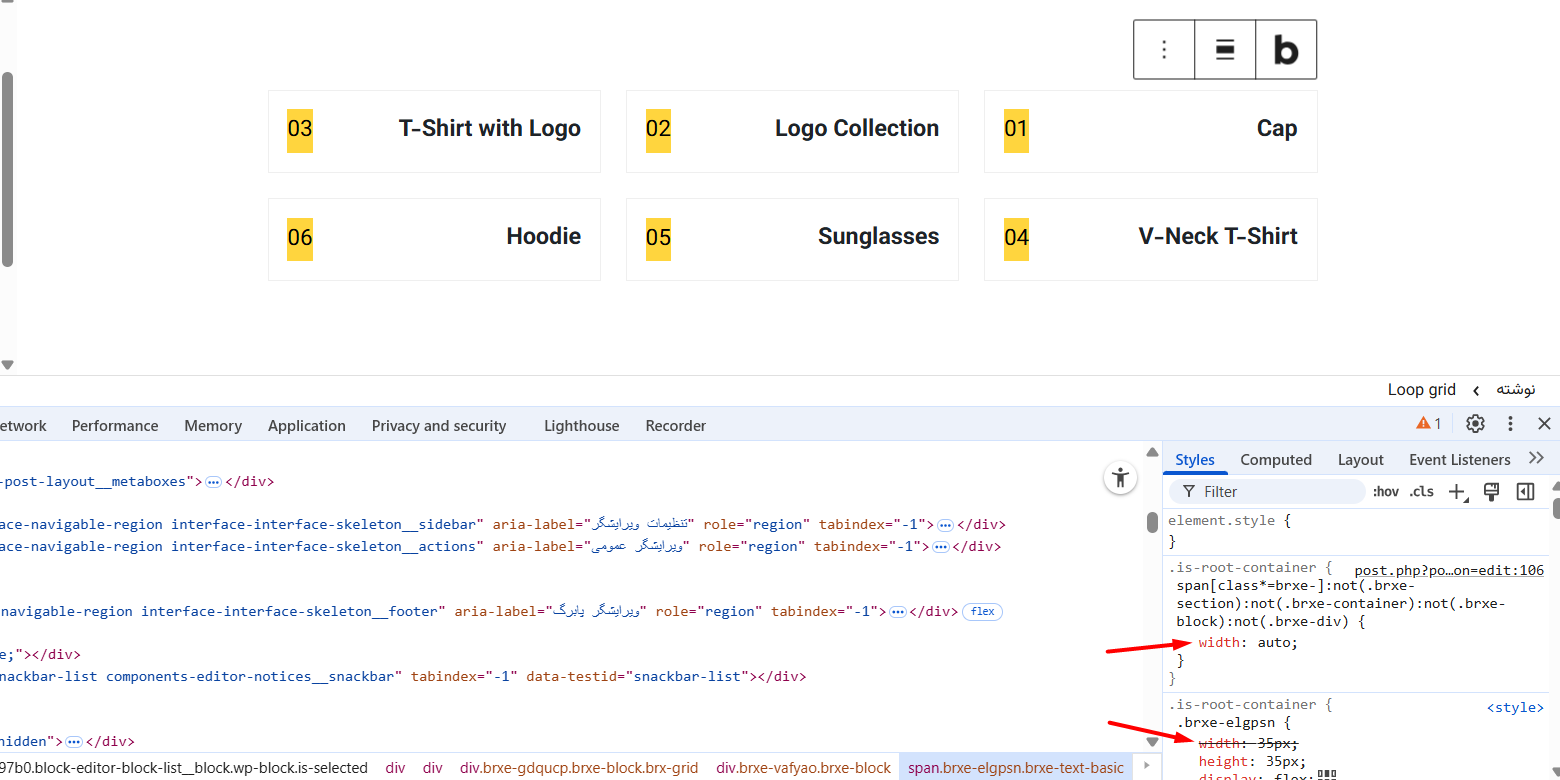
 But it is active in practice.
 The way you have it is the way it is suppose to be