WIP: Bricks slows browser to a freeze, uses insane RAM & CPU

Browser: Waterfox 6.6.7
OS: CachyOS and Linux Mint
URL: N/A
Video: https://youtu.be/LFPBYHjZ4Os

Observed behaviour

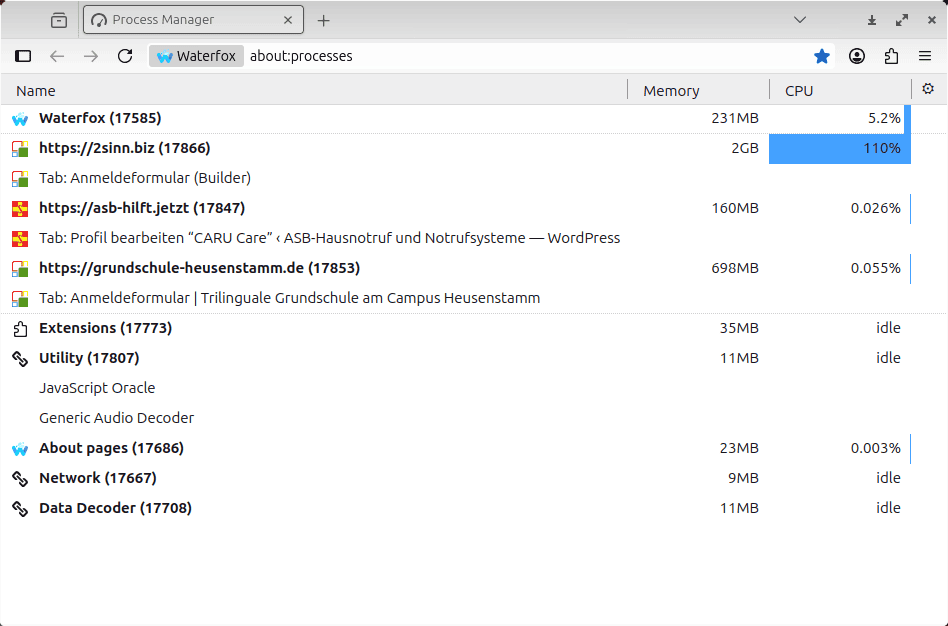
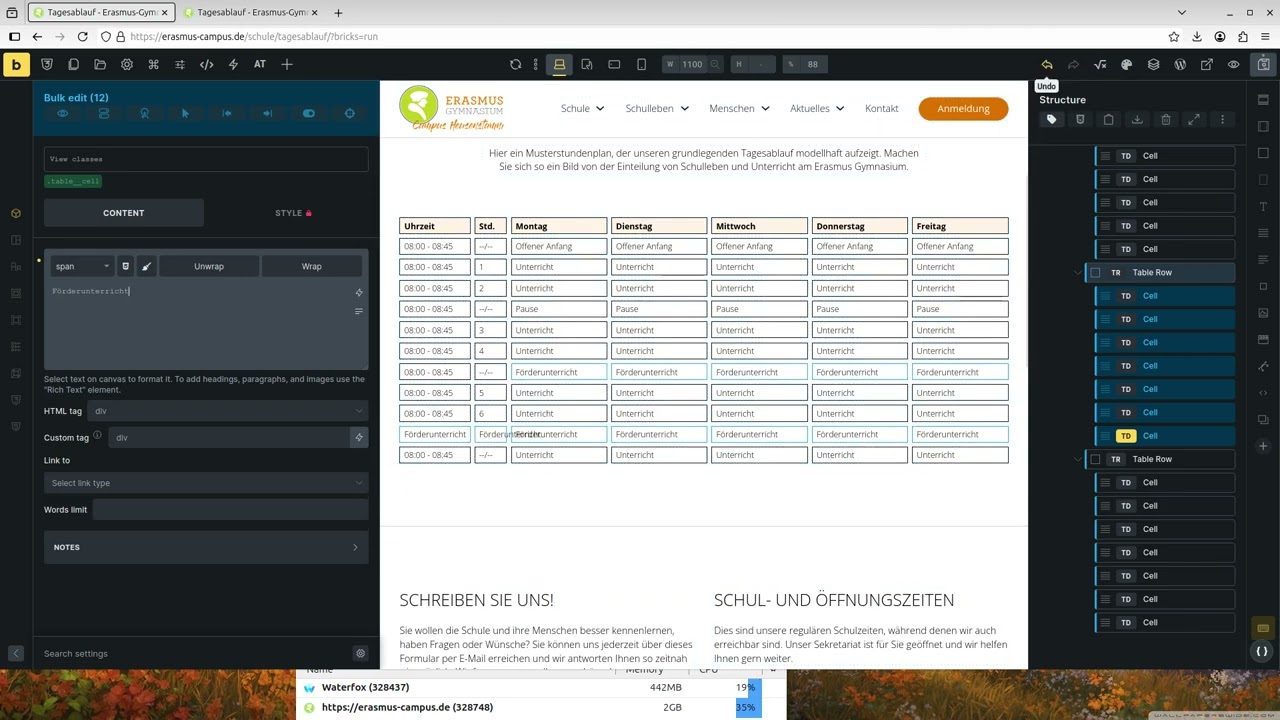
Sometimes, Bricks uses 1-2 GB of RAM and pushes the browser’s CPU usage above 100%, causing it to freeze in regular intervals. For example, it’ll be possible to work (with a laggy UI) for about 15 seconds and then the browser will freeze for 2-3 seconds.

Screenie from Waterfox’s Process Manager:
Expected behaviour

Everything should be nice and smooth.

Repro Rate

Random

Notes/Observations

I’ve been experiencing this issue for easily a year, probably more. I’m absolutely incapable of reliably reproducing it. It seems completely random. It happens on:

  • Linux Mint with the Cinnamon desktop (X11 display server)
  • CachyOS with KDE desktop (Wayland display protocol)
  • Gecko-based browsers like Firefox, Firefox dev edition or Waterfox
  • Not so much on Chromium-based browsers, they just become laggy after a while

Observations:

  • Happens with Advanced Themer and ACSS installed (any latest version at any given time) or just with AT
  • Might be happening less on sites with only AT, but that’s just a feeling, don’t have data to back it up
  • Can’t test this on vanilla no-extension Bricks, because none of my builds are Bricks-only
  • Sometimes, this doesn’t happen for days on end, which makes testing very difficult
  • On Gecko-based browsers, clicking “Clear startup cache…” on about:support offers some temporary relief

My system info

Operating System: CachyOS Linux
KDE Plasma Version: 6.5.5
KDE Frameworks Version: 6.22.0
Qt Version: 6.10.2
Kernel Version: 6.18.8-3-cachyos (64-bit)
Graphics Platform: Wayland
Processors: 16 × 12th Gen Intel® Core™ i9-12950HX
Memory: 64 GiB of RAM (62,4 GiB usable)
Graphics Processor 1: NVIDIA GeForce RTX 3080 Ti Laptop GPU
Graphics Processor 2: Intel® UHD Graphics
Manufacturer: ASUSTeK COMPUTER INC.
Product Name: ROG Strix G733CX_G733CX
System Version: 1.0

More footage

Some recordings I made on Linux Mint 22.1 back in October 2025.

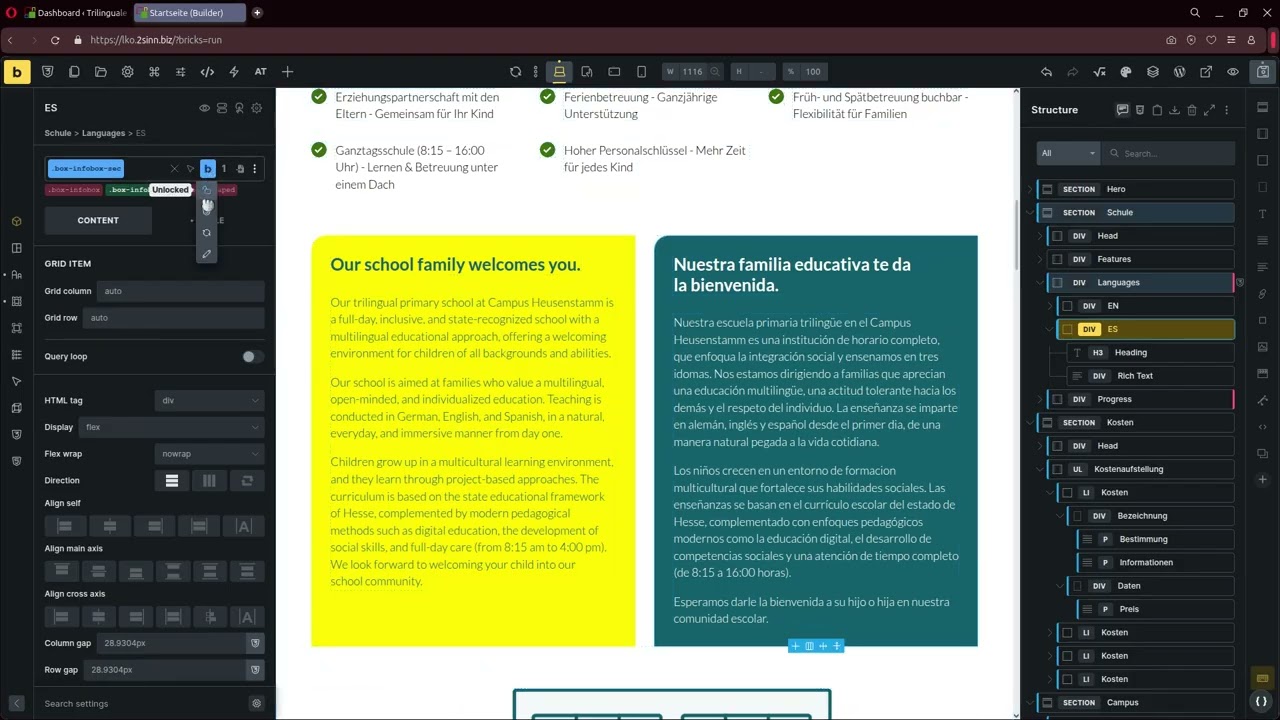
This video shows Opera’s UI being slow/jumpy/laggy on Linux Mint on Oct 15, 2025. Unfortunately, it’s not the worst it can get (typing in the CSS box can become quite laggy), but it’s the only one I recorded at the time:
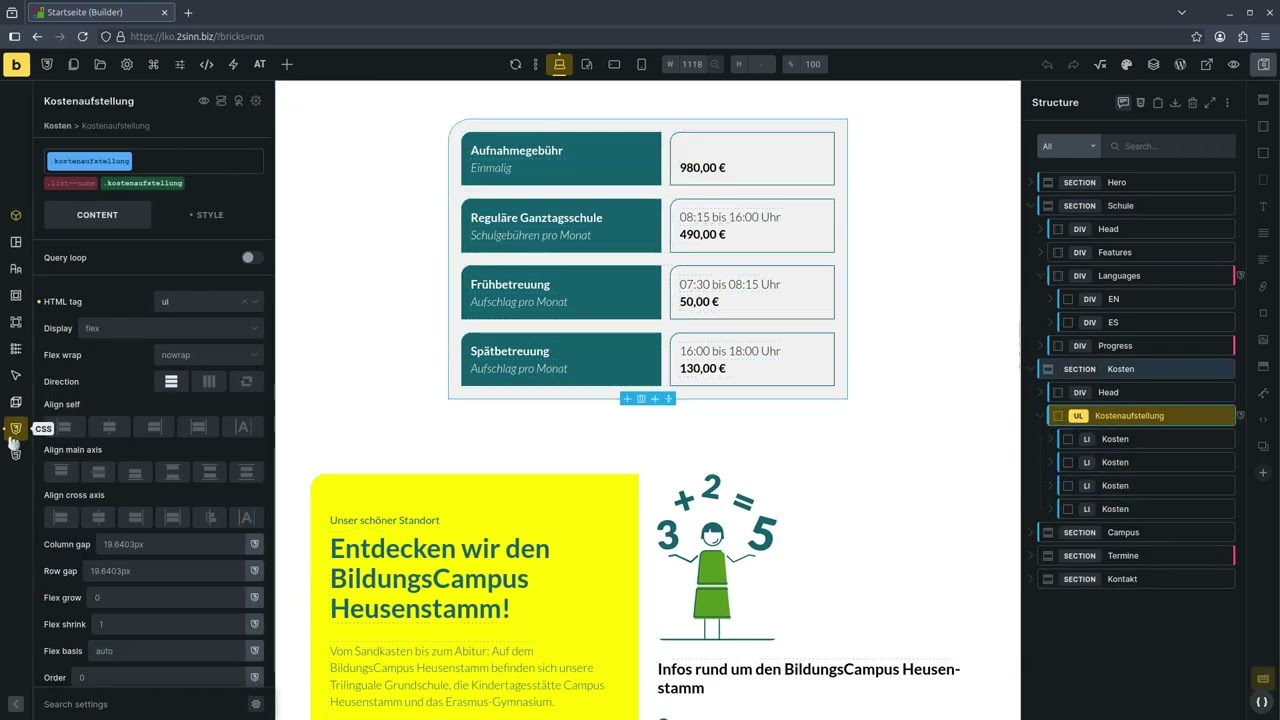
For comparison, this is how fast and snappy the UI is in Waterfox on days when everything’s hunky-dory:
This one shows more slow UI and lag in Waterfox on Oct 21, 2025, unfortunately it’s kinda long:
I have another ~1.75 h of footage from October that I can go through and edit together the parts that show the issue if that is of any help. But it’ll take me a while.

Thoughts

I wish I could give you more (or any) reliable steps to reproduce this. The above videos show the issue “in action” and the best I can do is drop more recordings whenever I experience it.

I’ve tried more things than I care to remember to investigate and fix this issue, including upgrading my PC’s hardware, switching browsers, operating systems, Nvidia driver updates, browser configs (e.g. hardware acceleration on/off and the Firefox tweaks on this page: disabling sessionstore, putting cache into RAM, disabling browser-integrated AI…).

If there’s any log files or statistics you want me to send, say the word.

1 Like

Not sure why you’re posting this here, since you’ve already figured out it’s AT that’s causing it.

AT tries to do too many things, so it’s best to avoid it.

1 Like

Hey @mr.matt.eastwood,

thanks for extensive testing and reporting. When it starts happening, what helps? Restarting a browser, a computer? What if you only turn off all plugins and custom scripts? Is it still happening then?

Also, is it happening only on specific pages or on all pages, maybe even in the dashboard?

I don’t know what could be causing it, but if we find a pattern or some way to replicate this reliably, it would be massively useful.

Thank you,
Matej

Hey Matej,

Yeah, I’ve been asking the same questions. I’m sure this will take a while to investigate, but I will definitely keep a close eye on it and try to test this systematically.

So far, I have:

  • Restarting the browser helps
  • However, sometimes it quickly comes back, necessitating a reboot
  • Restarting the computer definitely helps
  • On several occasions, the problem has spilled over into the Dashboard as well
  • I haven’t found any patterns as to what pages or setups might be affected, though as boone noted, AT is always on. I’ve been relying on it heavily to the point where disabling it obliterates all layouts and makes any meaningful development impossible, so I’m in a bit of a bind there.

Will follow up as soon as I have more info. Meanwhile, there’s no debug logs or anything of that sort that I could look through and/or provide?

Here lies your problem. When you become depended on third-party plugins, you are stuck when things go wrong.

From what I can see, this is either an AT (bloated plugin) or an ACSS issue, as they both have been reported as causes lag in the past.

Maybe do a video (that is current) that uses Bricks native with nothing else and test that. This will tell you if it is Bricks or not. Sorry, but Bricks should not have to try and fix plugin issues with their platform, it should be the plugin developers fixing the issues to work with Bricks.

Just as an aside – I thought you dropped Bricks for Etch?

3 Likes

Rest assured I pointed Maxime to this bug and also posted about it in the Advanced Themer Facebook group. For what it’s worth, people responded that they’re also experiencing slowdowns with just Bricks.

Until we have proof of why this bug happens, my speculation is as good as yours. I’m committed to helping in any way I can to figure it out.

I bought Etch on day one but still haven’t gotten around to switching. Between working 2 jobs and co-feeding a family, there’s only so much time left o.O That’s why I’m sticking with what I know. :slight_smile:

2 Likes

Quick update… Over the past days, whenever I was working on any websites, I made staging environments for them and disabled all plugins except the absolute bare essentials that I need to work, which boils down to AT plus sometimes ACSS, sometimes Bricksforge and sometimes all 3.

With that, there was a huge uptick in speed and responsiveness. I actually recorded 3 working sessions, and just when I thought it was really just the plugins, the browser freeze came back:

Sorry for the longer video, I tried to edit it down as much as possible. If you jump straight to 10:00, you’ll see the conclusion that I also outlined above.

Login so you can tinker

I made an admin account on https://brickstest.neuewebsite.net that you can use to experiment with this yourselves if you’re so inclined. How can I best share this with you?

More experiments with the browser

I also dug deeper into freezes on Firefox-related browsers and found that if one deletes a bunch of databases - like places and favicons - that might help. So I wrote a script that deletes these databases and some more stuff, then launches the browser and I am now always launching the browser through that script.

#!/bin/bash

# Delete bloated databases
rm $HOME/.waterfox/bmg9mes1.default-release/favicons.sqlite
rm $HOME/.waterfox/bmg9mes1.default-release/places.sqlite
rm $HOME/.waterfox/bmg9mes1.default-release/cookies.sqlite

rm $HOME/.waterfox/bmg9mes1.default-release/places.sqlite-wal
rm $HOME/.waterfox/bmg9mes1.default-release/favicons.sqlite-wal
rm $HOME/.waterfox/bmg9mes1.default-release/cookies.sqlite-wal

rm $HOME/.waterfox/bmg9mes1.default-release/places.sqlite-shm
rm $HOME/.waterfox/bmg9mes1.default-release/favicons.sqlite-shm
rm $HOME/.waterfox/bmg9mes1.default-release/cookies.sqlite-shm

waterfox
1 Like

Again, I totally disagree with your assessment. You are saying the those 3 plugins are essential, which they are not, and that Bricks is the issue and not the plugins.

In your video your are clearing using a third-party(Brickforge) plugin and using their form element, yet blaming Bricks for lag or performance issues. Again, I don’t understand your logic when everything you have shown is contradictory.

You say you can’t put your finger on it – yet have you tested Bricks as Bricks? AT and ACSS are bloated plugins and I have seen them cause issue in the past. I am not sure so much with Bricksforge, but I do know it has some very rich features and rich features can come with a cost.

So maybe if you really want to do proper testing, you test each item within it’s own environment and please stop misleading people be believe that because you are experiencing performance issues with your stack that it is only Bricks and possibly the others (or combination of).

Hi @shingen! I don’t know what is causing the slowdowns. If you do, can you let us know?

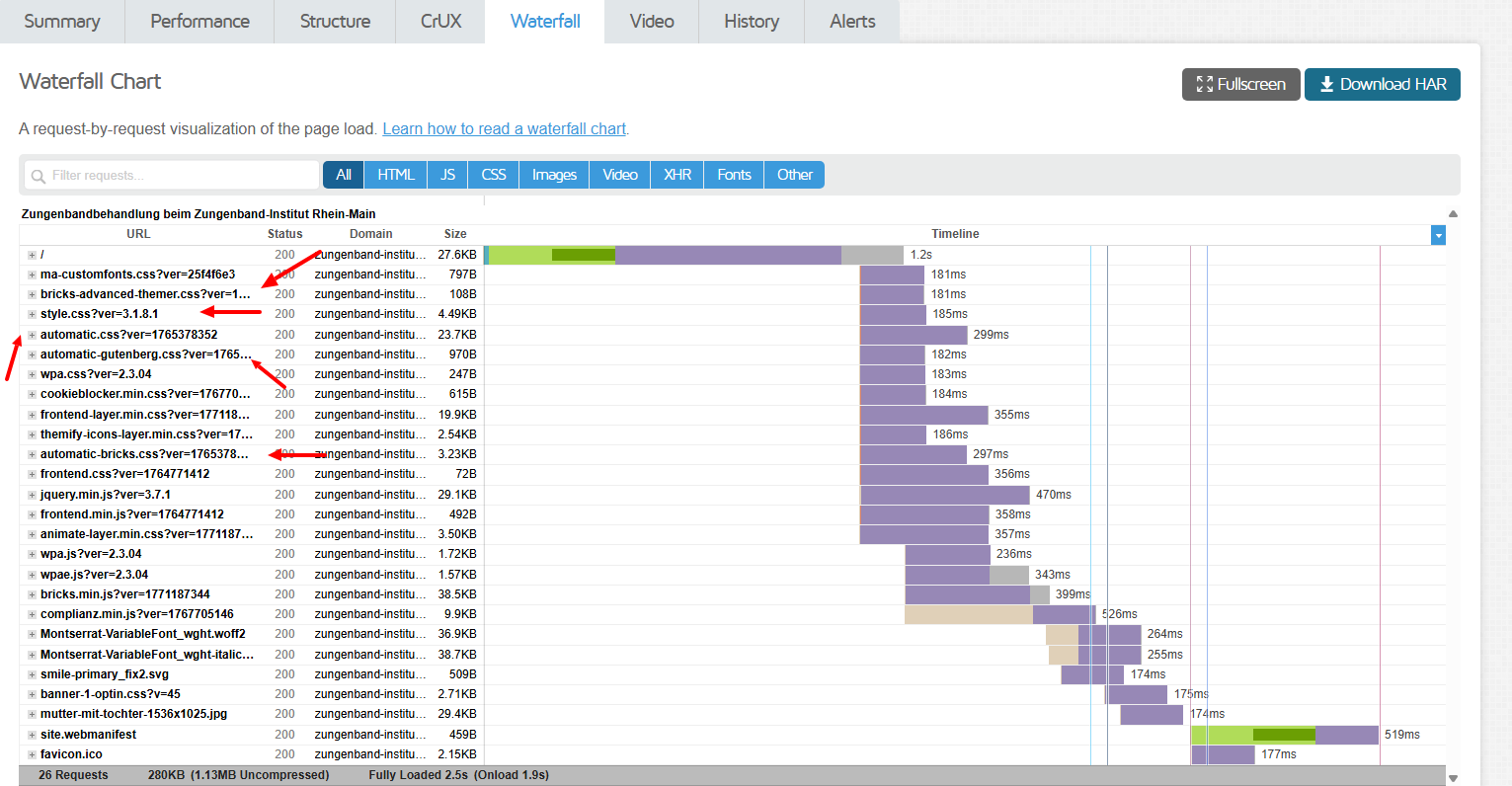
Here’s a screenshot of zungenband-institut.de with ACSS and AT disabled:

How would you go about doing development work on that website with these plugins disabled? Any suggestions are greatly appreciated.

First off, built it yourself? Are you not a web developer or just a plug and play hack?

Do the work and you will get the results you need. Expect others to do the work and you will get the results you don’t need.

AT is NOT required. Yes, it has some great featured, but it is super bloated and does not provide anything you cannot do yourself. People have made the argument that it saves time – when if a click here and a click there is saving you time, then you my friend need to work on time management.

As for ACSS – again, this is what 2 types of people do. 1. The lazy type and 2. NON-Developers. It is iconic that you are building website and when they don’t perform in the manner to which you want them to, you are stuck because you actually didn’t build them, someone else did and you just click a couple of buttons to make it so.

Everything on that homepage can be done with ZERO plugins and all with native Bricks.

I understand that some folks are learning how to do this stuff and I get that. What I do not get is this manufactured authority through misleading gatekeeping. From what I can see, this is not a Bricks issue, so I don’t understand why you bring it into a Bricks forum?

I also find your response passive-aggressive, as you don’t address my original concerns, but rather deflect and ask how I should built your site? Do you not do this for work? If you do, should you not already know how to build a very very basic website? But to answer your question – look at your hosting for one. Why doe sit take so long to load (297ms / when it should take approx: 0.26ms ) a 3.23KB file?

So, if you want to do a true debug/performance test you do it first from base (Bricks only). Then you add one plugin at a time and testing at each stage. You don’t load all your plugins, make a form that is not normal and then blame it on Bricks (or one variable of the system) – this to me is disingenuous.

1 Like

Hey @mr.matt.eastwood,

thank you so much for trying to narrow it down as much as possible :folded_hands: Yes, having access would be great, you can send it to help@bricksbuilder.io using the email address you used during the purchase and please include a link to this topic as well.

In the video you said that I can do anything, so I’ll assume it’s staging and while I’ll try to replicate it with plugins on, I’m more interested in trying with all plugins disable, so expect that the page will look broken :smiley:

Thanks,
Matej

1 Like

Thanks so much! Note that I no longer have my old GMX e-mail account. You’re getting my e-mail from same-as-before@mail.de.

Hey @mr.matt.eastwood,

As mentioned over email, we were able to replicate the issue on your website, and I’ve created a local task for this.

Thank you,
Matej

@Matej So what you found? Is it a bricks issue or Plugin?

Nothing concrete yet. We were able to replicate the issue on the user’s website, where all plugins were deactivated, so that would rule out a plugin issue.

We are still trying to replicate the issue locally, but we did succeed in that in at least one case; however, we don’t exactly know why it’s happening and how to trigger it, apart from “just click around for a long time”, so that is something we have to investigate.

But, because we could replicate it on the user’s website and one time locally as well, I’ve created a task, so that we can keep track of it.

Sorry that I don’t have more concrete info, but that’s it for now.

Best regards,
Matej

1 Like

That is good news than if it was random and couldn’t be reproduce when trying.

I was interested in this as I do use the mentioned plugins, the topic was getting hot so i susshed.
So, it’s good it can be investigated now further. Thank you for taking time investigating, appreciate.

1 Like

Just stumbled upon this thread. I decluttered a draft website from all extensions, removed all AT classes and variables and just left the basic structure to understand how Bricks 2.x would work w/o any external helpers. What I experienced: it’s laggish up to freezing in Firefox, but fast and snappy with a Chrome-based browser (here: Brave) on an Ubuntu based distro.
Thanks @mr.matt.eastwood for sharing your comprehensive report. Would love to see FF being fully supported (though my impression is that the freeze is more a FF thing, less Bricks).

1 Like