I wanted to add a custom svg icon to a button element
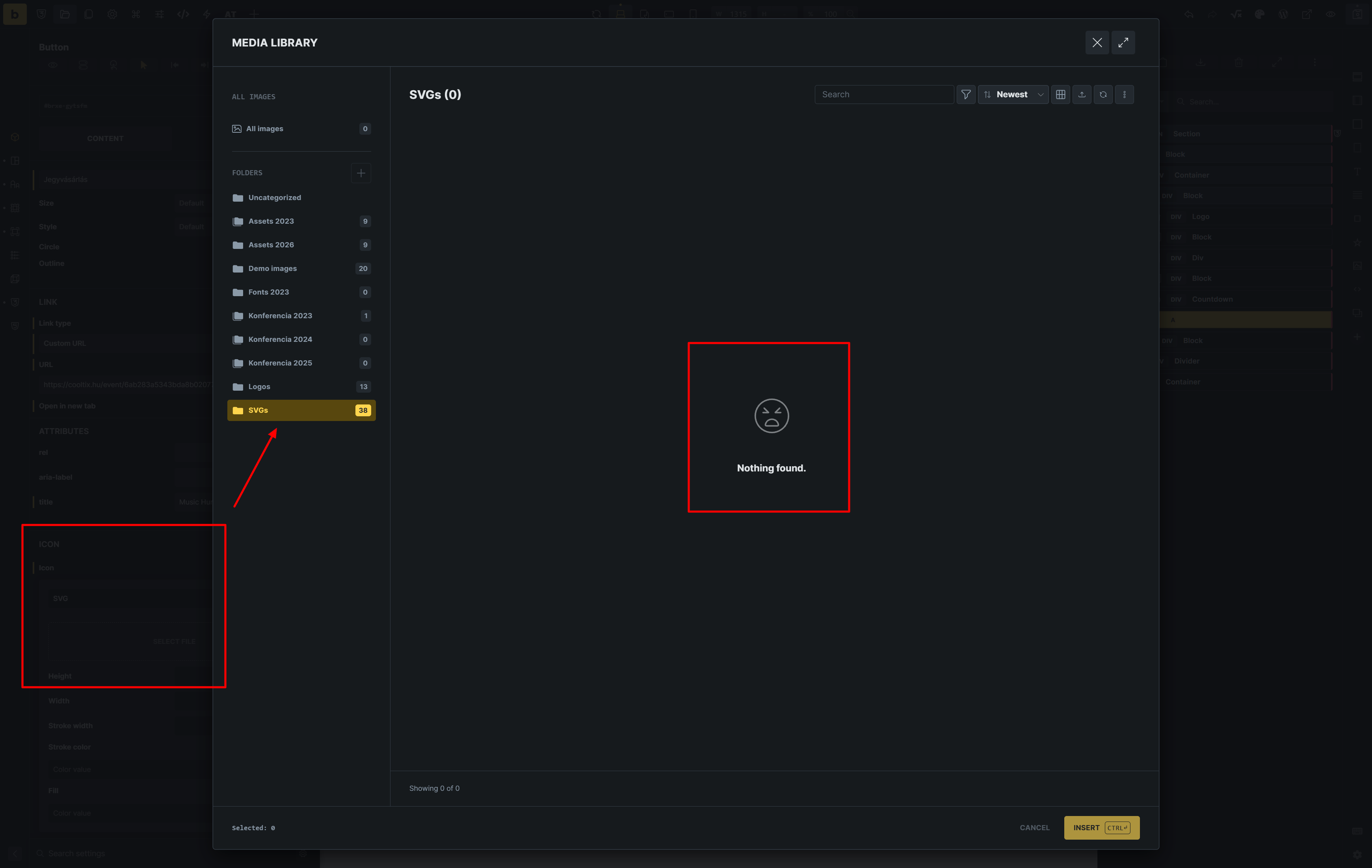
In the folder structure show 38 icons in my SVG folder, but when I click into it, It cant show anything.
The very strange think, when I click to all images. I can see 5 SVG file (these are logo-s).
These logos I have uploaded after update to 2.4.0.
So I think the problem, the new media manager cant handle the older uploaded svgs.
UPDATE:
I found the problem maybe.
Its a compatible problem with HappyFiles plugin. When I disable the happy files, the folders are gone in bricks media windows, but I can see all of SVG files.
sadly, I can’t replicate those issues. Could one of you (or both) send the login credentials to your website (ideally a staging one) to help@bricksbuilder.io and a link to this forum topic, so I can check your setup and play around?
another update! I was able to replicate the issue and the fix will be provided in the next update. If you want, I can share the fix with you, if you want to test it as well.

 Could one of you (or both) send the login credentials to your website (ideally a staging one) to