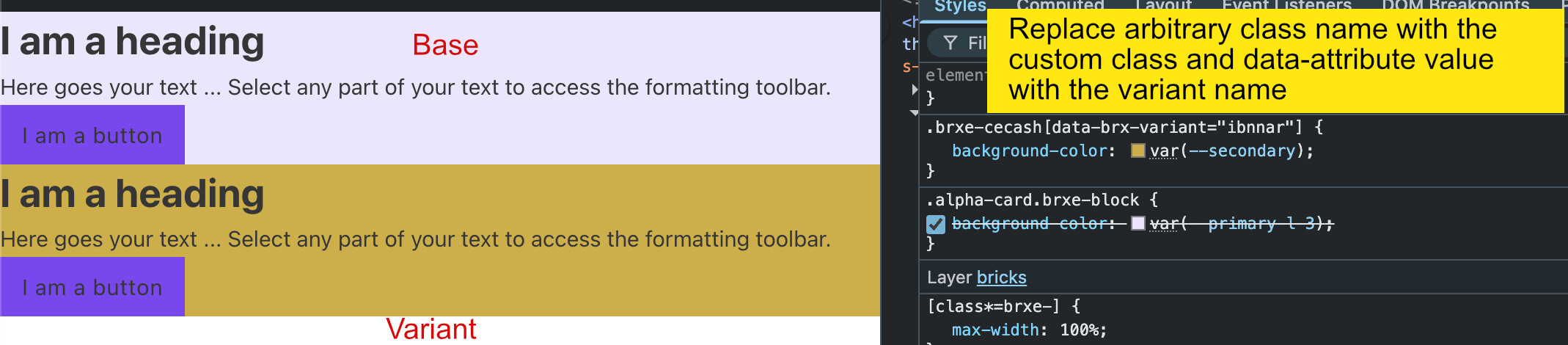
If I create a component variant the style applied to an arbitrary class name generated by bricks. Is it possible to use the base variant class and use the same class and it’s data-attribute value should be the name of the variant.?
Example: .my-custom-class[data-brx-variant=“variant-name”] { ….css style properties}.
7 Likes
+1 for this.
Hopefully this gets implemented
1 Like
I just looked at the component variants and don’t understand the point behind them.
It seems as if the workflow is currently only suitable for people who work at the ID level.
When working with classes, component variants don’t work. Is that correct, or am I misunderstanding something?
For it to work, it would have to function as Macaw described.
The release from yesterday’s changelog says this should now work as described by OP
I just tested it wie RC2. It doesn’t work.
“Component style variants: Use variant Id in %root%”
But I also believe that this has nothing to do with classes.
Maybe someone else can check it again. Maybe I’m just doing it wrong.
Hey everyone! I’m experiencing the same issue, that Components Variants only work at the ID level, not with classes. For example, I have a Button element, and I’d like to create 2 variants from it using ACSS classes. So btn–primary would be the Primary button, and btn–secondary would be the Secondary button. Currently, if I add a class to the button in one of the variants, that class will also apply to the other variant as well. If I only change the button’s background color at the ID level in the 2 variants, it works fine.
I’m using Bricks version 2.2.
Hi guys,
Thanks so much for the feedback!
The current implementation only works on the “ID-level” but we could extend it to work for classes as well. We’ll update this thread once done 
5 Likes
Hello Timmse any news or update about this ?
Thanks in advance!
No, the task is still in progress. As I said in my previous reply:
1 Like