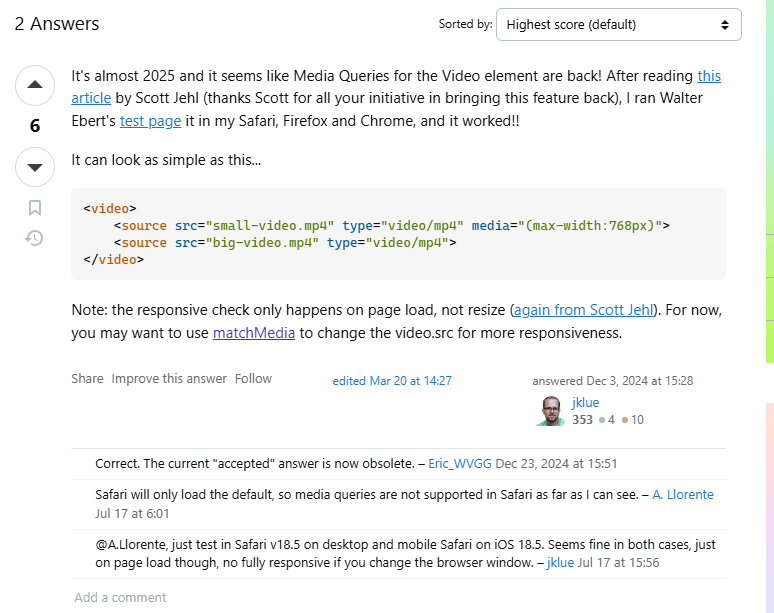
Has anyone figured out how to change a video background source depending on breakpoint/mobile? My site has a large hero video for desktop, however, there is not an option to set a smaller file at mobile level.
My attempts to swap this out with javascript results in both the desktop version and the mobile version of the video being downloaded (the opposite of the intension which is to reduce loading time)
In my testing, the main video is still served on mobile instead of the version set at the breakpoint. Both testing on a mobile device and with Chrome’s responsive toolbar
I can confirm this, even though Bricks has settings to change video background on different breakpoints, it always loads the one from desktop. It’s probably a bug, I’ve tried everything, it’s not cache or any other problem, it literally is a broken feature. I hope the Bricks team gets on this.
That’s not a bug since the background video isn’t a CSS setting. At least not the URL, which is inserted directly into the HTML as a video tag, since there is no CSS property for background videos - something like this doesn’t exist.
However, it is confusing that url field is showing/editable on each breakpoint, so you could assume that you can change the URL per breakpoint. I have created an improvement task for this.
Thanks! It is indeed confusing to see that setting available on all breakpoints, that’s what threw me off in the first place. It would be nice to have a workaround solution for this though, or suggest the best way to serve different videos on different breakpoints. It’s something that is quite necessary if one wants to have a video hero section, it’s usually not good to just load the same widescreen video on mobile, instead cut it and adapt for mobile screen.
It would be wonderful if there were a “simple” solution for this - but unfortunately, as far as I know, there isn’t one. If there is, then it is only possible using custom JS, as described here:
Bumping the thread since it’s unresolved. The editor UI certainly makes it look like one can swap in different video URLs and/or aspect-ratios per breakpoint.
If it’s difficult to deliver on different video backgrounds per-breakpoint, I hope it’s at least quick to remove the breakpoints icon from the video background input that makes it seem possible?
That would help keep users like me from wasted investigation time based on UI that isn’t accurately representing what can and can’t be achieved
Also interested in status / ETA on the UI fix at minimum—and ideally actual viewport-specific video backgrounds!
In fact, even more fundamental would be to allow us to set an image for mobile instead (i.e., “no video”), as that is a more common use case. Sorry if this muddies this thread.
But I definitely also want to be able to have different videos on different viewports (in addition to bandwidth savings, mobile calls for different aspect ratios).