Browser: Chrome 110 OS: Windows URL: Link to a page that illustrates this issue Video: Short screen recording that illustrates this issue (free tool: jam.dev)
Hello bricks team,
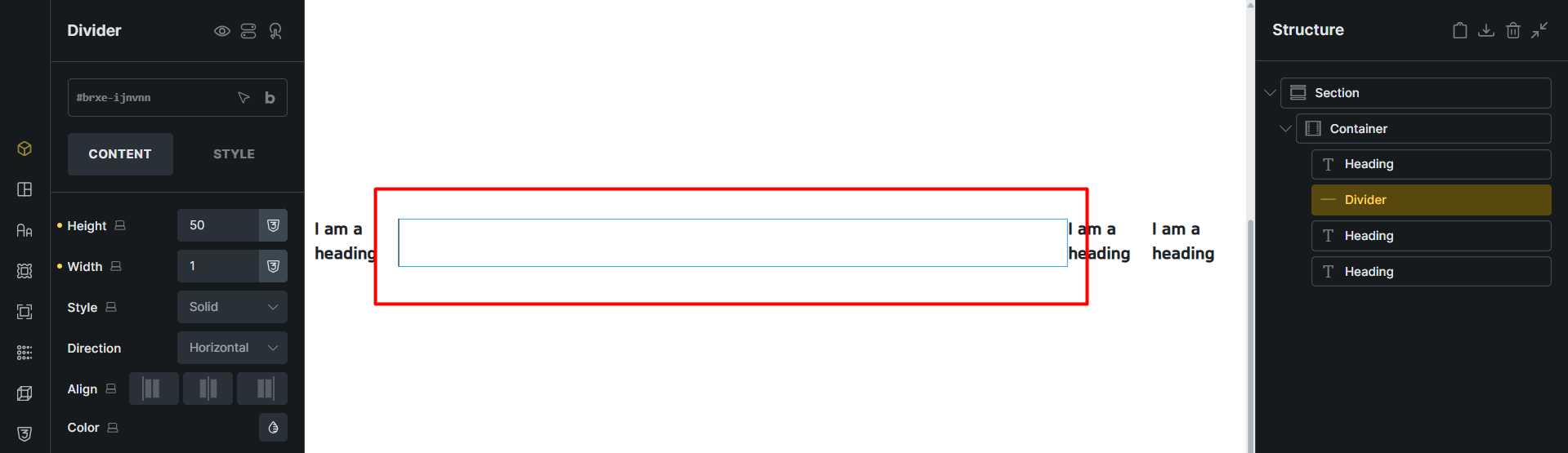
In a row container, I set the width of the divider to 1 but its width is still full and cannot be controlled. Shouldn’t the width be auto in this situation?
It seems like you want to create a vertical divider. The best way is to change the “direction” control to “vertical” and it should work.
Because if the direction is “horizontal”, like you have it now, the default width is set to 100%, because most of the time that is what you need. Alternatively, you can change the “width” to “auto”, and it will work as you intended.
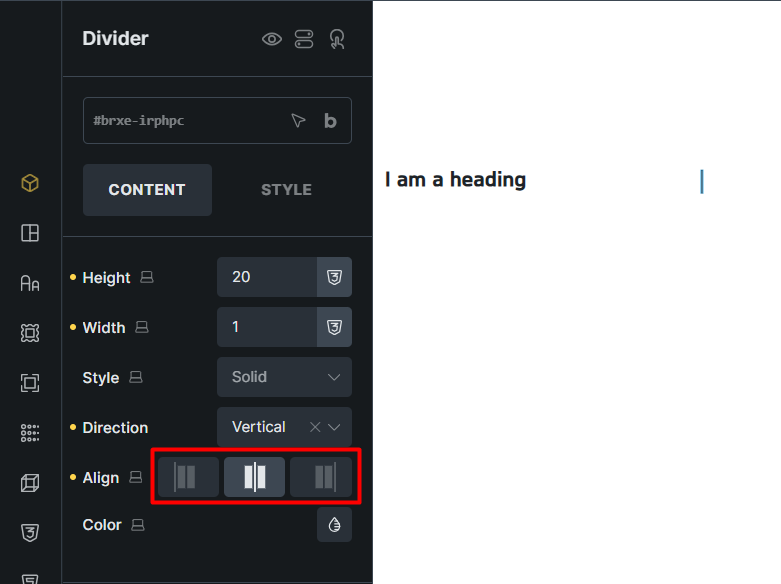
It works great now, but I found one small problem. When I select the vertical orientation, the Align control displays the icons incorrectly. It should display the top, middle, and bottom.