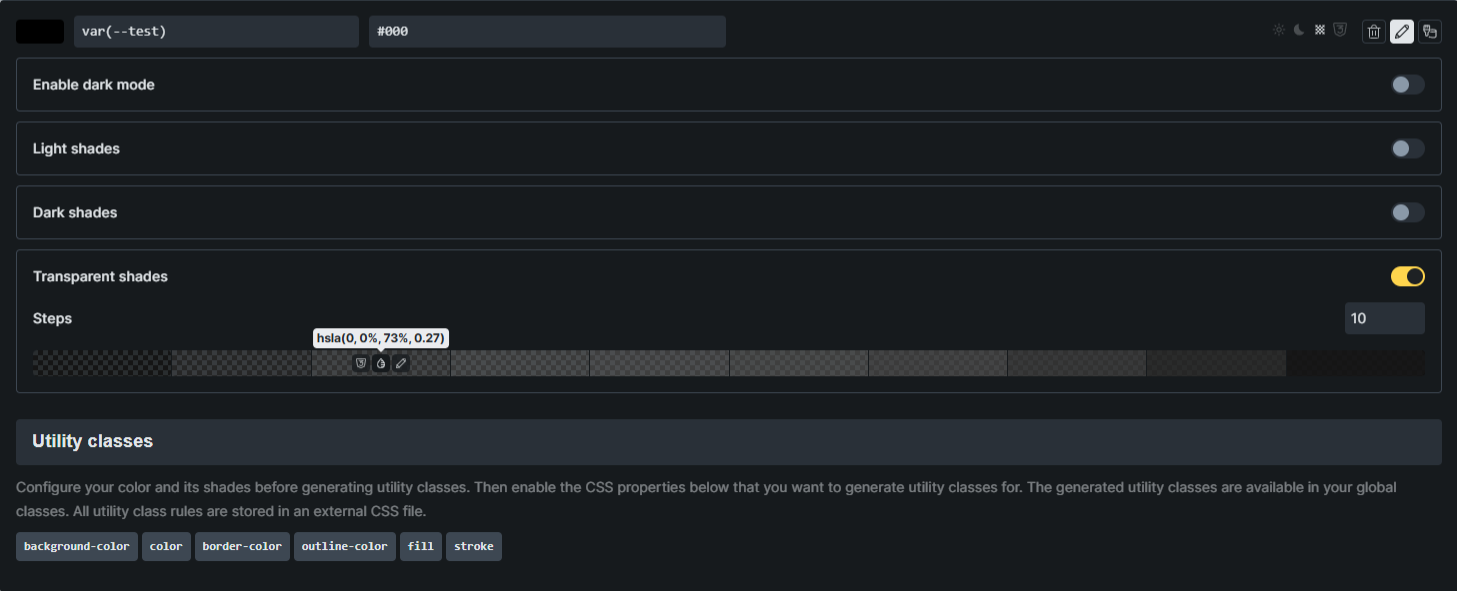
Thanks for considering my previous suggestion and flipping the order.
I have another request regarding the transparent color generator. At the moment, it calculates both Alpha and Lightness. For transparency, only the Alpha channel should change. Adjusting Lightness shifts the actual color.
Example: I have a variable named dark (#000) and I create an overlay using dark-t-5. Instead of a semi-transparent black overlay, the result looks greyish. This becomes problematic when applied to brand colors because the hue gets altered.
It would be great if the transparent generator modified only the Alpha value so the original color stays intact.
I fully agree with this. I am surprised that the lightness channel in HSLA is changing and not just the alpha channel. This is disappointing to see and almost comes across like a defect/bug in my opinion rather than a feature request. Either way though I’m sure hoping this is addressed in the next release if possible, as changing the HSL value (current behaviour) seems very strange to me.