I made a product archive template with breadcrumb and product pagination.
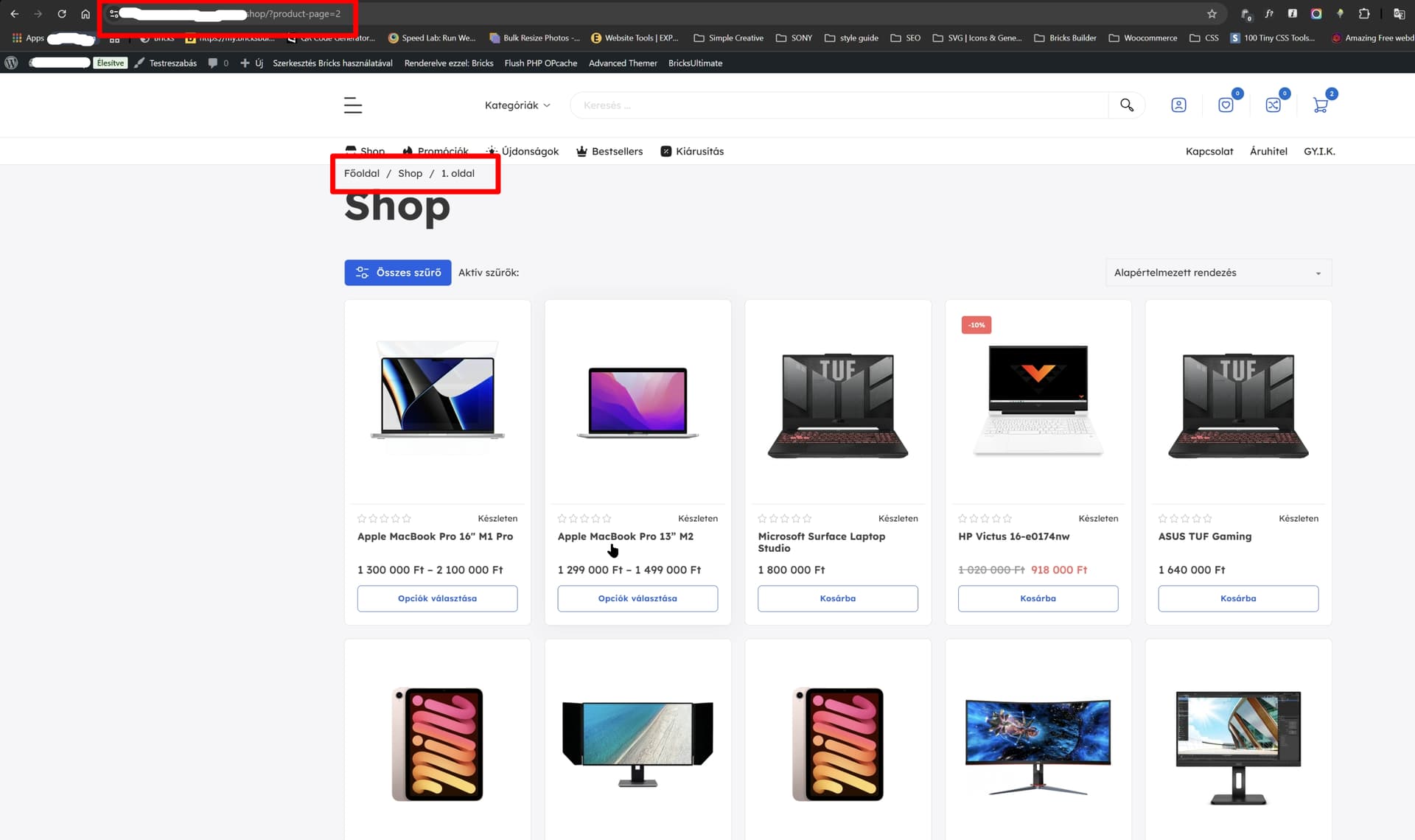
First strange thing, that default breadcrumb is show “firts page”
The second problem is when I change the page number (example go to second page with pagination) the breadcrumb stay “first page” but I’m on the second page if You see the URL.
Hi,
Thanks so much for your report!
Unfortunately, I cannot reproduce the issue. Please disable all plugins except WooCommerce and see if the problem persists. Also, see if it makes a difference if you “Enable Ajax” in the pagination element.
Best regards,
timmse
Hi Timmse!
I made another video for you, becasue I found another similira problem with Bricks Woo breadcrumb element.
I have set up everything.
Tried lots of config in permalinks. (same error)
I have set up single product page and archive pages with conditions
But when I want to use the breadcrum links always give back 404 error. I cant figure out what is the problem and how can I fix them.
Sorry for the late reply. Please send temporary login credentials and a link to this thread to help@bricksbuilder.io using the email address you used during the purchase, if the problem still applies.
Same problem.
While ajax pagination is active, breadcrumb not showing the right page.
If i remove the ajax pagination, then the ajax filters not working.
@Nicksi What do you mean by Ajax pagination? I am struggling with filtering and pagination working together. When I ajax filter the products loop the pagination doesn’t update, it stays the same pages and numbers.
If i remember correct, Bricks have two pagination elements, one for products and one general. One of them had an option to enable ajax. Tried both with no success. My problem solved by using Jet smart filters and their pagination element. Bricks Filters looks very promising, but i guess they are not ready yet.
@Nicksi Thank you! I tried the other and it works! Also the Query Results Summary works now! I hope I can get away with the built-in features but it there is no hope I will try your suggestion. Can you show me a site where you use it? Thanks!
You’re welcome. Nothing in production yet as i paused for a while to run other things. But i have tested the filters back then for few days without issues. Stick with the built-in features if you can. Bricks works great overall except some little annoying things.