Browser: Chrome 110
OS: Windows 11
URL: sry no link
Video: Short screen recording that illustrates this issue (free tool: jam.dev)
Issue is that the variables manager narrows the viewport of editor. Only workaround i found is disabling the variables manager:
See in detail here:
https://jam.dev/c/1b733f56-9b39-4652-93db-8eb6c18f52b0
I tried all different settings inside the variables manager.
Setting the scale here :
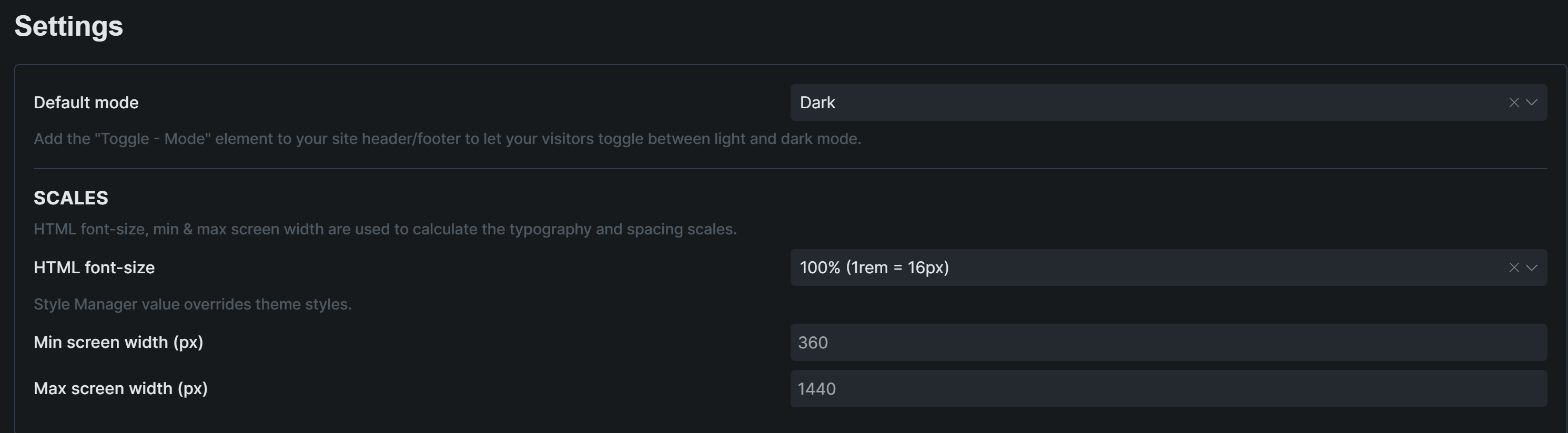
or changing font sizes or settings for scale but nothing like that worked. Its persistend everywhere in the editor
I ran out of ideas so i just disabled the variables manager but I could really use it for AI usage.
Please let me know how which further information you need to tackle this.
Best regards,
DisorderlyBuilt