We have a number of saved components that we have built. These have been created, styled, and saved. We were able to leave the editing view and come back at a later time to edit without issue.
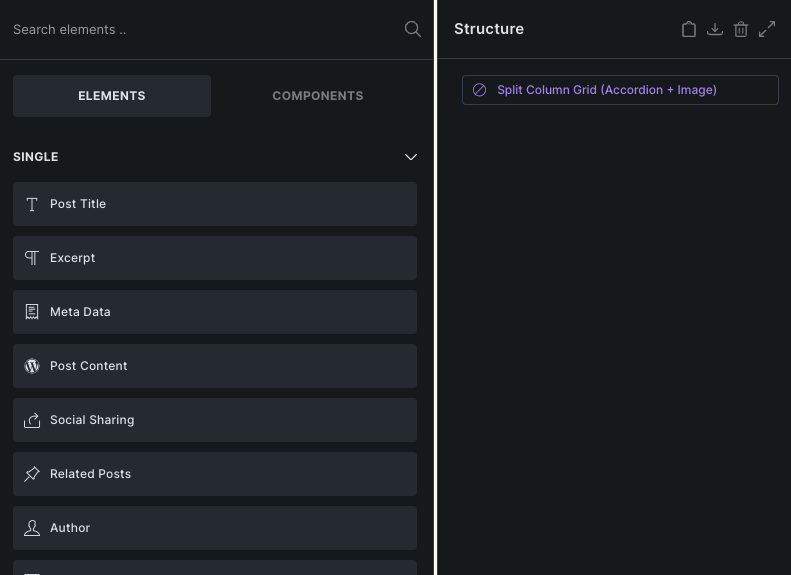
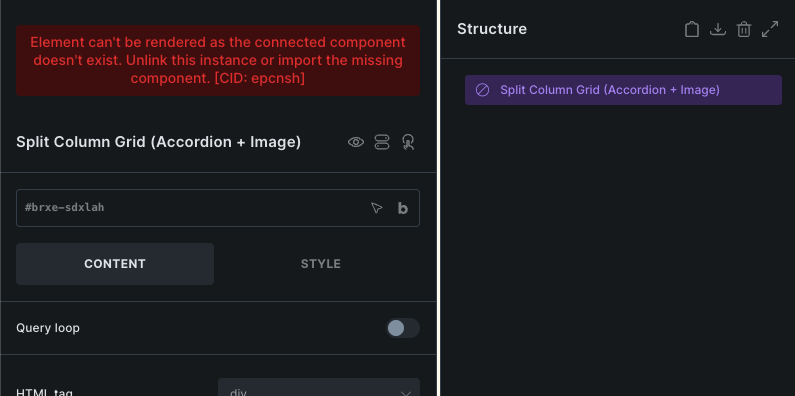
Then, all of a sudden, the component “no longer exists”. I have attached screenshots of what the component looks like now that it no longer exists, along with the error message.
This has now happened to two of our users on 3 separate occasions across 3 different components. Any thoughts as to why this might be and how to avoid it happening again?
Yeah, this is something that should not happen normally, but because you mentioned:
The first thing that comes to my mind is the simultaneous multi-user editing/saving of the components. If multiple users are editing the same components simultaneously, it can lead to conflicts. Ensure that only one user is editing a component at a time to avoid overwriting changes.
We had considered that as we do have multiple devs working across the site at the same time; however, they’re all working on separate things (components, templates, etc.), so we ruled that out.
No, we don’t have a way to replicate - it appears a bit random and unfortunately, those who experienced it moved on and did not document at the moment.
This just occurred again where components were created within a page (edited with Bricks). The page was saved. The person came back to review/edit the following day, and the components no longer existed.
I have a screenshot of the same type of error message previously provided. I also have an export of the structure panel (not sure if that would be of assistance here). Please let me know if you’d like me to provide the privately (and how to do so if so).
Quite same issue here.
My component’s content vanished after deleting image sources from an image in component.
After that editor broke and component seemed to be empty. But on frontend all elements with their data are still shown correctly.
That’s weird. So there is something going on, but it’s impossible to say what. I have a bunch of components on my local install, but no components disappeared.
I don’t think it has anything to do with the rest of the structure.
Hey @larsactionhero, this seems different issue If I understand the original issue correctly, the component “vanished” overnight, without anything else beiing dong on the website.
I remember trying to use the component inside of another compoenent and it didn’t work, so I removed it from the other componenet. It disappeared shortly after that. I tried that same thing again to try and reproduce I, and the component worked inside of the other one that time, but I removed it again because I had read that nesting components is not supported. Other than that, I didn’t import anything.
Do you remember how you tried to nest it? Dragging it inside?
Nesting components one inside the other is supported. However, what is not supported is nesting a component inside itself (So you can’t nest “card” component inside the “card” component).
I am pretty sure I added it from the component menu by clicking on it.
Mabye it didn’t work because the component was already missing but it showed it was present in the other component. It was a text link using some dynamic data to show Rank Math primary category inside another component that looped 5 posts to show latest articles.
The only way I was able to somehow replicate this is by importing a large number of components, where the components showed up and the save was successful, but the server denied that “Import” request, because the ,max_input_vars was set too low.
After increasing it, I can’t replicate any component disappearing problem.
Then this does not seem to be the case here. But, if this happens again, can you check the dev tool for network requests? Maybe it will give you some hints on what it could be.
Create a component from an element. It shows created and in the component list. If the builder is exited without saving, when you open up the template or page again, the component is missing.
I can even add more instances of the component and everything looks fine, but if I refresh the page or leave builder and load the page again, the component is gone.
 .
. If I understand the original issue correctly, the component “vanished” overnight, without anything else beiing dong on the website.


