Browser: Chrome 110
I have added a simple contact form to my website, but when I try to submit it, I receive a 500 Internal Server Error. Image is attached
Uploading: image.png…
Browser: Chrome 110
I have added a simple contact form to my website, but when I try to submit it, I receive a 500 Internal Server Error. Image is attached
Uploading: image.png…
Hi,
I’ll need a bit more data on that. What is your form setup (actions), and is there any debug.log entry?
Thanks,
Matej
It’s a very basic form with a Name, Email and Message. And Action is only set to send “Email” to custom email Address.
I am sorry, I don’t know about the log entry.
Hi,
can you share a link to the website, and where to find that form, so I can try?
Thanks,
Matej
Contact Form link Contact Us
Hi @Umair_Shehzad,
it seems that there is an error on the website when submitting a form.
Can you take a screenshot of your form settings (or your fields and of your form action). Additionally, it would be very helpful to see debug.log file.
If you don’t know how to enable debug.log file, please check here: How to Find and Access WordPress Error Logs (Step by Step) The best way is to update wp-config.php file.
Once you enable the logs, try to submit a form, and the file should be there.
Let me know,
Matej
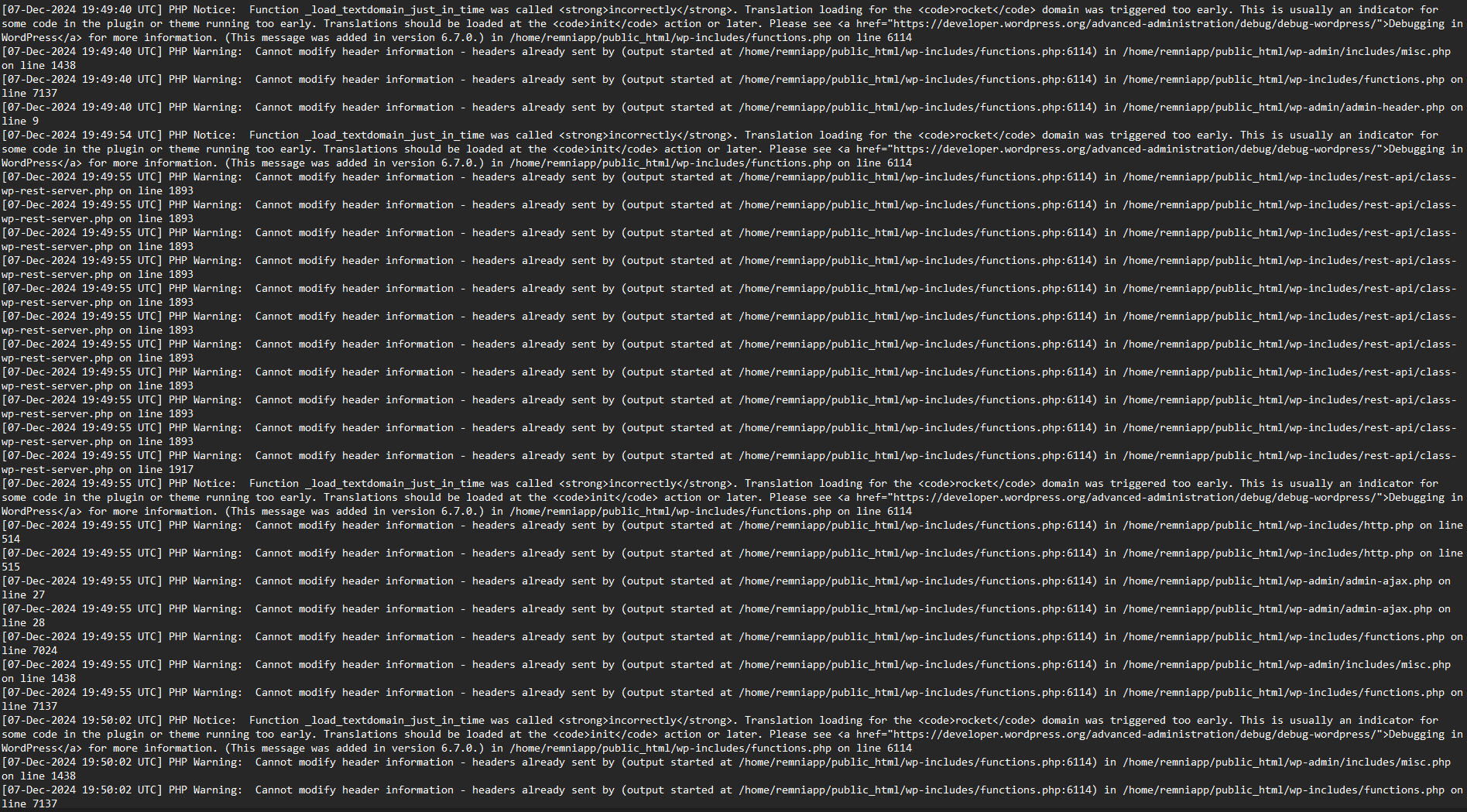
Apologies for the delay; I needed time to understand the WP debug file, which I am now attaching.
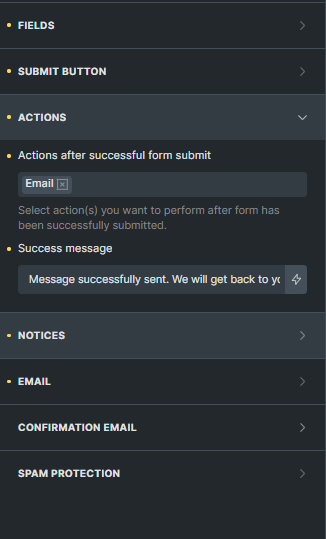
Screenshot of Bricks Form settings
Thanks for your help
Hi,
I see. I don’t see anything Bricks specific in the debug log, but maybe you can try to update all plugins and Bricks theme (If you haven’t yet), and if it’s still not working, can you try to disable all plugins?
Can you test that, and let me know?
Thanks,
Matej