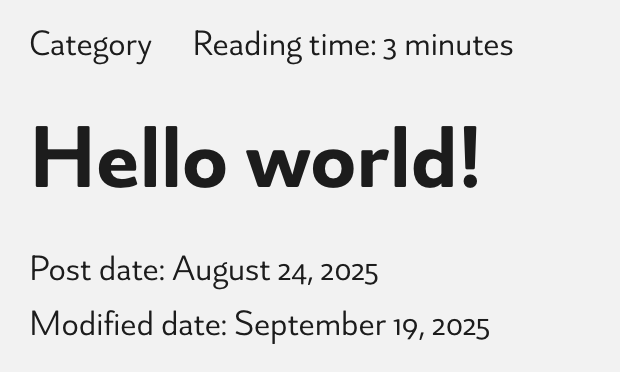
I noticed an issue with the {post_modified} dynamic tag in Bricks Builder.
When I use {post_modified} in a template or single post, it always outputs the original publish date (post_date), even when the post has been updated.
{post_date} works fine, but {post_modified} does not seem to fetch the correct modified date from the database.
I’ve tried using {echo: get_the_modified_date()} and similar workarounds, but it still falls back to the publish date in many cases (especially inside query loops or dynamic templates).
Expected behavior:
The {post_modified} tag should return the actual post modified date, just like WordPress’ get_the_modified_date() function, and not the original post_date.
Could you please fix this so {post_modified} works consistently across templates and loops?
Hi Omid,
Welcome to the forum, and thanks so much for your report!
Unfortunately, I cannot reproduce the issue (Bricks 2.1 beta). Please try again with the latest version and plugins disabled. If the problem persists, please record a screencast showing your setup and the issue in detail.
I can confirm this issue. The post_modified field does not work as expected. When I update the post’s publish date, the post_modified date also changes to that new date.
The fact that the fields are linked suggests that the tag is improperly pulling data from or being overwritten by the same meta-data logic used for the post date, rather than honoring the actual time of content modification.
Unfortunately, we haven’t received a response from the thread starter. Please provide us with a detailed description of your setup and tell us the steps to follow so we can reproduce the problem if necessary @Dawson
Not sure why I didn’t get an e-mail letting me know you responded, apologies for the delay.
My setup is simply that changing the template of a blog post will then update the date modified of the post itself, meaning all my posts now show June 19th (when I modified my template) as their last modified date (dynamic data {post_modified}). For example I never touched this article since August 7th, 2025: https://divanbleu.com/en/the-expert-beginner-trap/
Hey @Dawson , I hope you’re getting a notification for this reply
Unfortunately, I still can’t reproduce the problem. Since it’s happening on your site, it would be great if you could email us admin login credentials and a link to this thread to help@bricksbuilder.io so we can take a closer look.