WAIT: Not able to show breadcrumbs without the post title

Browser: Chrome 110
OS: Windows 11
URL: Link to a page that illustrates this issue
Video: Jam

Hi community,

I am having trouble with the breadcrumbs element in my single post template.

  • The Goal: I want to display the full category hierarchy while hiding the current post title at the end.

  • The Current Path: It correctly shows Home > Climate > Three shades of Yellow.

  • My Setup: In the structure settings, I added an item with post type = ‘Post’ and enabled ‘Hide current post’.

  • The Issue: This breaks the trail. It only displays ‘Home’ and hides all intermediate categories.

  • Expected Result: Home > Climate

I would be very grateful for a solution that does not require any coding, as I am not a technical user.

Best regards,

D. Mallick

Hi,
Thanks for your report!

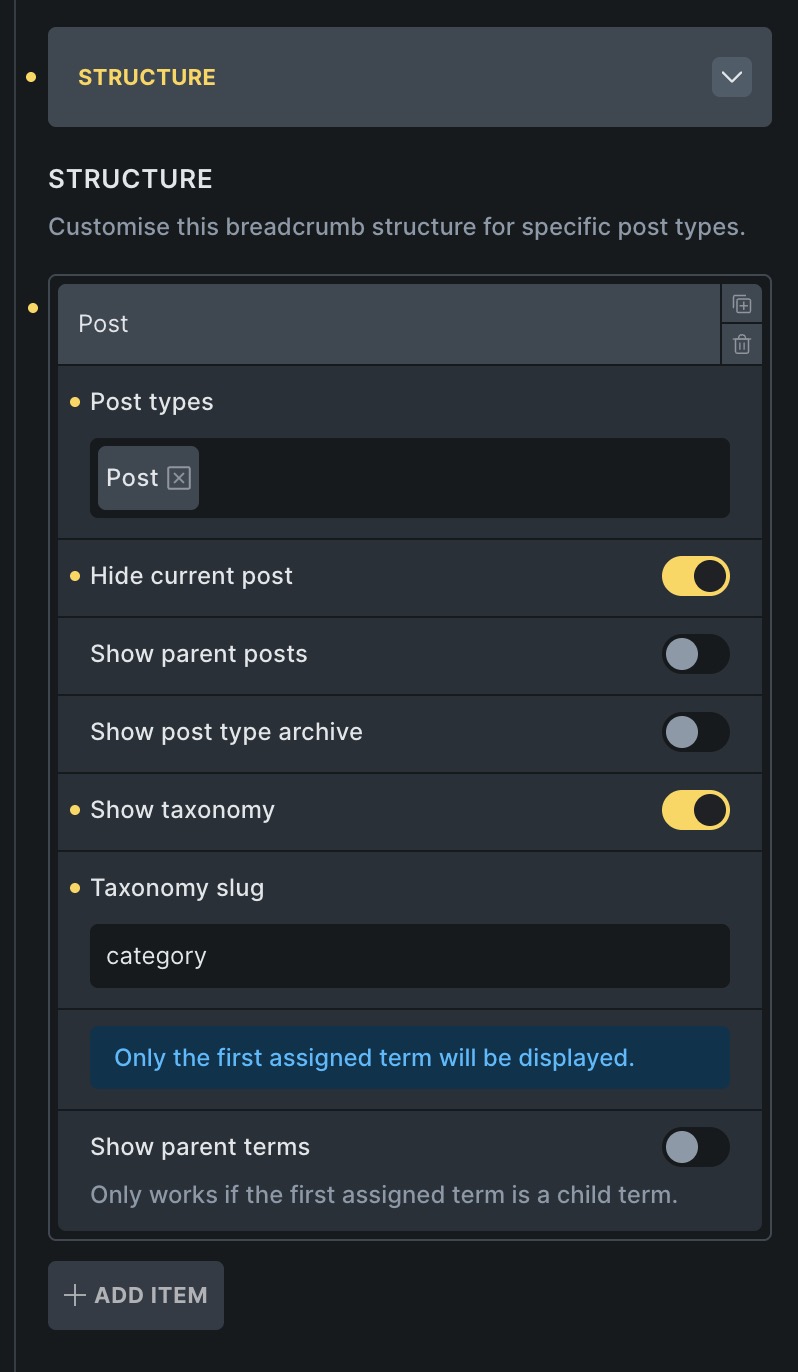
This is expected when you create a custom Breadcrumbs structure for the Post post type. That custom structure replaces the default post breadcrumb trail, so if you only select the post type and enable Hide current post, there is no category item left to render.

Use this setup in the Breadcrumbs element instead:

  • Enable Hide current post
  • Enable Show taxonomy
  • Set Taxonomy slug to category
  • Enable Show parent terms if you want the full category hierarchy

That should give you Home > Climate without showing the current post title.

Docs: Breadcrumbs | Bricks Academy

Hi Timmse,

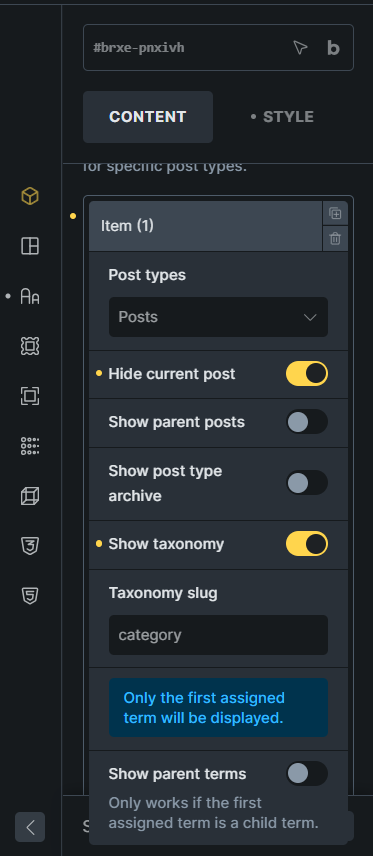
Thank you for the advice. I followed your instructions, but the full path is still appearing. Tried both options for Show parent terms (enabled and disabled).
Best regards,

D.Mallick

Add category into the taxonomy slug input field. In your screenshot, it’s still empty.

Hi Timmse,

Thank you so much for your help. It is working fine now.

Best regards,

D. Mallick