Browser: Chrome 110
OS: Windows
URL: Builder
Issue #1: Component Content Disappears After Adding/Editing Property Groups
Description
When adding groups to properties in an existing component or editing existing groups, the entire component content disappears.
Steps to Reproduce
- Create a new component without property groups
- Add properties directly without groups
- Save the component
- Component works correctly and displays
- Later decide to organize properties into groups
- Create groups in the component
- Map existing properties to these groups
- Save changes OR
- Edit existing groups in a component
Expected Behavior
Component should continue functioning normally after reorganizing properties into groups or editing existing groups.
Actual Behavior
- Entire component content disappears
- Unlinking properties doesn’t resolve the issue
- Only solution is to recreate the component from scratch
Issue #2: Default Property Values Not Saved Properly
Description
Not all properties with default text or images are actually saved. Icons particularly require manual setting of size, color, etc. for each instance.
Specific Problems
- Icon properties don’t retain default size and color settings
- Each icon needs manual configuration of size, color, and other attributes
- Very inefficient workflow, especially with grids containing 6+ blocks
- Cannot be controlled via CSS classes
- Need to add size and color instructions in field notes for users
Impact
This makes component creation extremely slow and forces users to manually configure basic styling that should be inherited from defaults.
Issue #3: Components Cannot Be Duplicated
Description
There’s no way to copy/duplicate existing components. When creating derived components, everything must be built from scratch.
Impact
Significantly slows down development workflow when creating similar components or component variations.
Issue #4: Nested Components Deleted on Unlink
Description
When unlinking a component that contains nested components, the nested components are deleted instead of being preserved.
Expected Behavior
Nested components should remain intact when parent component is unlinked.
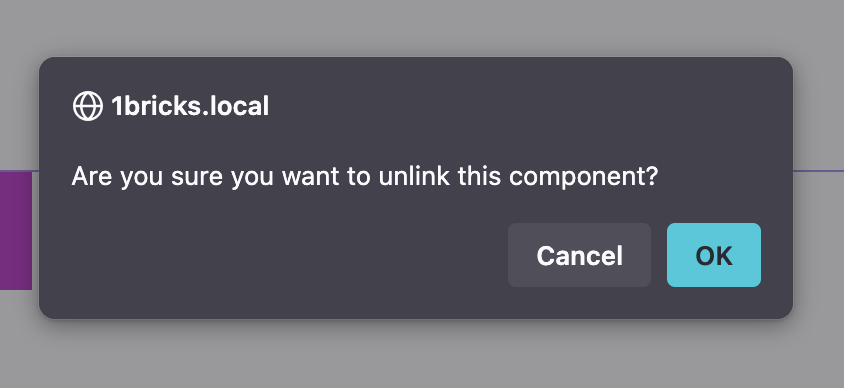
Issue #5: Unlink Confirmation Popup Button Issue
Description
In the system popup for component unlinking, only part of the confirmation button is clickable - specifically just the text area. Clicking on the button edges doesn’t trigger the action.
Steps to Reproduce
- Try to unlink any component
- Click on the edges of the confirmation button in the popup
- Action doesn’t execute
Expected Behavior
Entire button area should be clickable for confirmation.
Environment
- Bricks Version:2.0.1
- WordPress Version:6.8.2
- PHP Version:8.1
Temporary Workarounds
- Issue #1: Create groups before adding properties to avoid this problem
- Issue #2: Add detailed instructions in field notes for users
- Issue #3: None available - manual recreation required
- Issue #4: Be cautious when unlinking components with nested elements
- Issue #5: Click precisely on the button text, not edges
Has anyone experienced similar issues or found any fixes for these problems?
 .
.