Opening and saving a page in Bricks does not generate block editor data. I guess you have to make an edit? But that is a pain and unexpected when you discover excerpts don’t work and have to re-save every page after enabling the option.
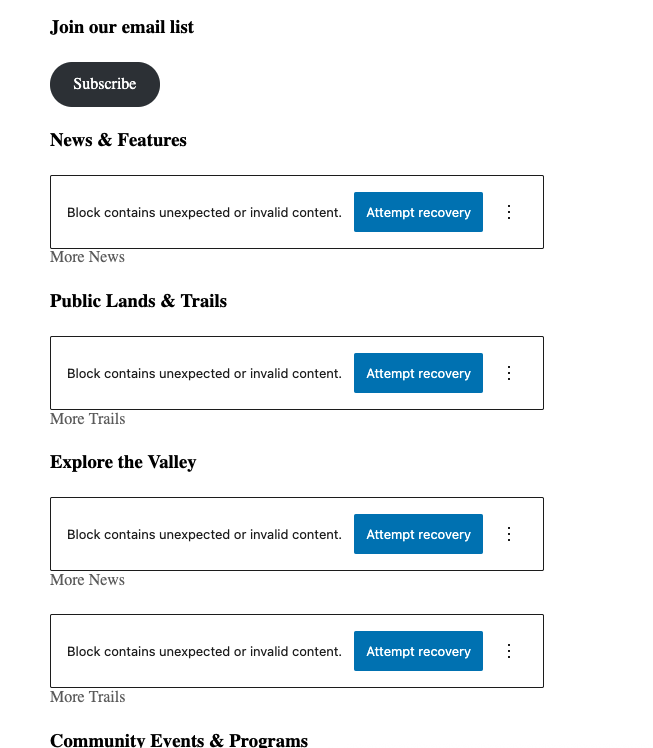
Lots of the imported blocks have errors. You should probably just be inserting a single visual editor or HTML block instead.
Unfortunately, I am still unable to reproduce the problem in the new year and continue to rely on your input.
No, it isn’t. The screenshots only show that there are problems, but they don’t reveal anything about the content of the blocks (or bricks content). That’s why I asked for the bricks content as JSON, so that I could reproduce the problem if necessary.
Perhaps you can restore the content via the revisions and then export it?
Thank you very much for the login details! I will try to address each of your points:
Out of order Bricks content
This is a known issue (already reported by email), if the post content element is on the root level/not wrapped.
“This page is built with Bricks”
Yes and no. Since you sync Bricks content to Gutenberg, it’s not entirely clear what you actually want to achieve and why are you continuously synchronizing the content
Opening and saving a page in Bricks does not generate block editor data. I guess you have to make an edit?
Yes. Quote from the documentation (linked above):
From now on whenever you edit and save in Bricks, your content will be saved as WordPress content, too. So your WordPress and Bricks data are in sync.
Lots of the imported blocks have errors
Where in your installation can I see these blocks? They are not currently included on the bugs page.
You can’t edit the Bricks content of your pages
You are using a template that contains two post content elements: one for the Bricks content, one for the Gutenberg content. This is perfectly fine, but you’re also using a condition on the Bricks post content element to show it only when the Gutenberg content is empty. Since you’re syncing the Bricks data to Gutenberg, it’ll never be empty. And that’s where the problem arises: element conditions are executed in the builder on static areas. In this particular case, the header, footer, and the “outer content post content” are the static areas.
Since there’s a condition that prevents the post content element from rendering with the data source Bricks, the elements on the page have nowhere to render.
This is similar to applying a single template on the page without having a post content element in the first place. Summed up: remove the condition that prevents editing the Bricks page content.