WAIT: Icon Control: Some Custom Icons not rendering on Canvas (e.g. in Button Element)

Some Icons (SVG) don’t render correctly on the Canvas when inside a Element that is useing a VUE-Template (render_builder). I have three different SVGs from the same library that consistently render differently:

Doesn’t show up at all

<svg xmlns="http://www.w3.org/2000/svg" width="1em" height="1em" viewBox="0 0 24 24">
	<path fill="currentColor" fill-rule="evenodd"
		d="M16.71 1.377a.75.75 0 0 0-.896-.703c-.5.1-2.132.506-3.42 1.794c-.658.658-1.022 1.488-1.22 2.244a7 7 0 0 0-.194 1.122l-.243-.104c-.693-.296-1.59-.64-2.61-.64c-1.092 0-2.642.444-3.922 1.7c-1.298 1.274-2.255 3.318-2.255 6.4c0 1.732.866 4.25 2.033 6.295c.59 1.033 1.285 1.995 2.035 2.704c.729.688 1.617 1.238 2.585 1.213c.72-.003 1.45-.286 2.017-.506l.05-.02c.654-.253 1.12-.424 1.511-.424c.374 0 .844.171 1.508.426l.049.018c.576.221 1.319.506 2.032.506c.539 0 1.162-.288 1.708-.627a9.6 9.6 0 0 0 1.796-1.476c1.137-1.182 2.217-2.871 2.175-4.679a.75.75 0 0 0-.428-.66a4.6 4.6 0 0 1-1.39-1.084c-.473-.543-.822-1.212-.844-1.988a5.55 5.55 0 0 1 .683-2.806c.422-.77.9-1.21 1.122-1.327a.75.75 0 0 0 .262-1.1c-.342-.48-.992-1.112-1.758-1.621c-.757-.504-1.744-.965-2.754-.945q-.265.007-.52.037c.37-.55.586-1.232.712-1.83a8.2 8.2 0 0 0 .177-1.919m-3.255 2.151c.541-.541 1.177-.883 1.704-1.094a7 7 0 0 1-.093.553c-.131.622-.337 1.142-.59 1.438c-.48.559-1.124 1.169-1.988 1.41c.028-.237.072-.49.138-.744c.155-.595.42-1.153.829-1.563m2.917 3.06c.565-.01 1.242.261 1.894.695c.344.228.648.48.89.712c-.357.358-.708.83-1.001 1.366a7.05 7.05 0 0 0-.867 3.57c.034 1.22.584 2.21 1.212 2.93c.46.527.98.934 1.43 1.21c-.127 1.095-.824 2.24-1.737 3.188a8 8 0 0 1-1.507 1.242c-.508.316-.824.401-.916.401c-.4 0-.888-.174-1.544-.425l-.08-.03c-.564-.217-1.286-.494-1.965-.494c-.7 0-1.418.279-1.98.497l-.072.028c-.648.25-1.127.424-1.537.424H8.57c-.376.012-.894-.212-1.52-.803c-.608-.575-1.217-1.403-1.763-2.358c-1.104-1.934-1.836-4.187-1.836-5.55c0-2.757.845-4.388 1.805-5.33c.978-.96 2.141-1.272 2.873-1.272c.695 0 1.353.235 2.02.52l.27.117c.238.103.485.21.709.295c.312.117.679.229 1.054.229s.746-.105 1.07-.22c.241-.085.505-.194.76-.299l.252-.104c.693-.282 1.382-.523 2.109-.538"
		clip-rule="evenodd" />
</svg>

Shows up partially (without the outline)

<svg xmlns="http://www.w3.org/2000/svg" width="1em" height="1em" viewBox="0 0 24 24">
	<path fill="currentColor"
		d="M15.933 10.143V15.5h-1.364v-5.357zm-1.441-1.496c0-.418.307-.737.758-.737c.463 0 .749.319.76.737c0 .407-.298.726-.77.726c-.451 0-.748-.319-.748-.726" />
	<path fill="currentColor" fill-rule="evenodd"
		d="m12.634 15.5l-.671-2.101H9.609L8.971 15.5H7.574L9.95 8.086h1.727l2.409 7.414zm-2.233-4.95l-.572 1.826h1.903l-.583-1.826c-.116-.365-.217-.766-.31-1.133l-.064-.253h-.022q-.056.222-.114.465c-.074.31-.151.632-.238.921"
		clip-rule="evenodd" />
	<path fill="currentColor" fill-rule="evenodd"
		d="M17.258 2.833a47.7 47.7 0 0 0-10.516 0c-2.012.225-3.637 1.81-3.873 3.832a46 46 0 0 0 0 10.67c.236 2.022 1.86 3.607 3.873 3.832a47.8 47.8 0 0 0 10.516 0c2.012-.225 3.637-1.81 3.873-3.832a46 46 0 0 0 0-10.67c-.236-2.022-1.86-3.607-3.873-3.832m-10.35 1.49a46.2 46.2 0 0 1 10.184 0c1.33.15 2.395 1.199 2.55 2.517a44.4 44.4 0 0 1 0 10.32a2.89 2.89 0 0 1-2.55 2.516a46.2 46.2 0 0 1-10.184 0a2.89 2.89 0 0 1-2.55-2.516a44.4 44.4 0 0 1 0-10.32a2.89 2.89 0 0 1 2.55-2.516"
		clip-rule="evenodd" />
</svg>

Shows up correct

<svg xmlns="http://www.w3.org/2000/svg" width="1em" height="1em" viewBox="0 0 24 24">
	<g fill="currentColor" fill-rule="evenodd" clip-rule="evenodd">
		<path
			d="m11.248 15.5l-.67-2.101H8.222L7.585 15.5H6.188l2.376-7.414h1.727l2.41 7.414zm-2.233-4.95l-.572 1.826h1.903l-.583-1.826a21 21 0 0 1-.31-1.133l-.064-.253h-.022l-.114.465c-.074.31-.15.632-.238.921m8.669 2.079c0 .253-.022.451-.044.572h-3.586c.033.968.792 1.386 1.65 1.386c.627 0 1.078-.088 1.485-.242l.198.935c-.462.187-1.1.341-1.87.341c-1.738 0-2.761-1.078-2.761-2.717c0-1.485.902-2.882 2.618-2.882c1.749 0 2.31 1.43 2.31 2.607m-2.387-1.683c-.836 0-1.188.759-1.243 1.309h2.354c.01-.495-.21-1.309-1.111-1.309" />
		<path
			d="M17.258 2.833a47.7 47.7 0 0 0-10.516 0c-2.012.225-3.637 1.81-3.873 3.832a46 46 0 0 0 0 10.67c.236 2.022 1.86 3.607 3.873 3.832a47.8 47.8 0 0 0 10.516 0c2.012-.225 3.637-1.81 3.873-3.832a46 46 0 0 0 0-10.67c-.236-2.022-1.86-3.607-3.873-3.832m-10.35 1.49a46.2 46.2 0 0 1 10.184 0c1.33.15 2.395 1.199 2.55 2.517a44.4 44.4 0 0 1 0 10.32a2.89 2.89 0 0 1-2.55 2.516a46.2 46.2 0 0 1-10.184 0a2.89 2.89 0 0 1-2.55-2.516a44.4 44.4 0 0 1 0-10.32a2.89 2.89 0 0 1 2.55-2.516" />
	</g>
</svg>

This is indpendent of how you add the Icon to the Element - results are the same for picking it as a Icon from the custom Icon Library or as a SVG from the Media Library.

Best Regards
Suat
Hey @UserfreundSuat,

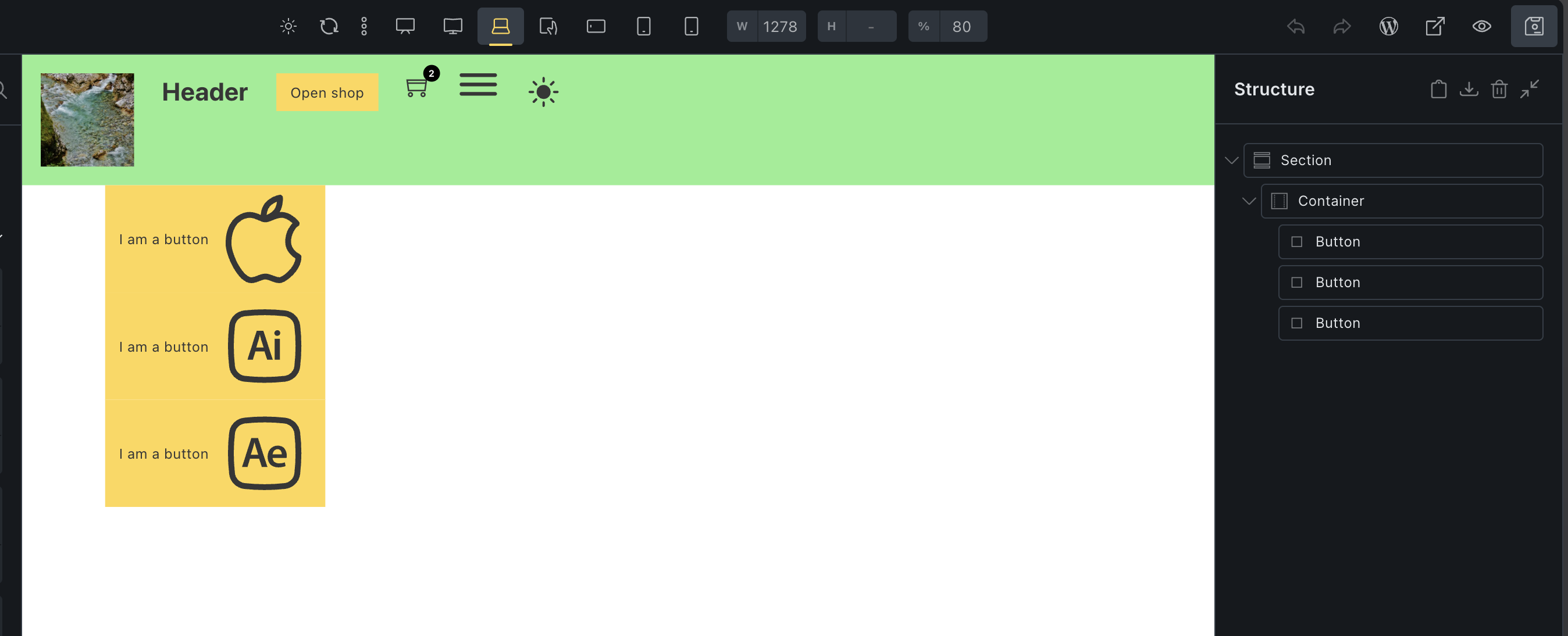
I tried in 2.3.10 and in 2.4 beta 2 version, but all three icons are working. I’m using Button element where I’ve added all three icons from my newly created custom icon set.

What is your setup?

Thanks,
Matej

Hi @Matej ,
after you tried to recreate the issue, I also installed 2.3.10 tested it there just to be sure. But I know that the issue has been around for longer (it’s been there since there was a bug, where multiple SVGs would render inside VUE-Template Elements - I just never bothered to report it).
I also deactivated my Child Theme and the error still persists for me. But it gets stranger if I dig in deeper.

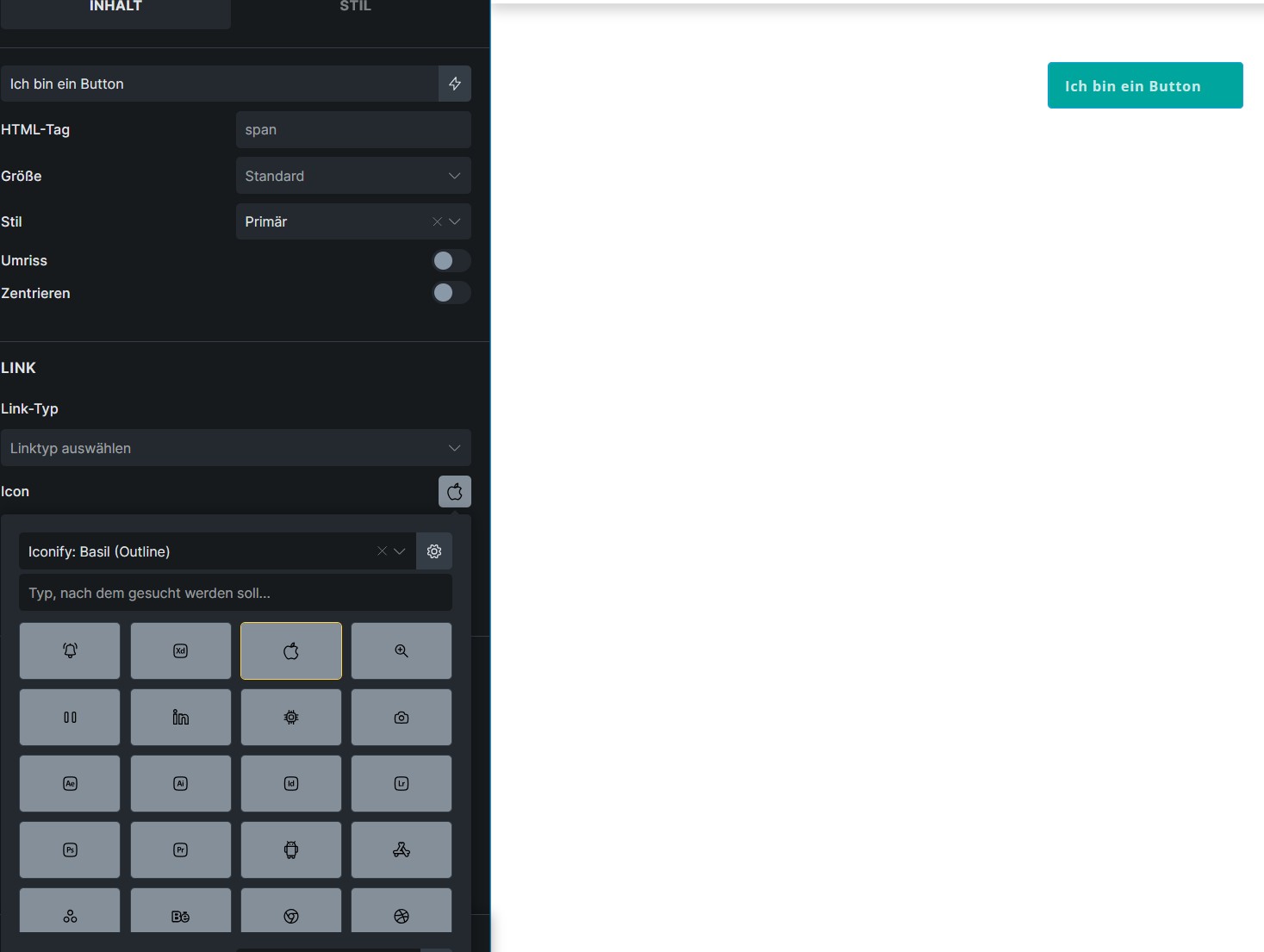
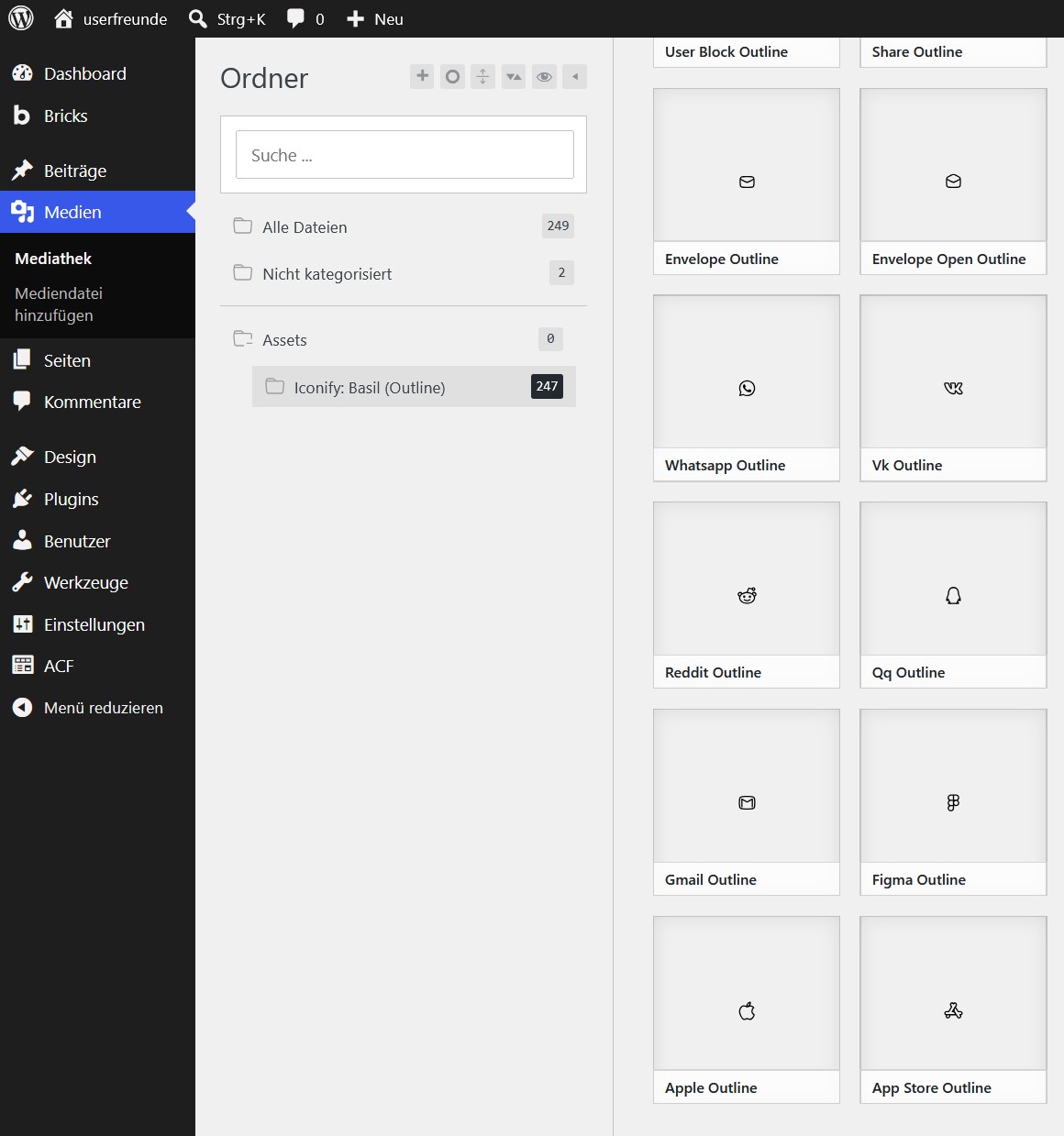
So my setup is a bit more complex, in my Child Theme there is a options-page where you can select any iconify.design Icon set and programmatically download it, tag it with a unique Happyfiles Category (for a cleaner Media Library) and create a custom Bricks Icon Library.

This works great in general:

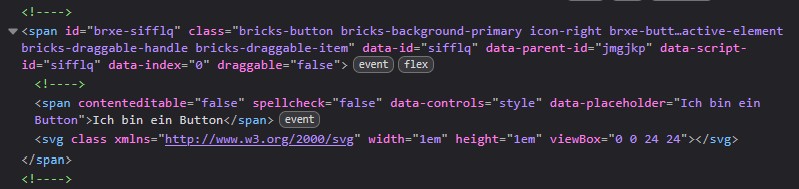
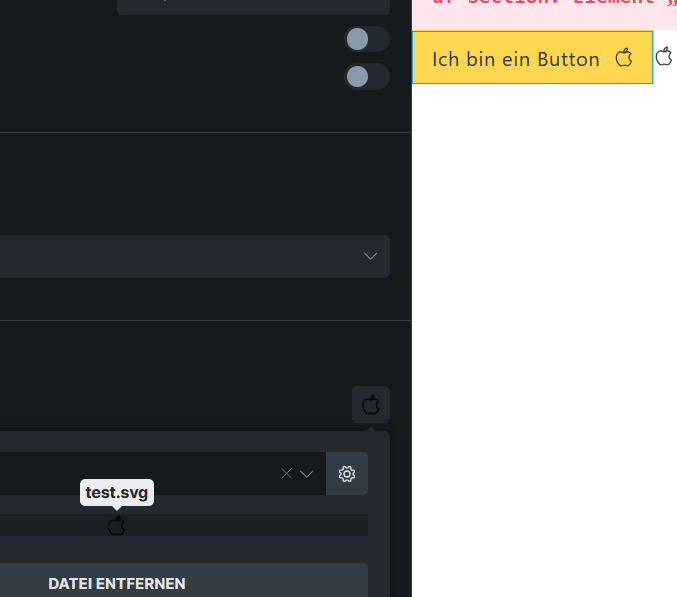
But as you can see, for e.g. the Button in the VUE-Template the HTML (paths etc.) inside th SVG is missing:

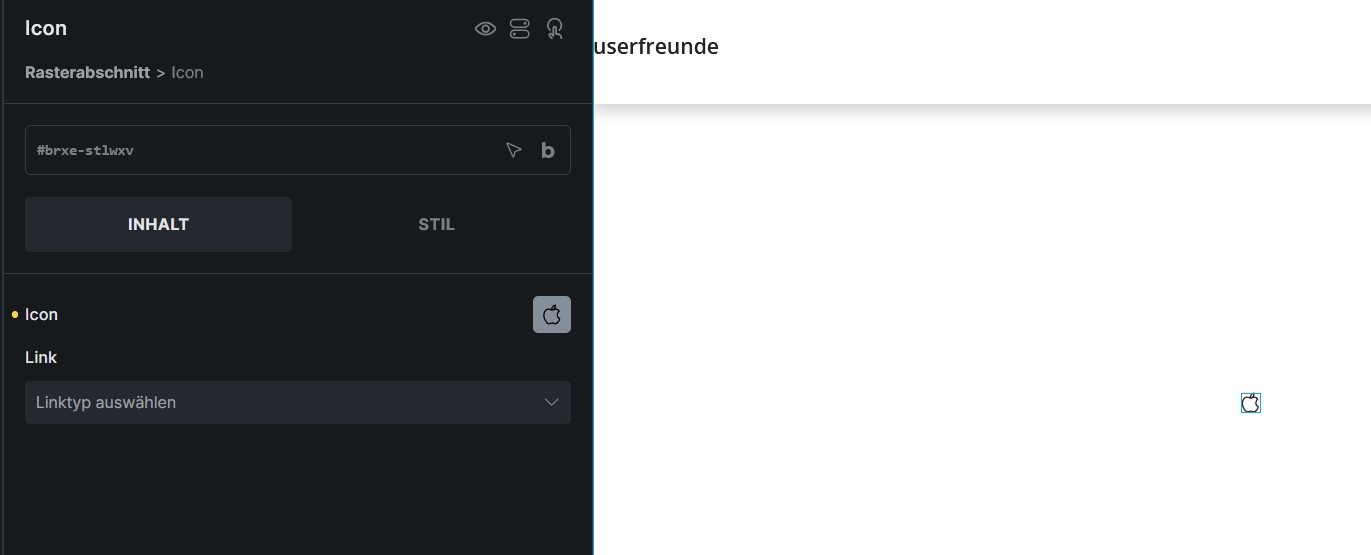
Of course it works out fine with the Icon Element, because this is not useing a VUE-Template but rather only the PHP render method of that class:

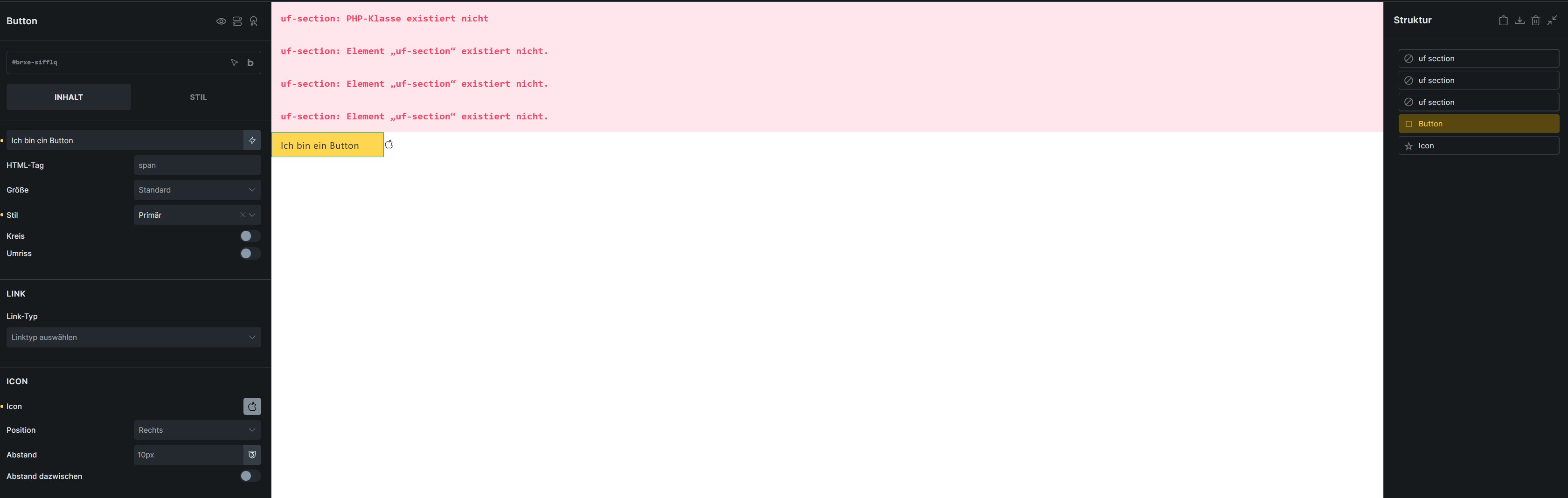
As you can see the issue still persists when I turn of my Child Theme (where custom Elements are registered, like uf-section):

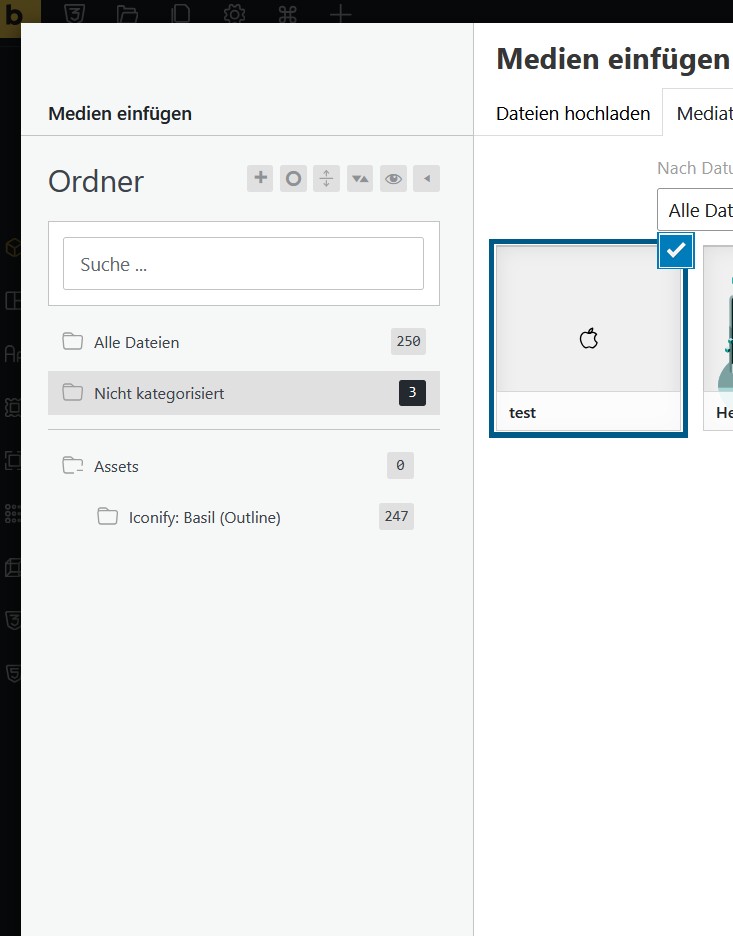
This is my media library with disabled Child Theme:

Now the strangest thing is happening. I uploaded the exact same SVG under a different name again and didn’t tag it with a Happyfiles category and it is working:


When removing the previous apple-Icon from the Icon Library or untagging it from happyfiles it still doesn’t get rendered that one correctly.

Just for centext here is my BRICKS_DB_ICON_SETS Option:

array(1) {
  [0]=>
  array(3) {
    ["id"]=>
    string(13) "set_00ffd2a3f"
    ["name"]=>
    string(24) "Iconify: Basil (Outline)"
    ["backgroundColor"]=>
    string(21) "var(--builder-gray-a)"
  }
}

and my BRICKS_DB_CUSTOM_ICONS Option or at least the part that matters:

array(248) {
// other results...
  [245]=>
  array(5) {
    ["id"]=>
    string(9) "7ffeb4673"
    ["name"]=>
    string(14) "unlock-outline"
    ["url"]=>
    string(63) "https://userfreunde.local/wp-content/uploads/unlock-outline.svg"
    ["setId"]=>
    string(13) "set_00ffd2a3f"
    ["attachment_id"]=>
    int(587)
  }
  [246]=>
  array(5) {
    ["id"]=>
    string(14) "icon_n4l5xsdgk"
    ["name"]=>
    string(13) "apple-outline"
    ["url"]=>
    string(62) "https://userfreunde.local/wp-content/uploads/apple-outline.svg"
    ["setId"]=>
    string(13) "set_00ffd2a3f"
    ["attachment_id"]=>
    int(349)
  }
  [247]=>
  array(5) {
    ["id"]=>
    string(14) "icon_zga5b61yt"
    ["name"]=>
    string(4) "test"
    ["url"]=>
    string(53) "https://userfreunde.local/wp-content/uploads/test.svg"
    ["setId"]=>
    string(13) "set_00ffd2a3f"
    ["attachment_id"]=>
    int(669)
  }
]

I’m just wondering if I run into issues because i have a large amount of Icons? But this is not insignificant for my usecase, since almost every other Icon doesn’t display or displays only partially. But I can’t figure out where the source of the problem is.

Best regards
Suat

Edit: accidentally sent too early.

Hey @UserfreundSuat,

Thank you for the additional response.

Firstly, I think the number of icons is unlikely to be the cause. If that were the case, then the SVG would not render even after the re-uploaded attachment.

Can you try disabling all plugins and custom code, and see if you can replicate the issue then?

Matej

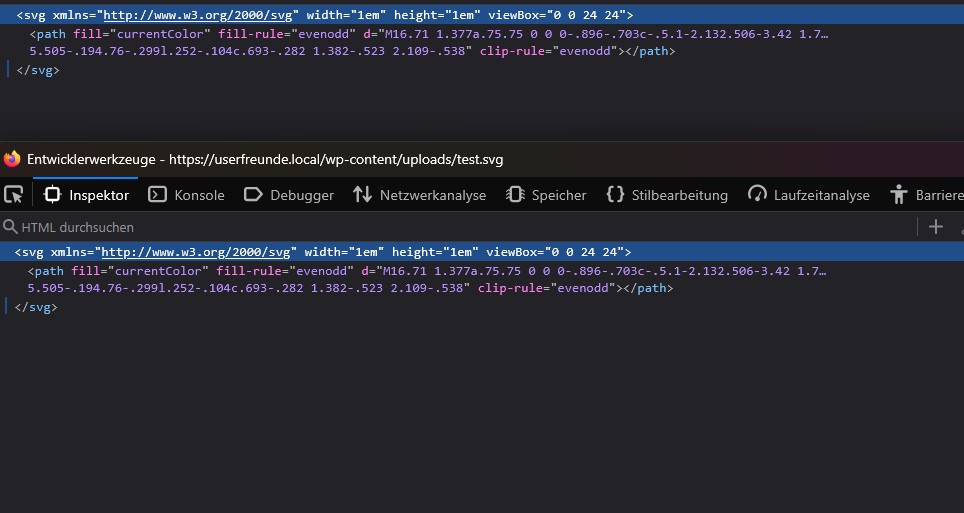
Tested it out with all Plugins disabled and only useing the parent Bricks Theme.

But I found the issue. When I use my Custom Options Page to “upload” the Icons I am useing media_sideload_image, this acts differently then uploading it via the regular upload.
The regular upload adds <?xml version="1.0" encoding="UTF-8"?> to the beginning of the SVG but sideloading doesn’t.

My SVGs rendered fine on the frontend but the Builder/Canvas seems to have problems with SVGs without it. Of course I can modify my files when they are being sideloaded to serve my needs but I’m stil curious if this intended this way.

You should be able to recreate the issue when removing that part of the file in an already uploaded SVG in your Media Library.

Best Regards
Suat
This is how I solved it for my Child Theme, but maybe you guys could think about implementing a sanatization for wp_handle_sideload_prefilter.


trait Icon_Manager_Trait
{
	/**
	 * Set to false once Bricks sanitizes wp_handle_sideload_prefilter itself
	 * (currently it only hooks wp_handle_upload_prefilter, see \Bricks\Svg).
	 */
	private static bool $sanitizeSvgSideloads = true;

	// MARK: Add Sideload Sanitization Filter
	protected function add_sideload_sanitization_filter(): void
	{
		if (!self::$sanitizeSvgSideloads) {
			return;
		}

		add_filter('wp_handle_sideload_prefilter', [$this, 'sanitize_sideloaded_svg']);
	}

	// MARK: Sanitize Sideloaded SVG
	/**
	 * Runs sideloaded SVGs through the same sanitizer Bricks applies to
	 * regular uploads. Bricks only hooks wp_handle_upload_prefilter, so
	 * sideloads skip sanitization — and miss the XML declaration
	 * (added by DOMDocument::saveXML) that the builder's Vue templates
	 * need to render custom icons.
	 */
	public function sanitize_sideloaded_svg(array $file): array
	{
		$extension = strtolower(pathinfo($file['name'] ?? '', PATHINFO_EXTENSION));

		if ($extension !== 'svg') {
			return $file;
		}

		\Bricks\Svg::load_libraries();

		$sanitizer = new \enshrined\svgSanitize\Sanitizer();
		$sanitizer->minify(true);
		$sanitizer->setAllowedTags(new \Bricks\Integrations\Svg_Sanitizer\Allowed_Tags());
		$sanitizer->setAllowedAttrs(new \Bricks\Integrations\Svg_Sanitizer\Allowed_Attributes());

		$content = file_get_contents($file['tmp_name']);
		$clean = $content !== false ? $sanitizer->sanitize($content) : false;

		if ($clean === false || $clean === '') {
			$file['error'] = esc_html__('SVG could not be sanitized.', 'uf-theme');
			return $file;
		}

		file_put_contents($file['tmp_name'], $clean);

		return $file;
	}
...

Best Regards
Suat

Hey @UserfreundSuat,

hmm… I still can’t replicate it. My SVG starts with <svg now and I can still see it on the canvas.
CleanShot 2026-07-28 at 07.16.50

Maybe record a video how to replicate it? I guess I need to do something else as well, not only remove that part?

Matej

Hi @Matej ,
I’m sorry for the confusion, you are right, the XML-Part isn’t the Issue, but it still is a sanatizing issue nonetheless. I just thought it was that part because it was easy to spot.

After some testing I found the real culprit.

The sanatizing that bricks does for media uploads (and which I also now do for my sideloaded SVGs) is closing selfclosing HTML-tags. It’s much harder to see that’s why I asked Claude to compare these a sanatized and a non sanatized version of the same SVG.

As I stated earlier, I use SVGs from iconify.design and those Icons contain self-closing <path> which the VUE-Template doesn’t seem to handle properly.

Here is the exact Code, if you replace your Icon with it (with those self-closing HTML-Tags you should be able to reproduce it).

The sanatizer explicitly closes those tags and fixes it for the Builder and the XML-Part is just something it adds aswell.

See if you can recreate it otherwise I’m happy to do a video showcasing it.

Best Regards
Suat

Edit:

Not Working

<svg xmlns="http://www.w3.org/2000/svg" width="1em" height="1em" viewBox="0 0 24 24">
	<path fill="currentColor" fill-rule="evenodd"
		d="M16.71 1.377a.75.75 0 0 0-.896-.703c-.5.1-2.132.506-3.42 1.794c-.658.658-1.022 1.488-1.22 2.244a7 7 0 0 0-.194 1.122l-.243-.104c-.693-.296-1.59-.64-2.61-.64c-1.092 0-2.642.444-3.922 1.7c-1.298 1.274-2.255 3.318-2.255 6.4c0 1.732.866 4.25 2.033 6.295c.59 1.033 1.285 1.995 2.035 2.704c.729.688 1.617 1.238 2.585 1.213c.72-.003 1.45-.286 2.017-.506l.05-.02c.654-.253 1.12-.424 1.511-.424c.374 0 .844.171 1.508.426l.049.018c.576.221 1.319.506 2.032.506c.539 0 1.162-.288 1.708-.627a9.6 9.6 0 0 0 1.796-1.476c1.137-1.182 2.217-2.871 2.175-4.679a.75.75 0 0 0-.428-.66a4.6 4.6 0 0 1-1.39-1.084c-.473-.543-.822-1.212-.844-1.988a5.55 5.55 0 0 1 .683-2.806c.422-.77.9-1.21 1.122-1.327a.75.75 0 0 0 .262-1.1c-.342-.48-.992-1.112-1.758-1.621c-.757-.504-1.744-.965-2.754-.945q-.265.007-.52.037c.37-.55.586-1.232.712-1.83a8.2 8.2 0 0 0 .177-1.919m-3.255 2.151c.541-.541 1.177-.883 1.704-1.094a7 7 0 0 1-.093.553c-.131.622-.337 1.142-.59 1.438c-.48.559-1.124 1.169-1.988 1.41c.028-.237.072-.49.138-.744c.155-.595.42-1.153.829-1.563m2.917 3.06c.565-.01 1.242.261 1.894.695c.344.228.648.48.89.712c-.357.358-.708.83-1.001 1.366a7.05 7.05 0 0 0-.867 3.57c.034 1.22.584 2.21 1.212 2.93c.46.527.98.934 1.43 1.21c-.127 1.095-.824 2.24-1.737 3.188a8 8 0 0 1-1.507 1.242c-.508.316-.824.401-.916.401c-.4 0-.888-.174-1.544-.425l-.08-.03c-.564-.217-1.286-.494-1.965-.494c-.7 0-1.418.279-1.98.497l-.072.028c-.648.25-1.127.424-1.537.424H8.57c-.376.012-.894-.212-1.52-.803c-.608-.575-1.217-1.403-1.763-2.358c-1.104-1.934-1.836-4.187-1.836-5.55c0-2.757.845-4.388 1.805-5.33c.978-.96 2.141-1.272 2.873-1.272c.695 0 1.353.235 2.02.52l.27.117c.238.103.485.21.709.295c.312.117.679.229 1.054.229s.746-.105 1.07-.22c.241-.085.505-.194.76-.299l.252-.104c.693-.282 1.382-.523 2.109-.538"
		clip-rule="evenodd" />
</svg>

Working

<svg xmlns="http://www.w3.org/2000/svg" width="1em" height="1em" viewBox="0 0 24 24">
	<path fill="currentColor" fill-rule="evenodd"
		d="M16.71 1.377a.75.75 0 0 0-.896-.703c-.5.1-2.132.506-3.42 1.794c-.658.658-1.022 1.488-1.22 2.244a7 7 0 0 0-.194 1.122l-.243-.104c-.693-.296-1.59-.64-2.61-.64c-1.092 0-2.642.444-3.922 1.7c-1.298 1.274-2.255 3.318-2.255 6.4c0 1.732.866 4.25 2.033 6.295c.59 1.033 1.285 1.995 2.035 2.704c.729.688 1.617 1.238 2.585 1.213c.72-.003 1.45-.286 2.017-.506l.05-.02c.654-.253 1.12-.424 1.511-.424c.374 0 .844.171 1.508.426l.049.018c.576.221 1.319.506 2.032.506c.539 0 1.162-.288 1.708-.627a9.6 9.6 0 0 0 1.796-1.476c1.137-1.182 2.217-2.871 2.175-4.679a.75.75 0 0 0-.428-.66a4.6 4.6 0 0 1-1.39-1.084c-.473-.543-.822-1.212-.844-1.988a5.55 5.55 0 0 1 .683-2.806c.422-.77.9-1.21 1.122-1.327a.75.75 0 0 0 .262-1.1c-.342-.48-.992-1.112-1.758-1.621c-.757-.504-1.744-.965-2.754-.945q-.265.007-.52.037c.37-.55.586-1.232.712-1.83a8.2 8.2 0 0 0 .177-1.919m-3.255 2.151c.541-.541 1.177-.883 1.704-1.094a7 7 0 0 1-.093.553c-.131.622-.337 1.142-.59 1.438c-.48.559-1.124 1.169-1.988 1.41c.028-.237.072-.49.138-.744c.155-.595.42-1.153.829-1.563m2.917 3.06c.565-.01 1.242.261 1.894.695c.344.228.648.48.89.712c-.357.358-.708.83-1.001 1.366a7.05 7.05 0 0 0-.867 3.57c.034 1.22.584 2.21 1.212 2.93c.46.527.98.934 1.43 1.21c-.127 1.095-.824 2.24-1.737 3.188a8 8 0 0 1-1.507 1.242c-.508.316-.824.401-.916.401c-.4 0-.888-.174-1.544-.425l-.08-.03c-.564-.217-1.286-.494-1.965-.494c-.7 0-1.418.279-1.98.497l-.072.028c-.648.25-1.127.424-1.537.424H8.57c-.376.012-.894-.212-1.52-.803c-.608-.575-1.217-1.403-1.763-2.358c-1.104-1.934-1.836-4.187-1.836-5.55c0-2.757.845-4.388 1.805-5.33c.978-.96 2.141-1.272 2.873-1.272c.695 0 1.353.235 2.02.52l.27.117c.238.103.485.21.709.295c.312.117.679.229 1.054.229s.746-.105 1.07-.22c.241-.085.505-.194.76-.299l.252-.104c.693-.282 1.382-.523 2.109-.538"
		clip-rule="evenodd"></path>
</svg>

Edit 2:

Now I can’t seem to reproduce it.. it’s very strange. My file has a self-closing tag, but bricks now shows it correctly. I don’t get it. I just know sanatizing fixed it but I can’t reproduce it anymore. I’m sorry for the confusion.

Hey @UserfreundSuat,

I’ve tested with your “Not working” example, but it’s working for me. Like you, I’m not sure how to replicate it… If you find a way, possibly on empty Bricks installation, that would be awesome and I would love to see the issue fixed. But untill then, I’m not able to replicate it :frowning: Let’s keep the topic open then and if you notice anything in the future, let me know.

Thanks,
Matej

1 Like