Browser: Vivaldi/LibreWolf/Edge/Firefox
OS: Windows
URL: Unable/won’t supply - customer site + not sharing on a public forum.
Pic: After description, bottom of this post.
I’ve been working on migrating a client site from Elementor ( ) to Bricks.
Obviously, this means a total rebuild.
The process has been:
- Disable Elementor + Pro + Hello Theme
- Enable Bricks Theme, clear cache, build things
- Revert once completed
(We were not in a position to utilise Local or similar for staging.)
For a proof of concept, I started by building a Privacy Policy template and working on that, before moving on to the site-wide header and footer. This meant copying over font clamp settings from Elementor, etc. So far so good.
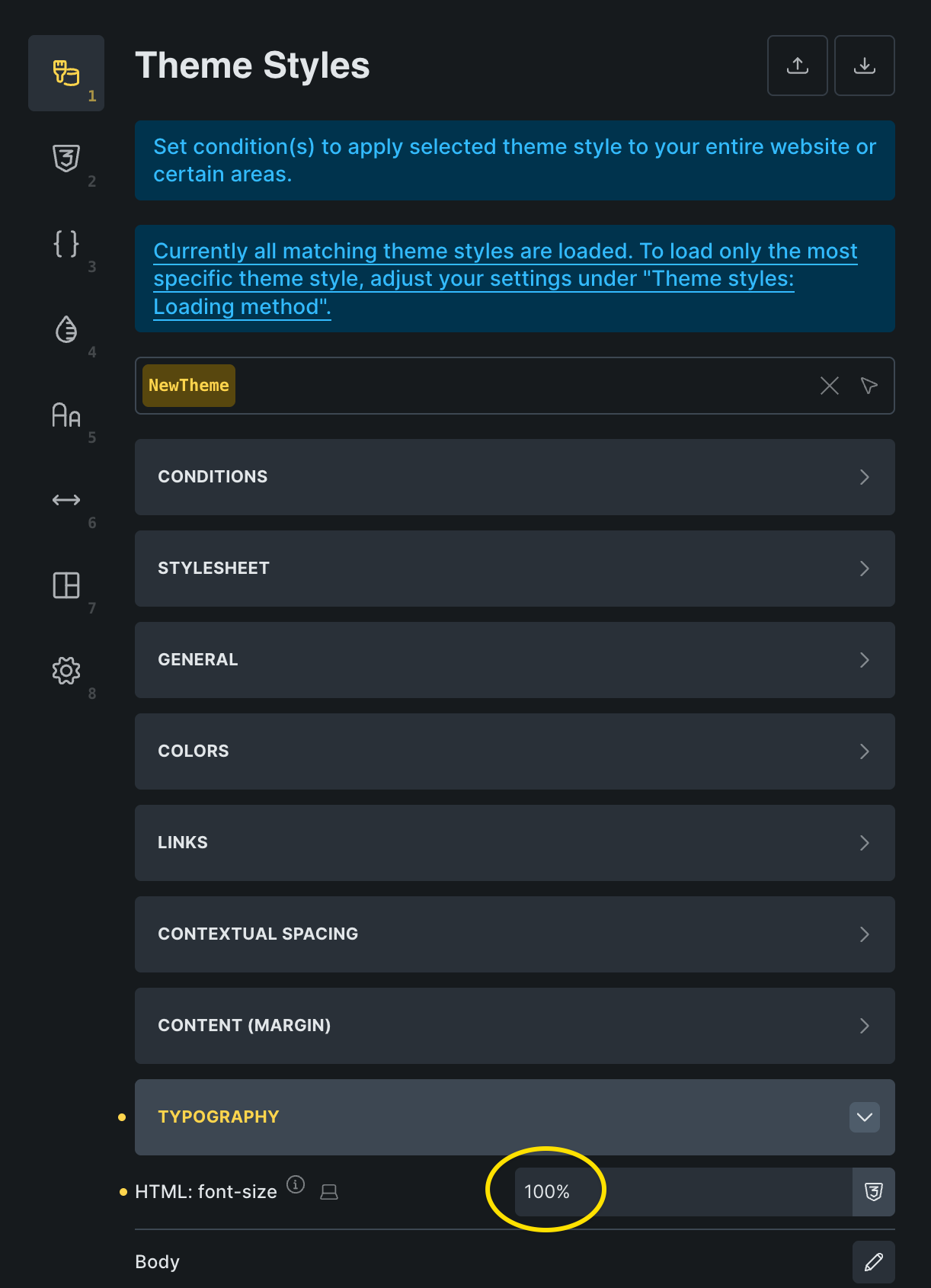
I should also mention that for consistency, the root font size has been set back to 16px/100%.
Then I started working on other pages, and noticed that the header and footer font has become microscopic when viewed on the live front end.
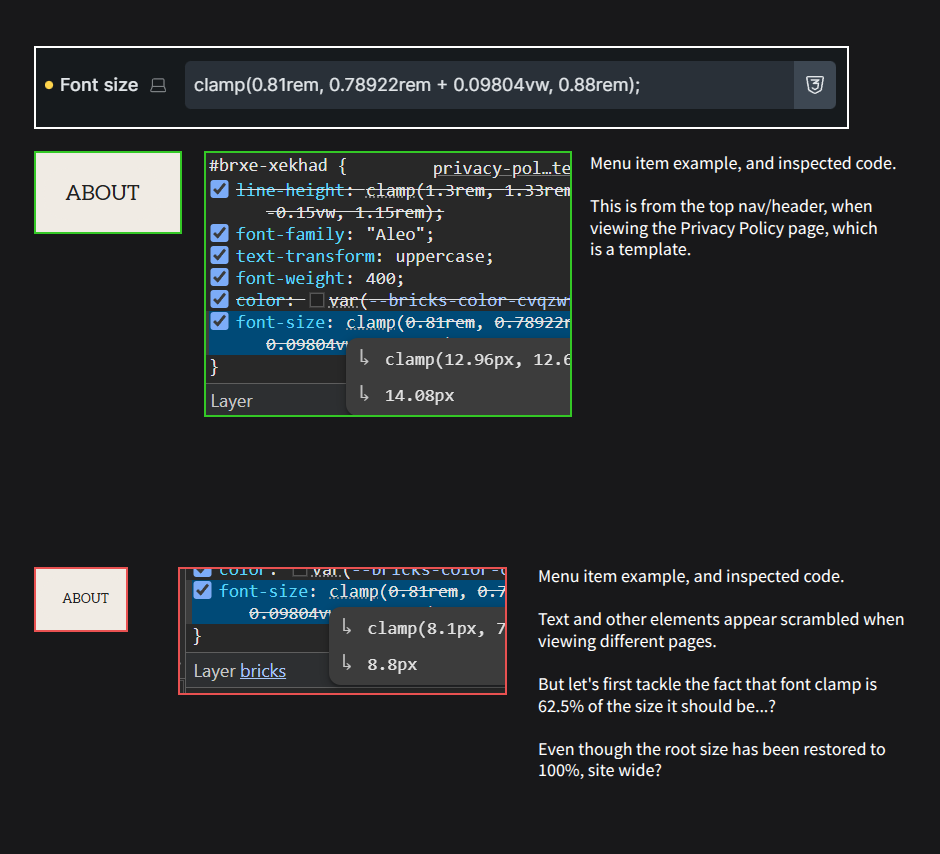
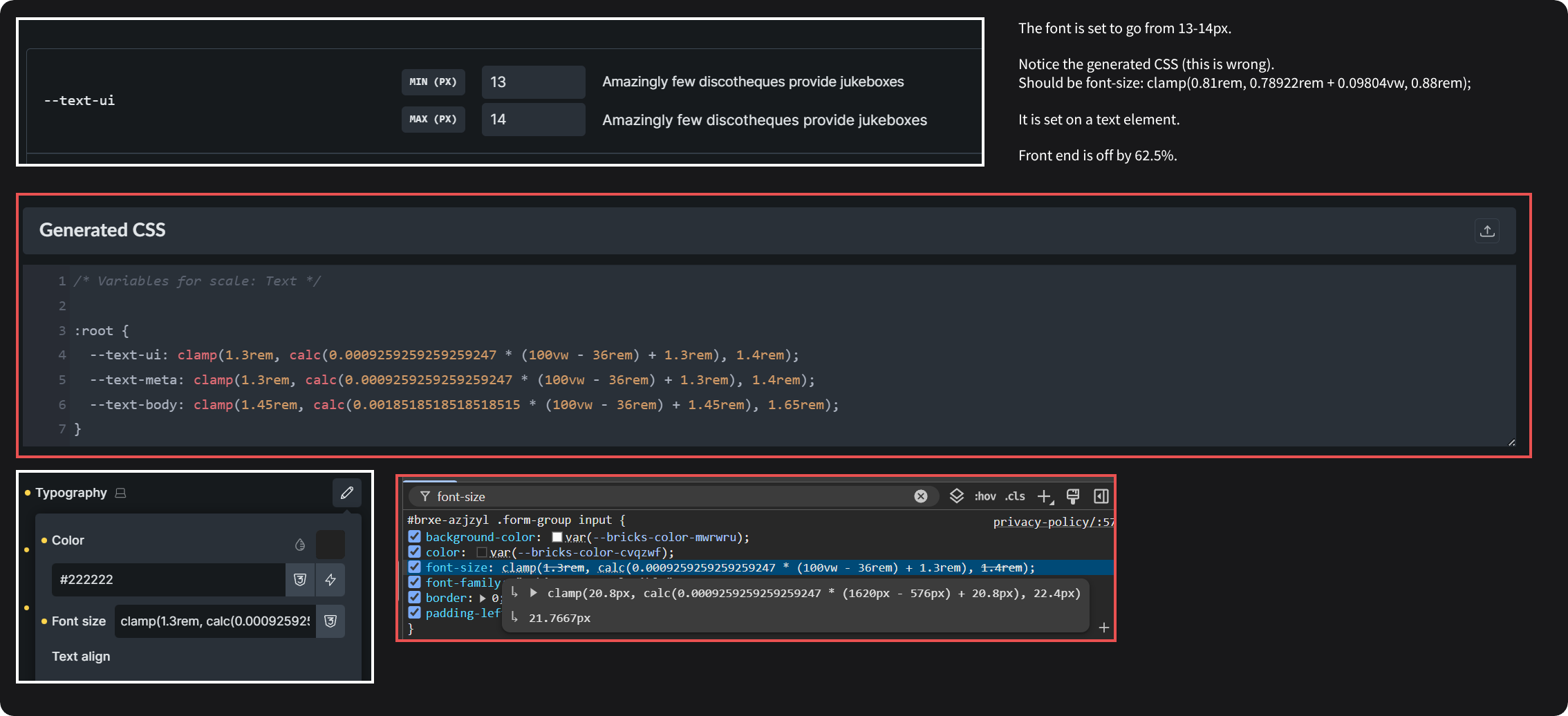
Even though I’ve set the clamp calculation to go from 13px to 14x (for a top nav menu item), between a view port of 380px up to 1400x, for some reason the font is showing up as <9px ???
I’ve had similar issues with other sized fonts, like body, h1, etc. All taking on smaller sizes.
The clamp calc is perfect. I’ve run it by several generators:
clamp(0.81rem, 0.78922rem + 0.09804vw, 0.88rem);
I’ve also noticed that on all other pages, beyond the Privacy Policy template, that other elements are bugging out, like forms in the footer, icons/svgs, off-canvas items, etc.
Really frustrating as up to this point everything seemed to work fine in Bricks, but after updating it’s like it has a mind of its own.
Would really appreciate some help here, as this doesn’t seem to be working at all, and this project is already overdue from a time perspective as we’ve been trying to no avail to fix all these quirks in Bricks. Whilst the update was recent (last days), this was also happening on V2.X (think we were on v2.1)
Thanks.
Note: As per the attached pic, it seems that Bricks is setting the font size to 62.5% of what it should be, when viewing any other page/template other than the Privacy Policy template… why? The root font size has been restored to 16px/100%…?
Troubleshooting:
- Clearing cache (WP-plugin + browser)
- Tested in multiple browsers
- Resetting font root size 10 > 16 and back again
- Rebuilding CSS in bricks
- Re-doing font calc multiple times
- Trying to build different pages and getting different element results
- Praying to all known gods


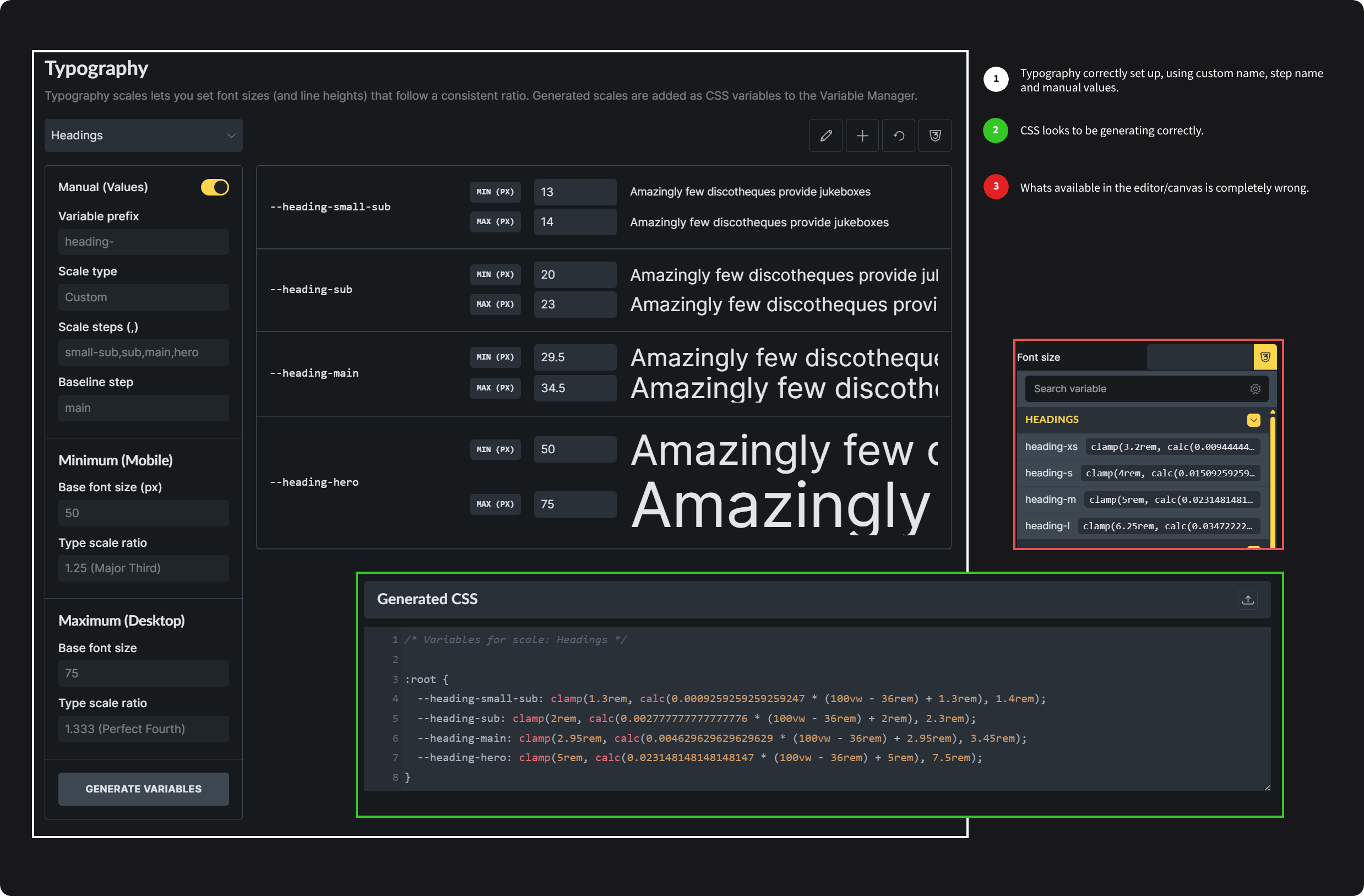


 Don’t know if it’s on your roadmap, but I’d recommend unifying all these similar theme settings to this single window. Or does this now replace it in v2.2?
 I had to set this twice and reload Bricks multiple times for this to work. First time after updating the settings, type set & saving it allowed me to use the variables in the editor, but did nothing in the front end. Restarting Bricks wiped out all settings. After re-setting everything it finally worked.
 How would I configure that? I can’t see a logical way to do it in the Theme Styles editor (it’s not ‘spacing’, nor is it an available ‘typography setting’ - only pre-defined set jumps seem to be available?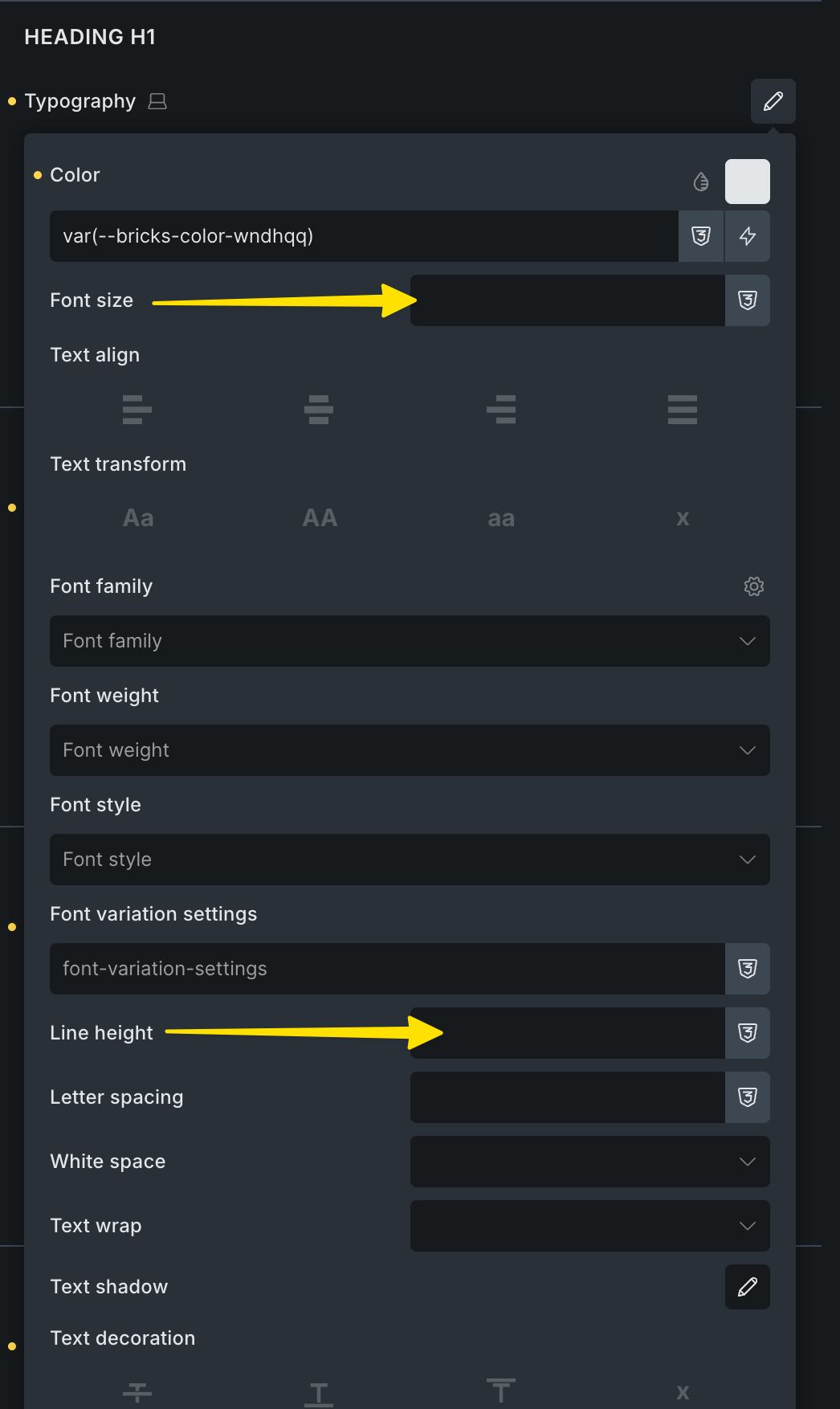
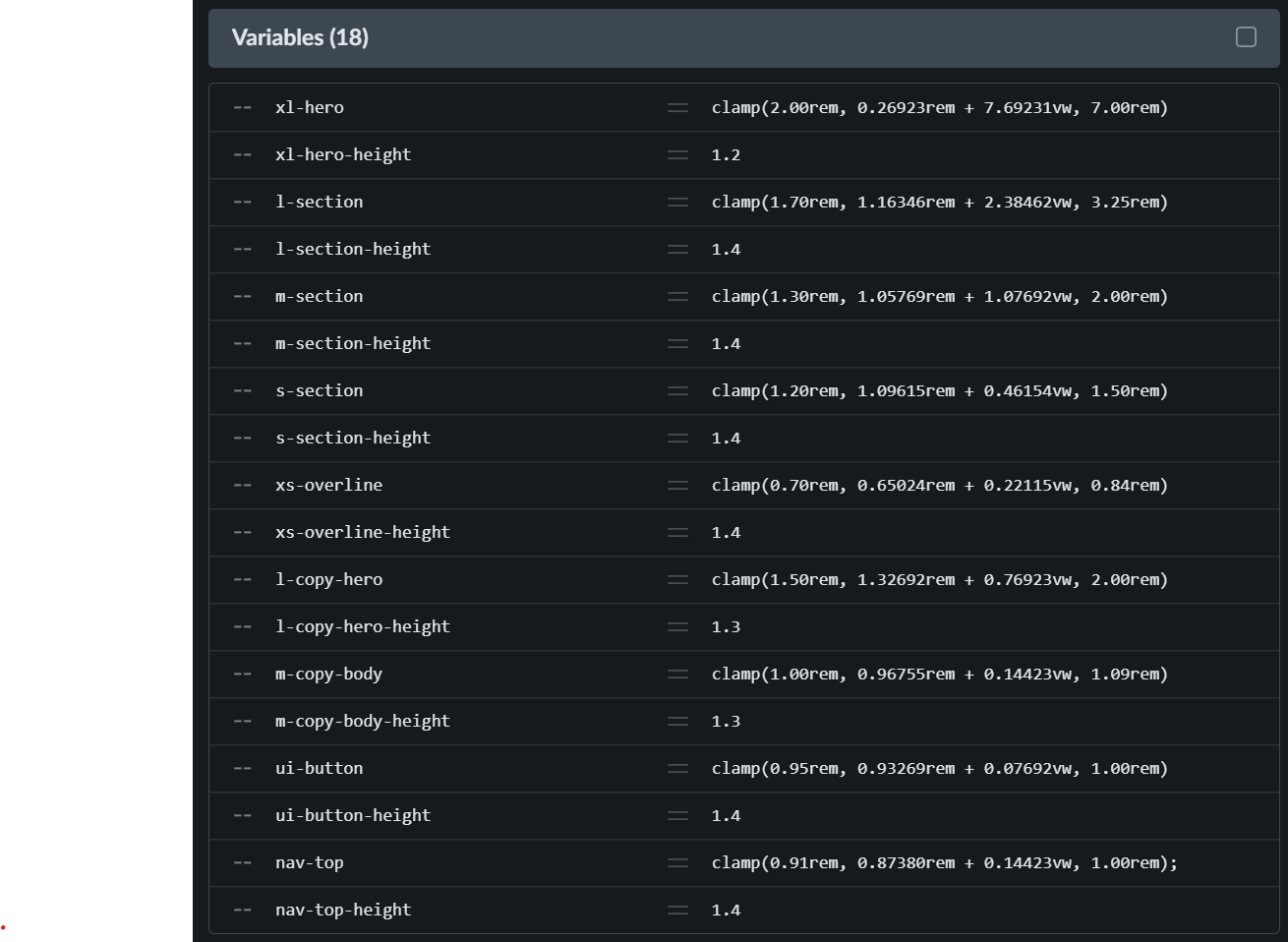
 Leaving this here for others who might be in a similar situation.