Browser: Chrome 110
OS: Windows
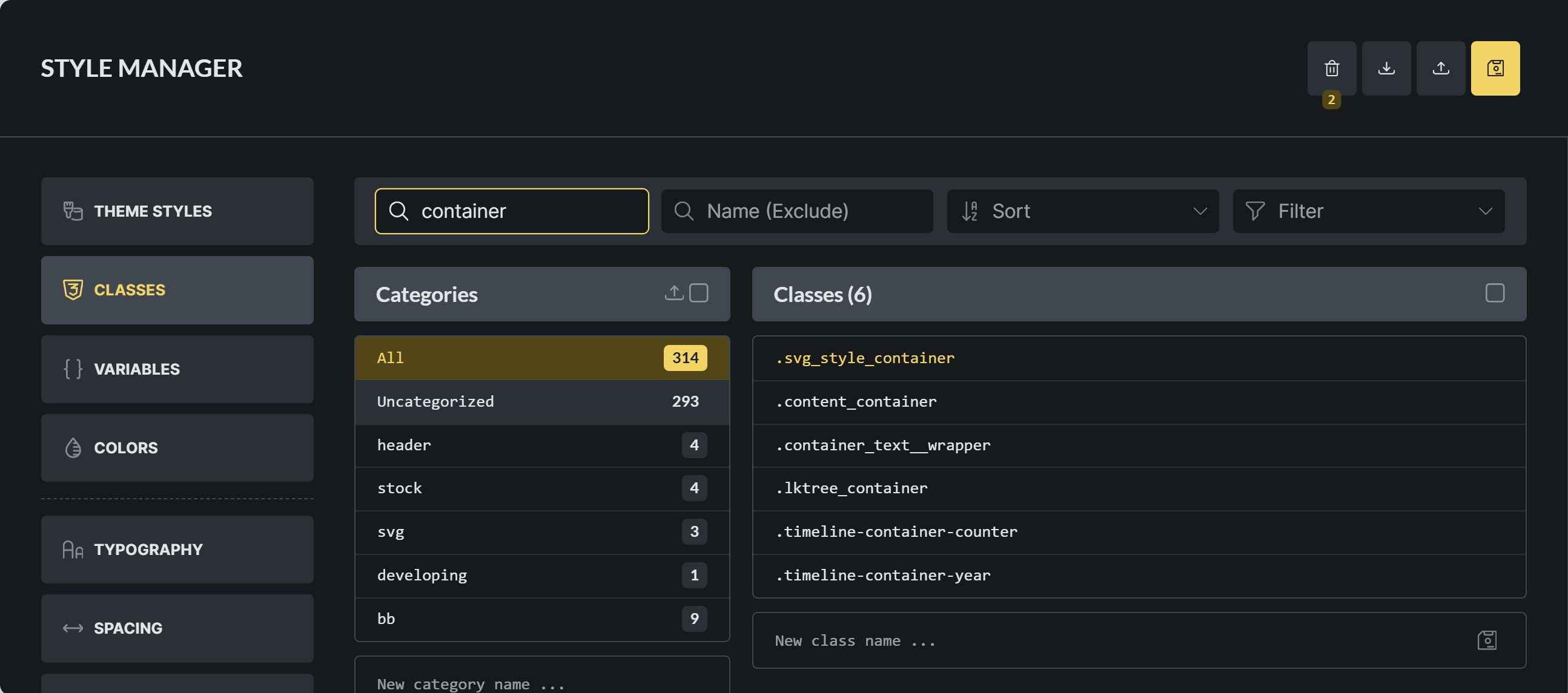
A global class I had been using heavily for months (svg_style_container) disappeared entirely from the class manager, including the trash. Its CSS survived only as a hardcoded selector inside an unrelated class, suggesting the class entry was either corrupted or silently deleted. I also noticed this happening abundantly with another class.
Steps to reproduce (suspected)
- Create a global class in the Bricks class manager (e.g. svg_style_container)
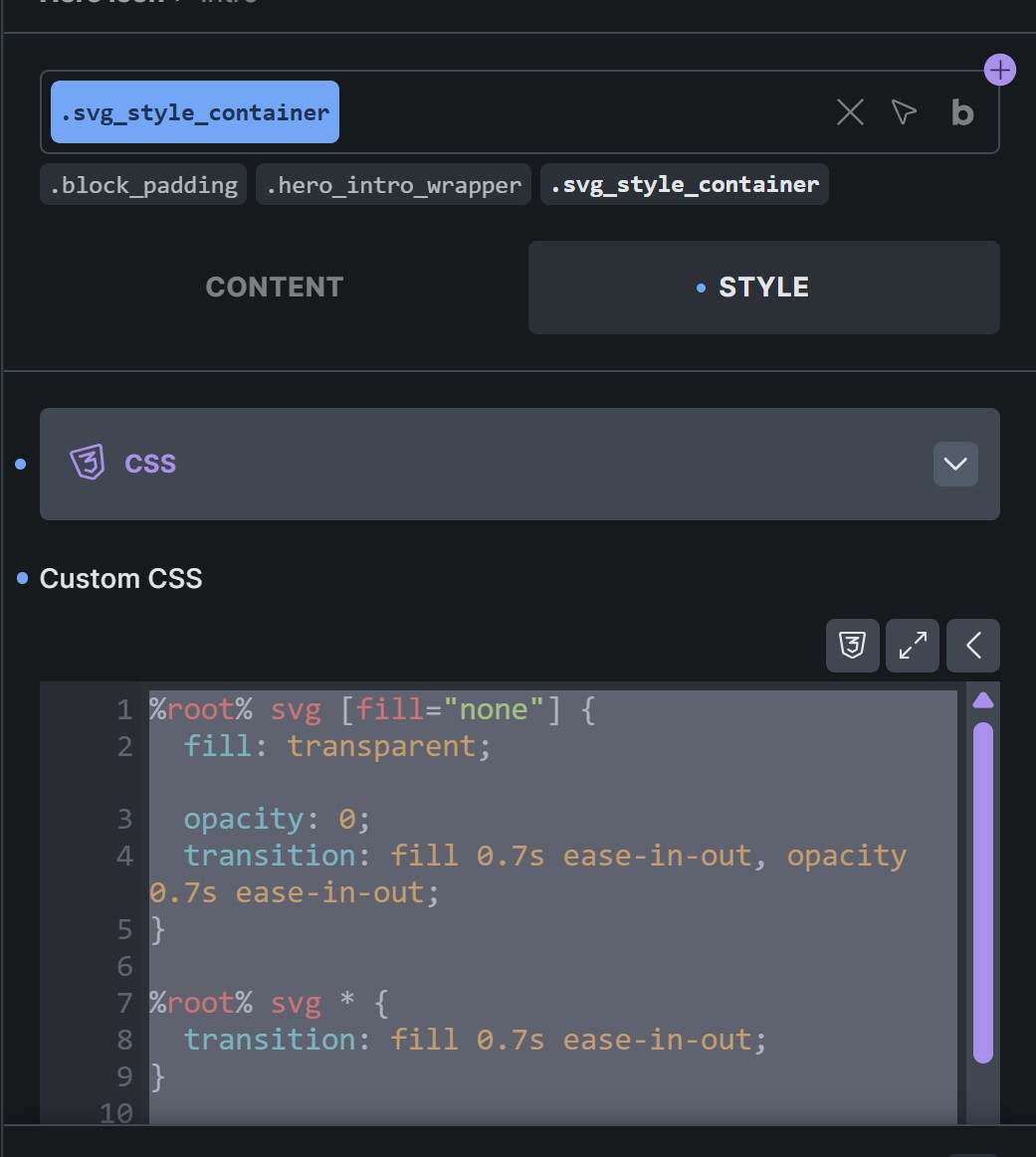
- Write custom CSS inside it using %root% as the selector:
%root% svg * { transition: fill 0.7s ease-in-out; }
%root%:hover svg * { fill: currentColor; }
- Apply the class to multiple elements across the site
- Over time (days/weeks), observe that the class stops working
- Check the class manager — the class is gone, not even in the trash
What I found in the exported JSON
When exporting all 298 classes, svg_style_container did not appear as its own class entry. It appeared only as a hardcoded CSS selector inside another class (card-wrap), where someone had previously written CSS using .svg_style_container as a literal selector (not %root%). This CSS survived because it lives inside a different class — but the original class record itself is gone from the database.
Suspected root cause — %root% resolution race condition
While editing classes, I have repeatedly observed that %root% momentarily resolves to the specific element ID (#brxe-xxxxxxx) before correcting itself to the class name. This suggests a race condition in the %root% resolver.
Hypothesis: if a save occurs during that brief window where %root% has resolved to an element ID, the CSS is compiled and stored with that ID as the selector. This would cause the class to function only for that specific element, effectively breaking global usage — and may also corrupt or orphan the class entry in the database, leading to it eventually being purged or becoming invisible.
Impact
The class was applied to dozens of elements across the site. All SVG hover animations silently broke. No error, no warning, no trace in the trash.
Environment
- Bricks Builder: 2.3.2
- Bricks Child Theme: 1.2 (active)
- Web server: LiteSpeed
- DB server: MariaDB 10.6.25
Active plugins:
ACF QuickEdit Fields, Bricks BEM Generator, FluentAuth, Google for WooCommerce, HappyFiles Pro, LiteSpeed Cache, Ifthenpay - Paywal for WooCommerce, Patchstack Security, Relevanssi, Secure Custom Fields, Simple CAPTCHA Alternative with Cloudflare Turnstile, The SEO Framework, UpdraftPlus, User Role Editor, WooCommerce, YotuWP - YouTube Gallery
Questions
- Is the %root% → #brxe-xxx flash a known issue during class editing?
- Is there any mechanism that can purge class entries that lack a
modifiedoruser_idfield in the database? - Are class records stored as a specific post type that could be affected by DB cleanup routines?
Has anyone noticed something similar?
