Browser: Safari
OS: macOS
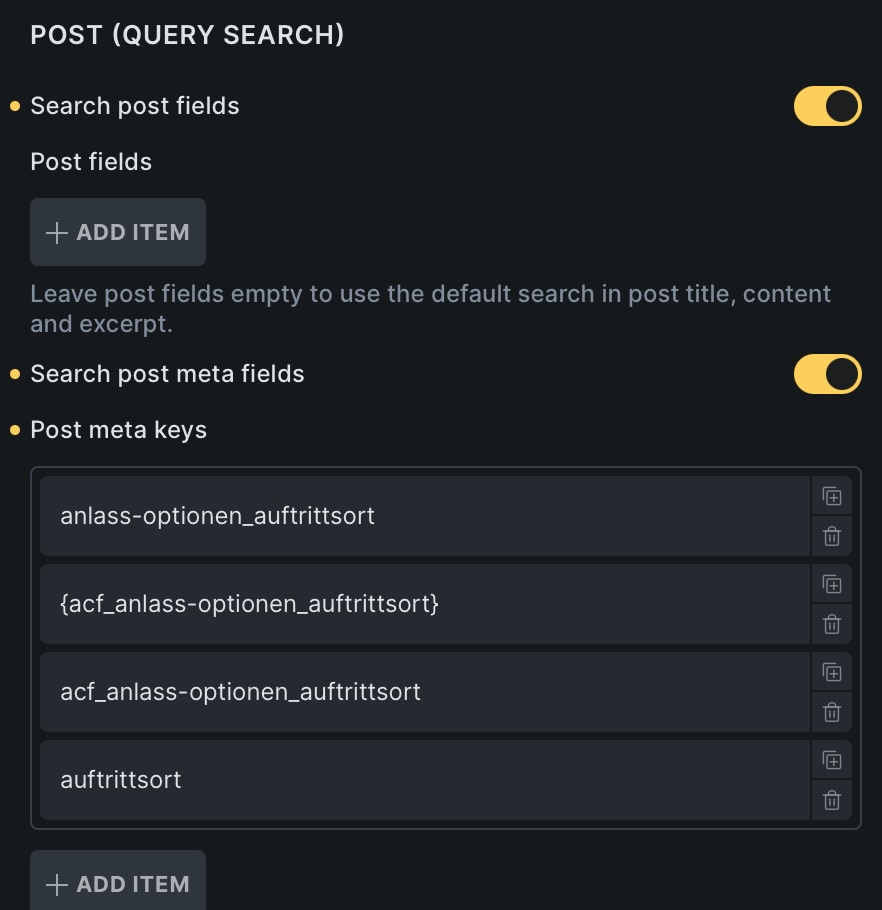
The custom search criteria does not work for ACF Fields who are placed within a Group Field.
I tried all kinds of meta keys. None worked.
Browser: Safari
OS: macOS
The custom search criteria does not work for ACF Fields who are placed within a Group Field.
I tried all kinds of meta keys. None worked.
I am using MetaBox, but the principal is the same. Try and just use the field name with the {}. So type in the field name and don’t choose it from the dynamic selector – or if you do, remove the extra values outside of the field name.
Hi @Lettratobi ,
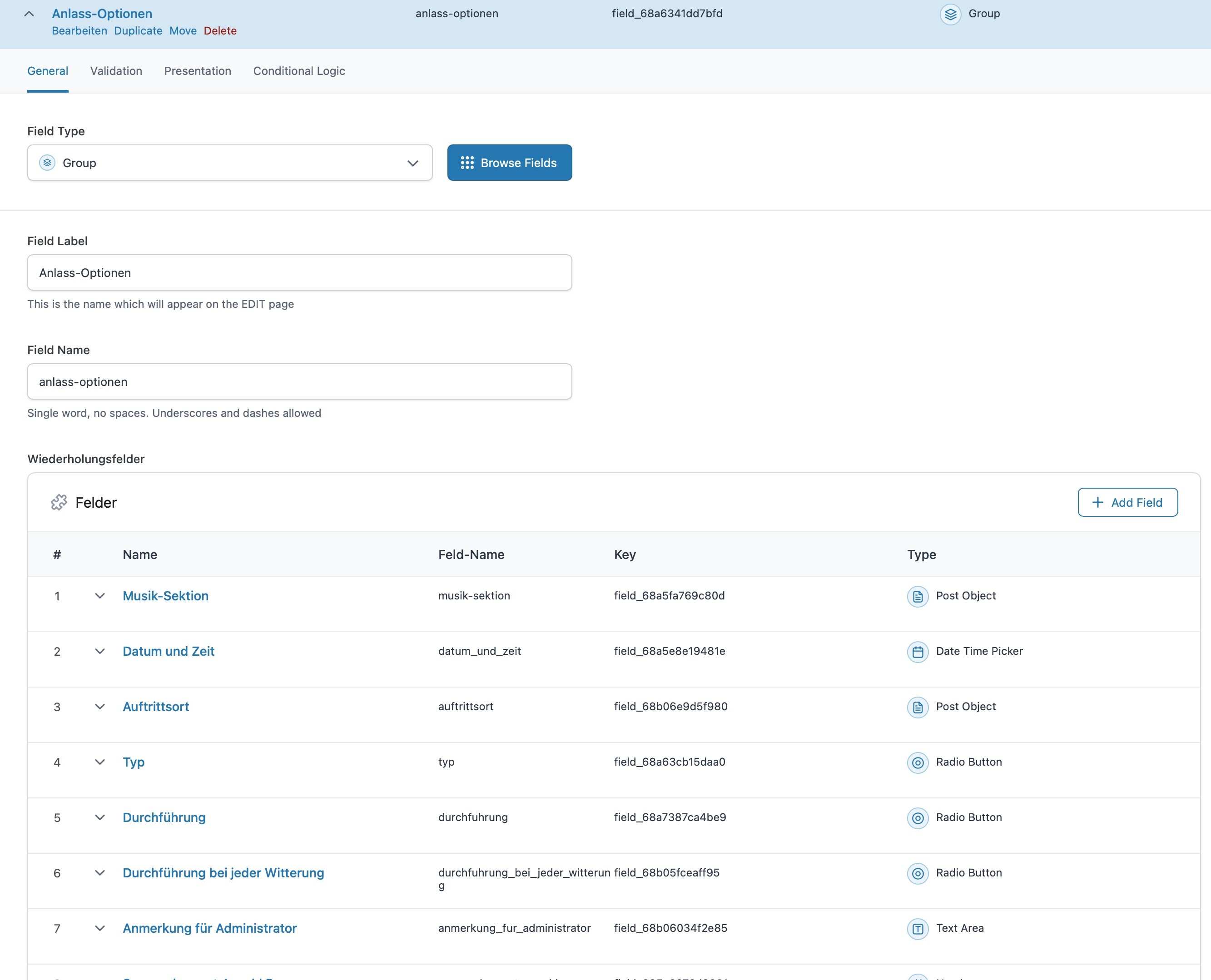
anlass-optionen_auftrittsort should be the correct post key.
Based on your screenshot, the auftrittsort field is a Post object field
Unfortunately, the Post meta search criteria purely try to get the value stored in the field.
I remember ACF just saves the post ID as the value in the auftrittsort. Are you searching for the IDs on the Search field?
Regards,
Jenn
Hey guys,
@itchycode I am bumping a relevant thread instead of emailing about this topic 
I had no luck using subfields (ACF meta fields) with Custom Search Criteria today. They were fields in groups, or more nested like group > repeater, group > flexible content block.
I could get results on input to work from my results page using the post meta key format Jenn confirmed: [acf_group]_[acf_fieldname] – no { } brackets, no ‘acf_’ prepend.
BUT when passing URL parameters from another page to generate the results, they would not return correctly based on custom post meta. I think having ‘Search post fields’ enabled caused this issue.
My solution for now is a Gemini-written function that looks through all ACF fields/sub-fields and compiles post_title with any text or numeric strings into one single ‘search_index_data’ custom field (textarea).
Then I can use search_index_data meta key correctly in Custom Search Criteria, and disable ‘Search post fields’ entirely.
It means I cannot set weights within Custom Search Criteria, but it is a workaround.