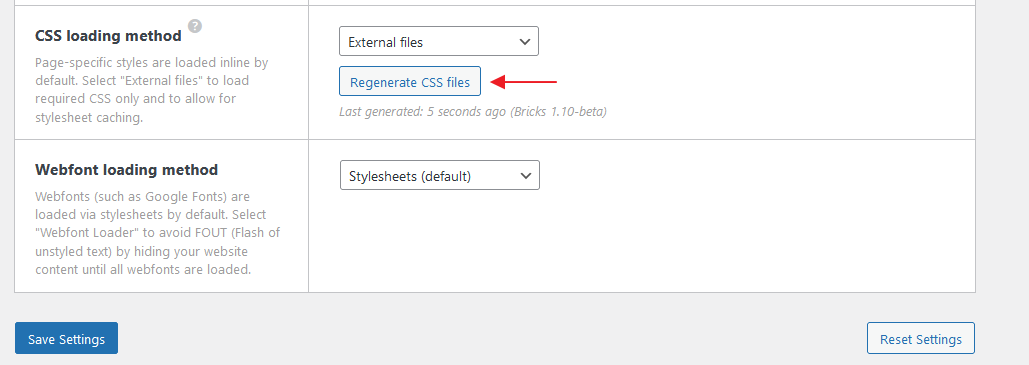
css loading method change to External Files,
page broken.
original page

broken page
yes, i do that.
But it seems have some problem, It stops at 79th css file, then stop updating
Then it should be some syntax error or PHP error on that post.
Try accessing that post via a link like this
https://xxxxxxx/wp-admin/post.php?post=79&action=edit
Then edit it with Bricks and investigate.
that page have not any other code.
The difference from other pages is that page remover header and footer
Hey @timchen,
Can you provide a live link? It’s most likely some invalid CSS causing the following CSS to break.
Switch to inline styles and see if the issue persists. If so, please leave the styles as inline, as it’s easier to find the culprit.
If you continue to use external files and the generation of the styles stops at 79, the invalid CSS will probably be included in the following post/page.