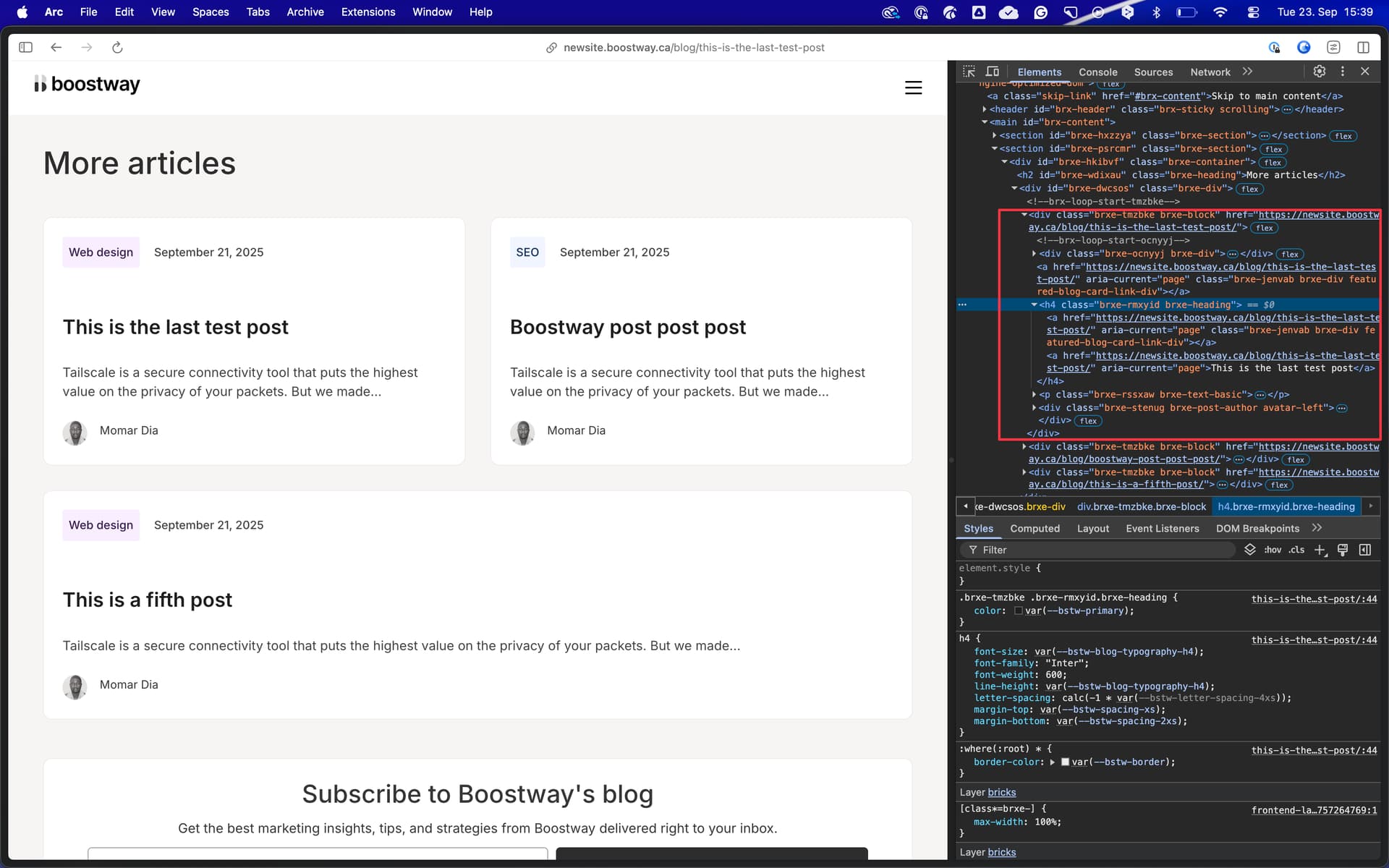
Hi,
I’m building a blog page template. At the bottom, I want a Featured Posts section. I created this using a Query Loop to display post cards.
Inside each card, there’s a “Read more” button. That button should link to the post being displayed in the card.
Problem:
If I insert {post_url} in a text field inside the card, it shows the correct dynamic URL for each post in each card.
But if I use {post_url} in the Link → URL field of an element (e.g., the button), it doesn’t work correctly. Instead of showing the loop item’s URL, it outputs the current page URL (the current blog page itself).
Hi @Ferry, the button is inside the query. It looks like there’s a context conflict when using {post_url} in the Link to field.
The issue only arises on singular pages, not on archive pages. For example: after building your blog page template, try adding a “More Articles” section that pulls in other blog posts and displays them. Then, link each article card to its corresponding article page using {post_url}; you’ll see that it keeps looping back to the same page instead of going to the correct post.
Thanks for the video! However, you somehow muted your mic after 15 seconds making it pretty hard following the rest (almost 5 minutes) of the video
Anyway, as far as I can see from the HTML, you run into the classic “link in a link” issue (which is not valid). Remove the link on the card itself, and it should work as expected:
Hi @timmse, sorry about the first video—I hadn’t noticed my mic was muted.
The “links inside links” you saw were just me experimenting with workarounds. I’ve since removed all links from the card except for the one in the <h4>, and I even changed the <a> around the <h4> to a <div>. The issue still persists.
Under the Link to field, it keeps showing an incorrect link. If you replace {post_url} with any other tag like {post_id}, it still pulls the ID of the actual page instead of the current post card being displayed by the loop. It seems like there’s a context issue when using dynamic data with the Link to field.
I was still able to find a workaround by adding an href attribute with {post_url}. But if I use the Link to field directly, the context change and return the link to the current page.