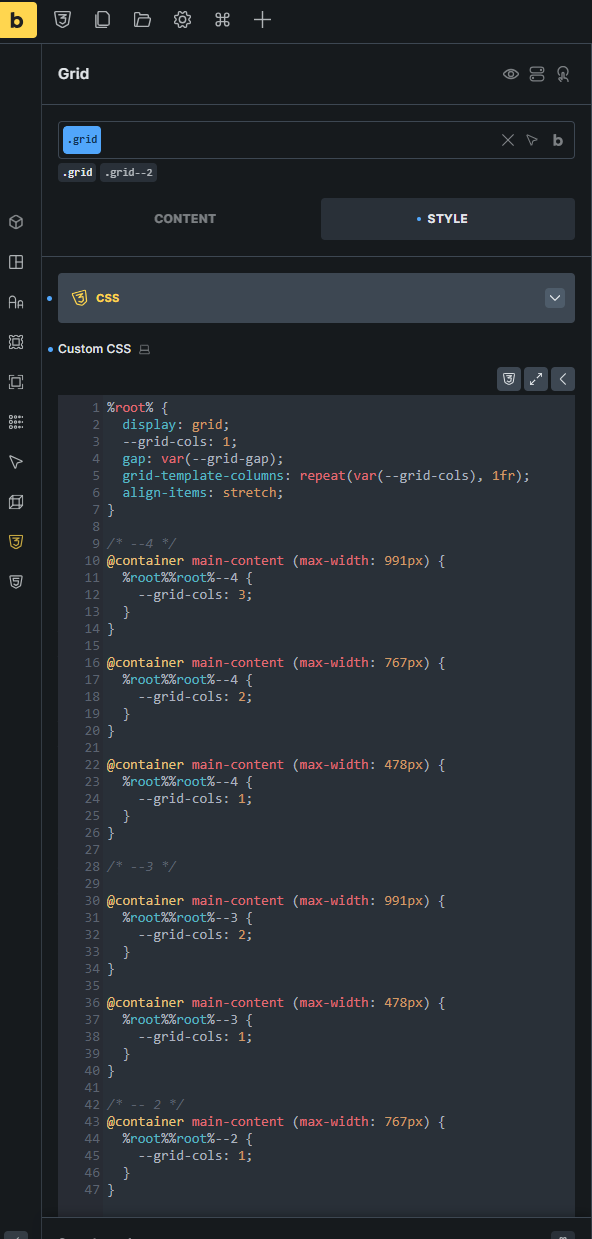
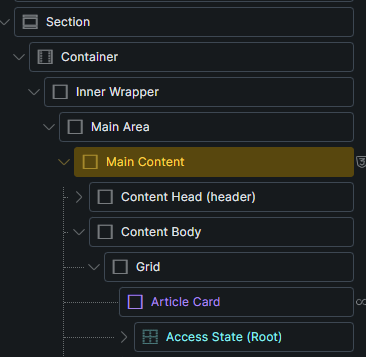
I work with the following styling code:
I can’t say for sure what the reason is, but as soon as I work with Bricks in this way, the display in the Builder no longer works properly. I suspect it has to do with how Bricks interprets the CSS code.
.main-content {
  container-type: inline-size;
  container-name: main-content;
}

.grid {
  display: grid;
  --grid-cols: 1;
  gap: var(--grid-gap);
  grid-template-columns: repeat(var(--grid-cols), 1fr);
  align-items: stretch;
}

.grid--2 {
  --grid-cols: 2;
}

@container main-content (max-width: 767px) {
  .grid.grid--2 {
    --grid-cols: 1;
  }
}
Here is an excerpt of the styles in Bricks Builder.
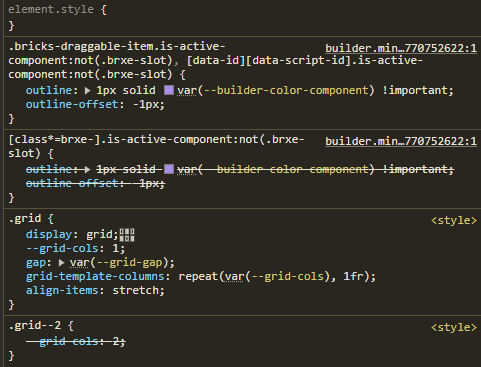
When I chain the classes, it works. But then the media queries no longer work.
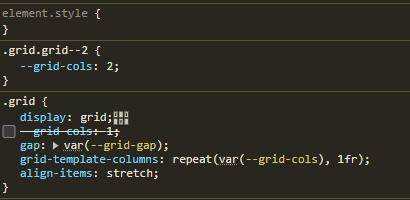
I’m not sure if it’s a Bricks Builder problem or a problem that I’m not chaining the CSS classes.