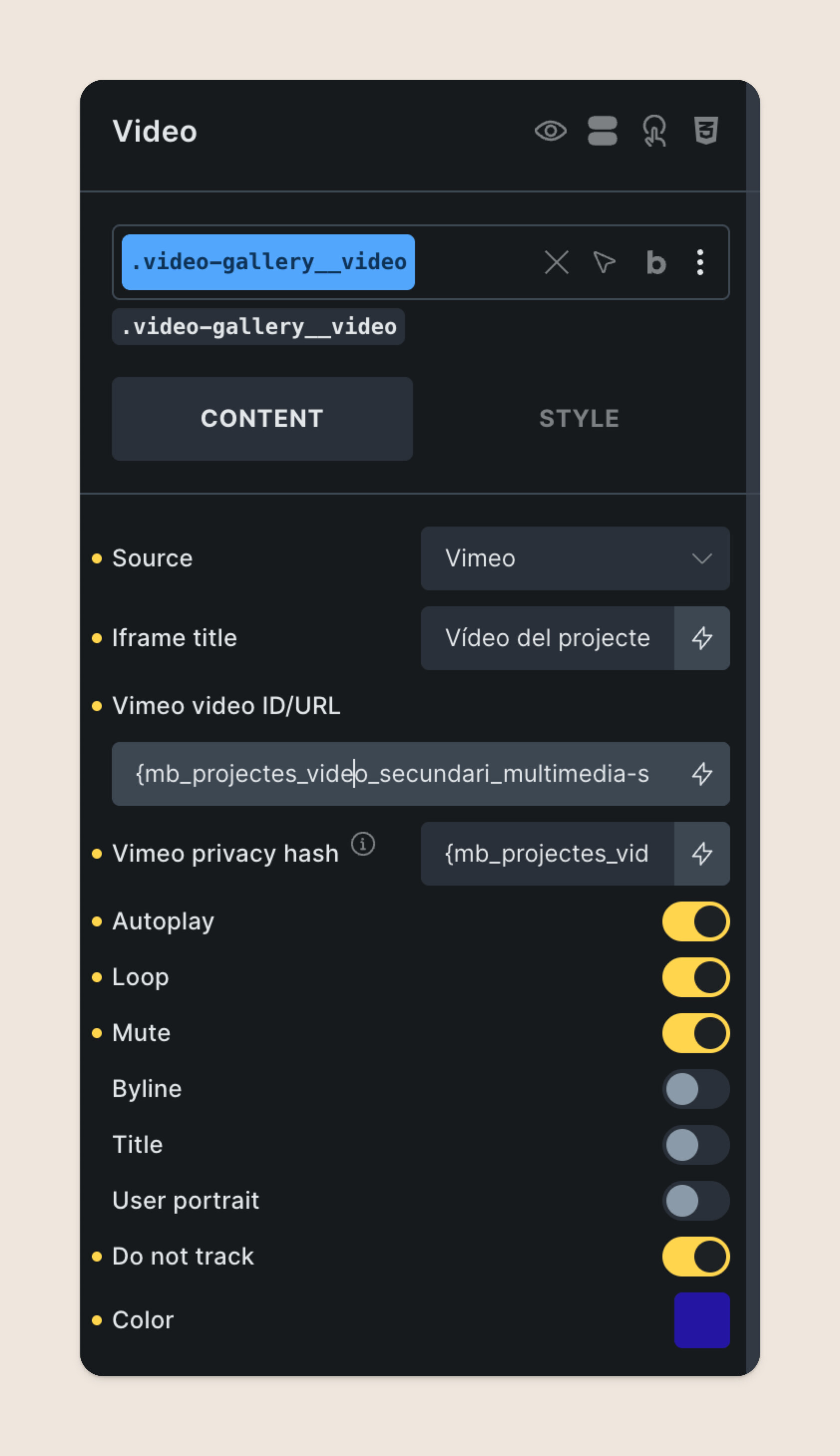
I am using Vimeo to display videos on a portfolio website I am working on. The videos are just for decoration, and I am displaying them in autoplay, loop and muted.
However, Vimeo keeps adding their controls and an annoying “Click to unmute” button on top.
I have just discovered that when adding “background=1” on the Vimeo URLtu all my problems are solved! But with Bricks video etulement, I don’t have access to the URL parameters. I am using a custom meta field to store the video URL:
Adding &unmute_button=0 into the ‘Vimeo privacy hash’ field worked for me.
If you don’t want the pause button, &background=1 works there too.
Seems that Bricks overrides all URL params in the URL field but not in the privacy hash field.
Would be good if Bricks could include controls for those two parameters, and/or only remove/replace the relevant parameters for the controls that it has.