I am struggling with Bricks’s implementation of Mega Menus, something we need to use a lot of because of site depth and breadth. We utilize the WordPress-based menu system, as it is universal and generally plugs into almost anything we have used in the past. But, we are having a hard time integrating the Menu functionality with the mega-menu switch. We can get nested to work, but not the mega-menu full-width ability to kick-in. Do yo have a good resource that we can verify our approach with? I have looked at the Nav video in the Academy, but cannot get it to duplicate what I was trying to do.
Do you have an example (i.e. website, image) of what you would like to achieve?
This biggest request is for the mega-menu to just work. I tried a whole bunch of different attempts to get it to work (actually display as a mega-menu), but it would not. While the example is from the old site which we are rebuilding, this is similar to the structure, but on the back-end and front-end.
The live site for the menus is: https://orangecityiowa.com/


So you can do this easily, but it does take a few steps.
Here is a little video explaining the steps. Let me know if you have any questions.
Video: https://drive.google.com/file/d/1zdHNJb0bW2zu9o5sn600y7brG2DcGqrx/view?usp=sharing
1 Like
Thank you for the time to make the video, but I am really struggling to understand not how, but why.
I looked at this, and then came back to it, because honestly, why would I want to make it infinitely more complicated by having separate menus for every single section? Especially when we were able to achieve the same functionality in a single menu that updating and management is done in one place? The whole point of having nested items is so that you can have more complex structures, but this is like going back and removing the benefits of comprehensive menu design.
So, what I did not mention in the previous comment is that everything you saw in those screenshots made the mega-menu I showed you both in screenshot and in the link happen. It is hard to understand why tearing all of that apart because Bricks does not know how to handle. nested menus.
Here is another example of a much more elaborate mega-menu that is just using the WordPress menus and the Enfold theme. That is a single menu with all of the columns, rows and elements. And, Enfold is certainly not new with all of the bells and whistles of Bricks 2.x.
Aside from the above, the challenge that was stopping me up is that I cannot even get it to engage the Mega-Menu on the top-level. I have it selected, but it will not do the full-width menu below. Mega Menu is selected, but it remains locked into the fly-out style drop-downs.


So I read your other comment and if you don’t like the multiple menu option, that is fine. You can also use the nestable menu element and build it out that way.
You can also by-pass the menu system completely and use a custom post type for your menu items and then query through them. You can still use the parent/child structure as well.
As for the last question, you almost there, just one last check in the Menus section.

Can you please re-post this? It seems to have disappeared.
Thank you.
Sorry, this was a month old, so I tend to clear out my drive from time to time to manage space.
What is it that you are needing to know?
We are still struggling with the approach to building Mega Menus in Bricks. What we used to be able to do in Enfold in 30-60 minutes and have it be completely dynamic to the WordPress menu system is now appearing to be this complete ground-up manual building process in Bricks. Enfold had this really simple way of selecting rows and columns within the WP Menu editor, and it made it really fast, but also really consistent and reliable to have all menus and links in one singular place. This is especially powerful when using all sorts of different content types.
I don’t want to have to roll a separate CPT to do what WordPress already does in menus. I don’t want to have to build a completely menu-item by menu-item mega menu with the nestable menu. Why is it so hard to just use a full menu out of WordPress, like I showed in the screenshots to create a mega-menu? I get the complexity argument necessitating the nestable Nav element, but wondering if there would be any consideration to allowing for deeper WordPress-based menus?
Reasoning: We really want to believe in Bricks and we have gotten almost everything else working, but the way menus are done just makes me wonder if anyone has to deal with deep and broad sites like Cities have to. By the time it is done we have to account for more than a hundred links. And, while we wish that was not the case, it is how cities mandate we do navigation.
Back to what I have tried…
I have tried the non-nestable version of the Nav Menu element, and am able to select an existing menu. Problem is that no matter what I try, if I select Mega-Menu, I do not get a full-width element. Unless, I select the template in the WordPress menu editor, in which case, I then get the entire header repeating on itself.
I have tried the nestable version of the Nav Manu. Not wanting to completely make menus link by link manually (that do not update), I tried inserting a non-nestable Nav element within the dropdown content element. Problem is that it will not show send or third level entries. Clicking on the arrow force navigates the user to the landing page and still unable to get to the second and third level of menu items.
Menus like below were all done within the existing Menuing structure of WP and Enfold. What I don’t understand is why something infinitely more capable of everything like Bricks makes this so much harder.

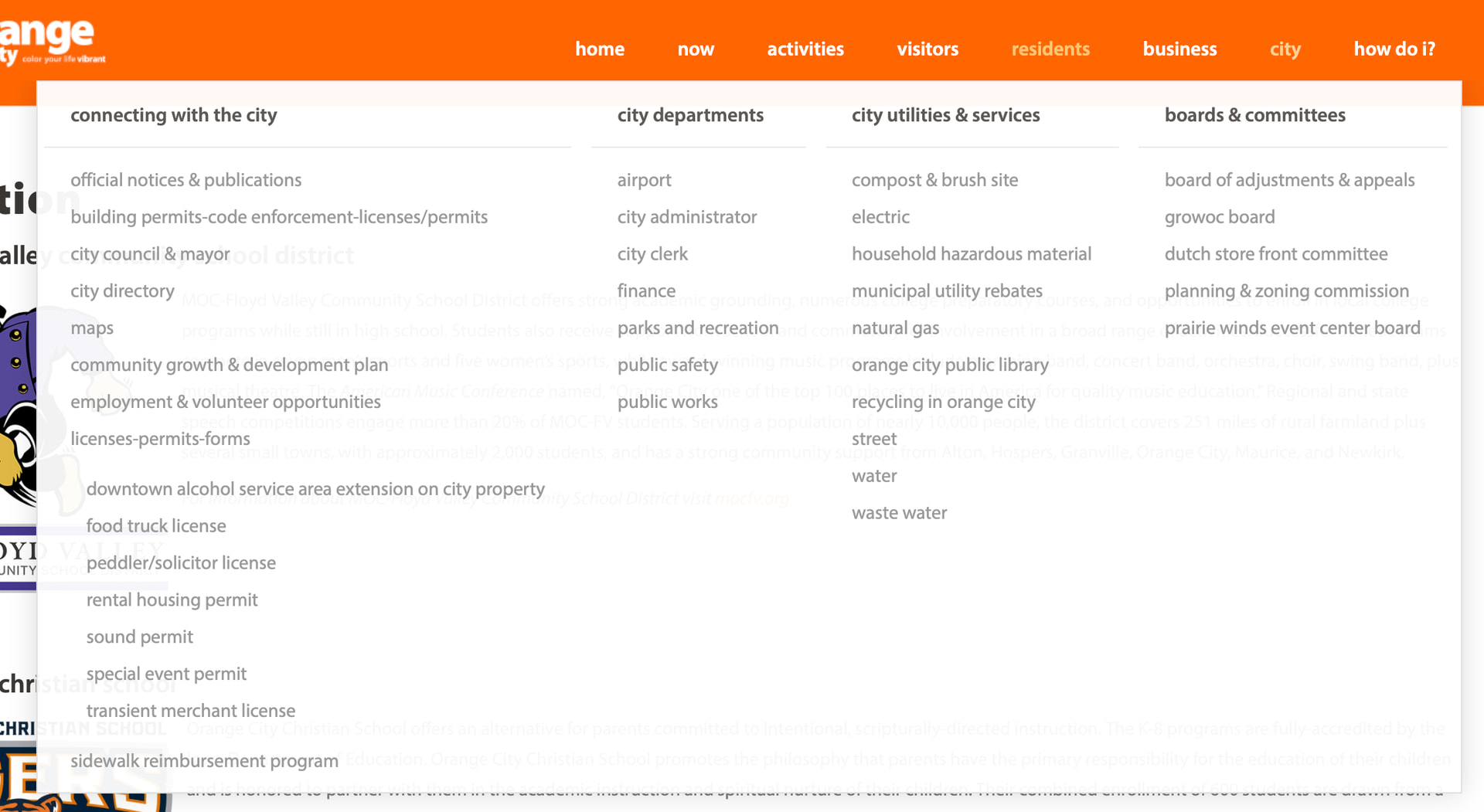
My questions:
- Was Bricks designed (I don’t mean is able to operate with, but in its 20,000ft view of how it thinks menus should be made and managed) to use or negate the built-in WordPress menu system? Neither answer is wrong, but helps us to understand what perspective to look from.
- If it was designed to essentially roll-its-own menuing system, was there an intended way to manage links, beyond just having to edit the main template on a one-off basis, versus having a menu system that can be called in the various other places it might be needed without it forking.
- Is there an easy way to get the non-nestable menu to show cascading elemtns without hover or click? That is about the only way I can see being able to use nestable with an interior nested menu that draws from the WP menu system. All of the content options disappear when a non-nestable menu item is placed within a nestable Nav Element. (See screenshots at bottom)
Again, sorry if I am making for any frustration. We made the plunge into Bricks for a major site, and while it looked like most of the existing functionality we used was covered, there are just some differences that are proving much more challenging than we ever anticipated, and at the moment, it is severely holding up development and launch. Maybe I just have to find a way to shift my thinking in about you are approaching menus in Bricks, but when one has had such an elegant and powerful system in the past, it is hard to switch up to something that seems far less organized, but albeit potentially a lot more powerful). Again, the capabilities are incredible under Bricks, but this part just does not seem to fall into place in our current environment.
Other header template issues that have more difficult than realized:
- While we were able to get Sticky header (nav element) to stick, there are two other areas, an upper-socket and an alert bar that when scrolled, those should disappear, but the whole scrolling is really, really jerky.
- The same sticky header does not account for anchored links, in that the content ends up not being offset by the sticky header and placed behind the header. Is there a simple solution for this?
- Non-header menu (sidebar), we were able to find an example of a sliding sidebar that we have been able to integrate to the site, but since it looks a little holder and Bricks is trying to roll lots of functionality inside of itself, is there a way within Bricks to achieve this, without resorting to putting javascript in the footer of each page? If not, no big deal, but thought we would ask.
Again, thank you for your patience. I am really trying to get where you are on this. We know Bricks is the way we want to go moving forward, but I also have to get this current site live, and I swear the navigation is going to be my undoing at the moment!
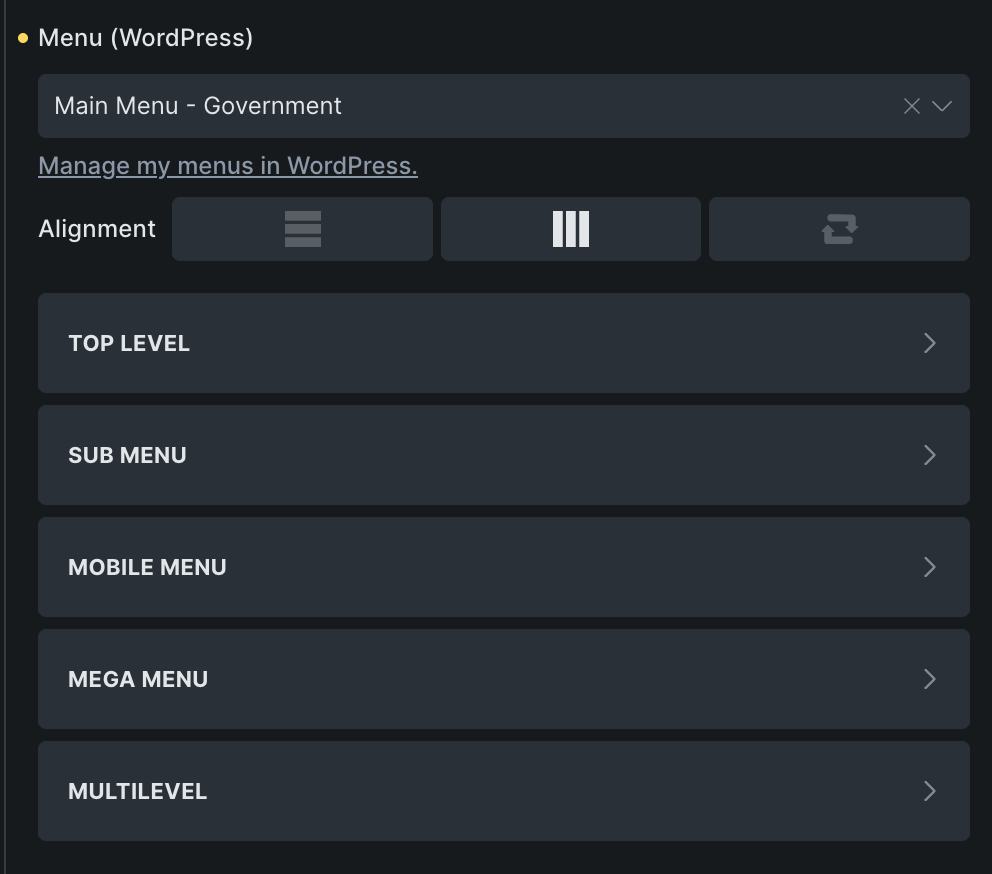
Isolated Menu element:
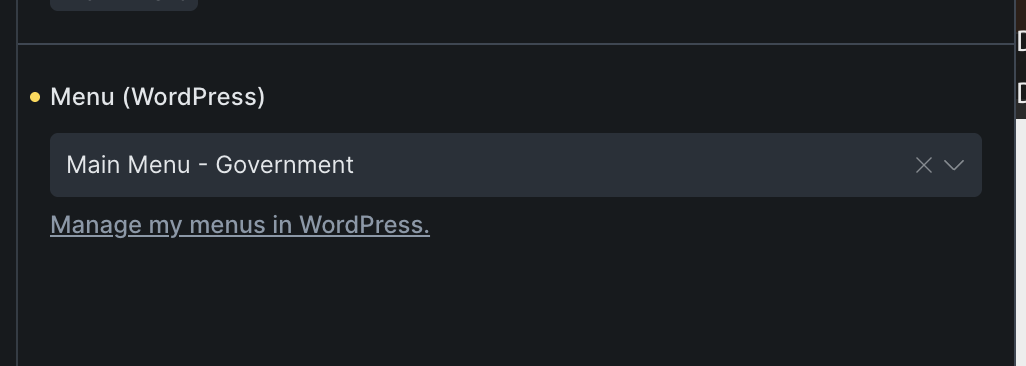
Within Nestable Menu element:
ps: I tried to keep the question numbers, but markup keeps rewriting them back to two lists of 3. Sorry about that.
@charaf @itchycode It would be helpful if you worked with the bricks team directly, which is why I tagged a few. They may not look at a post with the “How To” tag, as the community helps out with these (as @shingen has been doing). However, your long post (which I only scanned) may be best served by including bricks developers.
Thank you. I thought this was the preferred way we were supposed to get help.
Mega Menus in Bricks are not hard to do, quite easy in fact and you have full control to build what you want. I gave my two cents and that didn’t seem to help, so there is not much else I can do, as I am really unsure of what is needed.
@shingen Tried very hard to help, and it was greatly appreciated. I don’t know why this area has got us so challenged. We have done almost everything else without issue, but just this area seems to keep us grounded. Thank you, @shingen for your efforts to help and patience while doing so.
1 Like
You’re welcome. Sorry I was not able to find the solution, hope you can find what will work for you.
1 Like