HOSEIN
July 28, 2025, 8:09pm
1
Browser : Chrome 138.0.7204.169OS : Windows
Hi,
In the continuation of this report …
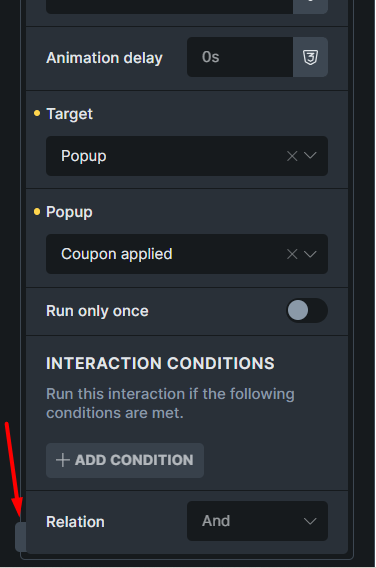
1- If the Quick access bar is closed in the Interaction panel, the button to open it will be located under Interaction settings.
2- In the pop up settings, if the interaction is open, some sections will be placed under the interactions as you can see in the video below.
Matej
July 29, 2025, 9:40am
2
Hi @HOSEIN ,
Thank you for your report.
As for the #1 , I don’t think it’s really a bug. The interaction popup is just above it, do you agree? It’s a popup, so it should be above - just like it is now. I think it would be weird if that icon were on top all the time?
As for the #2 , I can repliate it and I’ll record it in our bug tracker, because it would make sense that popup would go above the interactions.
Thank you,
1 Like
HOSEIN
July 29, 2025, 12:03pm
3
Hi Matej,
Matej:
As for the #1 , I don’t think it’s really a bug. The interaction popup is just above it, do you agree? It’s a popup, so it should be above - just like it is now. I think it would be weird if that icon were on top all the time?
Yes, you are right. Thank you
1 Like
timmse
October 9, 2025, 7:38am
4
We fixed this issue in Bricks 2.1, now available as a one-click update in your WordPress Dashboard.
Please take your time to read the changelog entry before updating: Bricks 2.1 Changelog – Bricks + Bricks 2.1-beta Changelog – Bricks
1 Like