My bricks page templates have the body background set to black. When I updated to 2.4 and tried to edit pages with Gutenberg the background of the editing frame became black as well. Rolling back to 2.3.13 fixed the issue.
I should note I’m using Bricks is on a Wordpress Multisite installation.. There are other editing issues as well, the hook for using editor styles does not work with Gutenberg posts, but it does with Classic editor. This issue predates 2.4
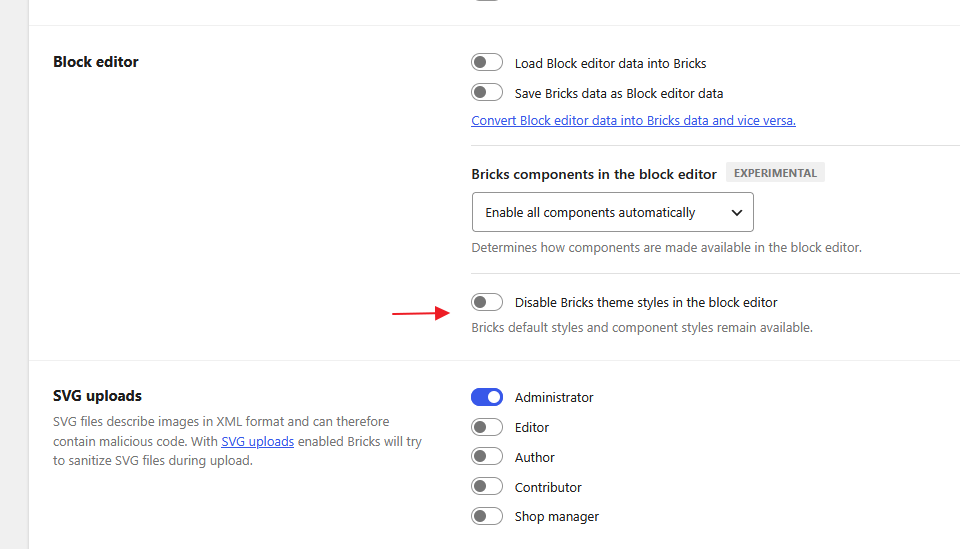
In Bricks 2.4, active Bricks Theme Styles are loaded in the Block editor by default, which is why the template body background appears in the editor canvas.
Go to Bricks > Settings and, under Block editor, enable “Disable Bricks theme styles in the block editor.” Bricks default and component styles remain available.
For the separate editor-styles hook issue, please send the exact hook name, the minimal code using it, and the expected versus actual result in Gutenberg so we can investigate that independently.