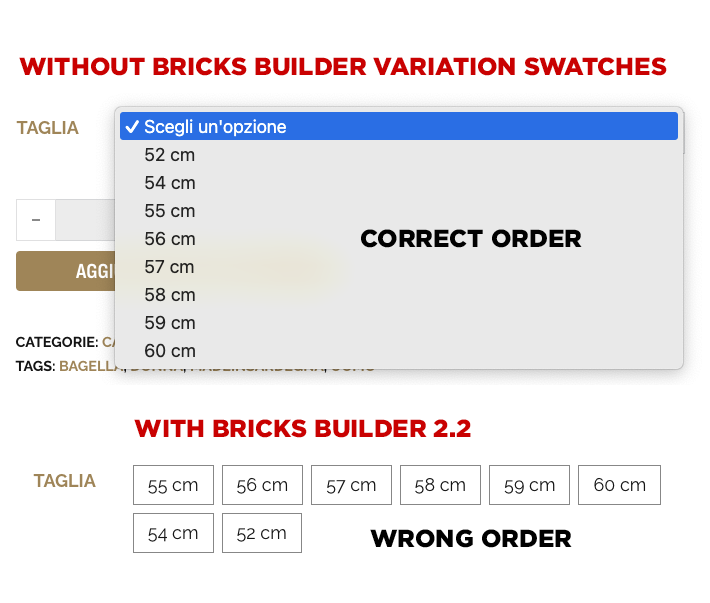
If I use Variation Swatches the “Labels” are in a wrong order,
I have sizes with attribute variation size from 52 to 60 cm.
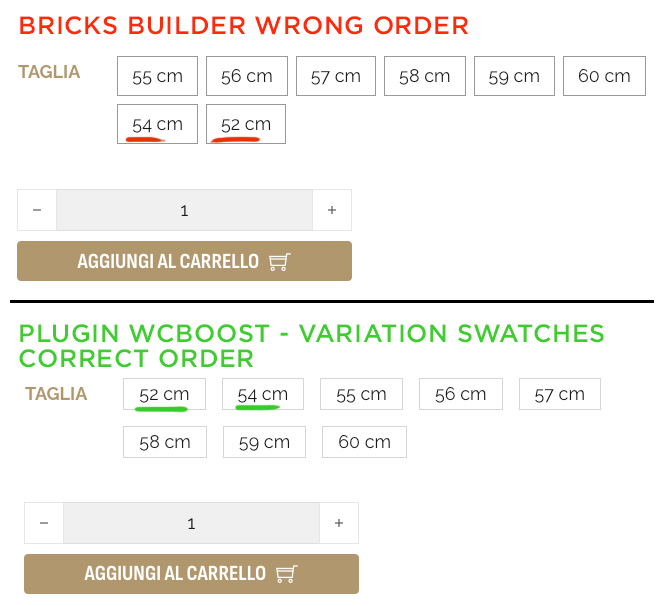
But Bricks Builder Element Add to Cart Variation Swatches show the Buttons (label) in the wrong order the latest sizes added in the product are in the bottom of the list
[0] => 55-cm
[1] => 56-cm
[2] => 57-cm
[3] => 58-cm
[4] => 59-cm
[5] => 60-cm [6] => 54-cm [7] => 52-cm
If I use the old plugin for swatches " WCBoost - Variation Swatches" the order are ok. 52-cm 54-cm
55-cm
56-cm
57-cm
58-cm
59-cm
60-cm
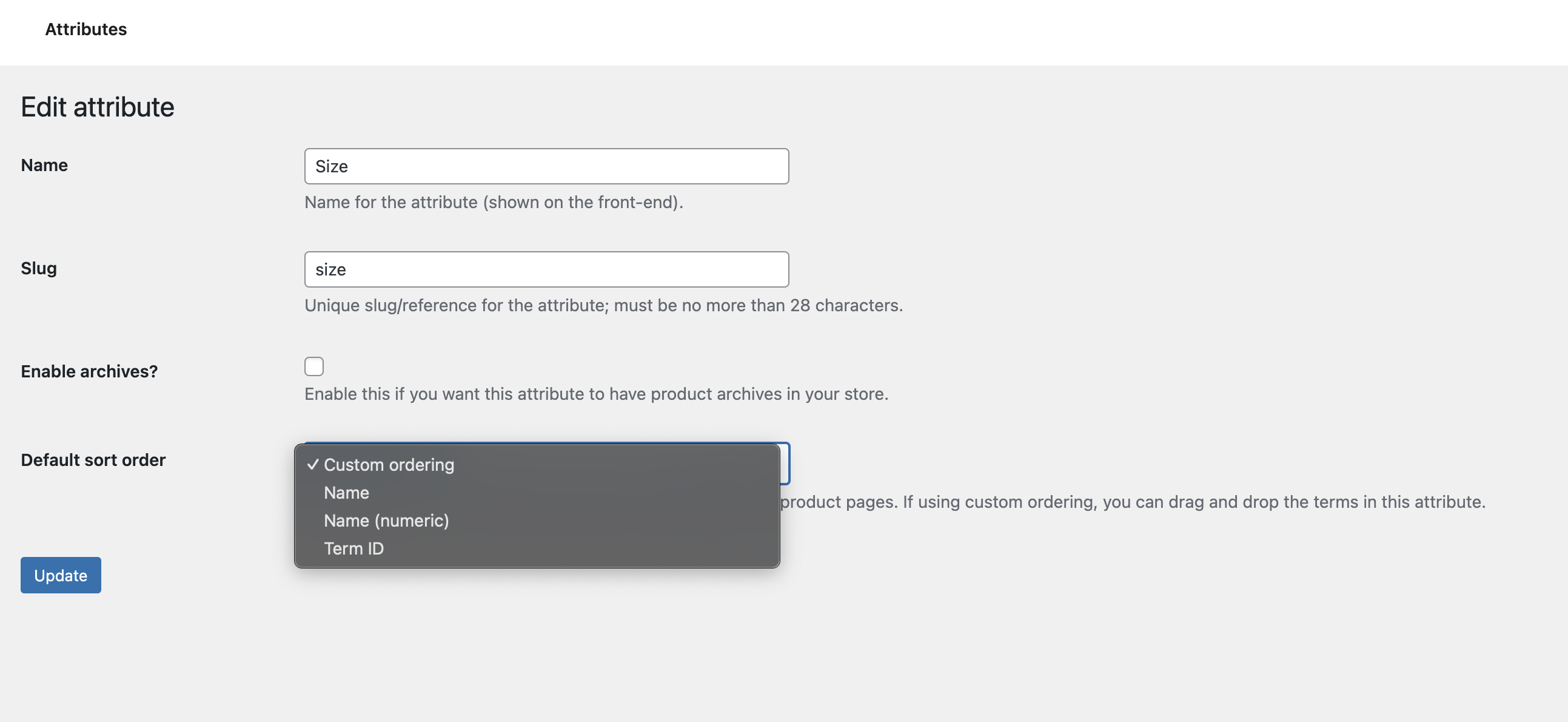
Looks like the plugin is ordering by “name” before adding it to the page. $attribute_orderby = ! empty( $taxonomy->attribute_orderby ) ? $taxonomy->attribute_orderby : 'name';
But Bricks Builder element is not ordering it showing the latest added to the product in the bottom position and this is not right.
Same problem. From my research it seems that Bricks label swatches prioritize variant IDs, so newly added variations are at the end of the list, even if the attribute order is manual.
Looking at the code of the element and with help from AI I am able to sort (Label, in my case).
I added a line in the theme folder:
includes/woocommerce/elements/product-add-to-cart.php
Line 1424 after the $options (Bricks Builder beta 2.1)
$options   = $args['options'];

// Insert this usort line and use the echo just to check
usort($options, function($a, $b) {    return intval($a) - intval($b);});
echo '<pre>';print_r($options);echo '</pre>';
It is working but I am not sure it affects the following code.
Maybe someone could check it as a temporary fix.
@timmse +1 same issue.
Why don’t you fix many of the bugs in the new versions? What kind of approach is this? There are lots of issues, but instead of solving them, you keep releasing new features while existing bugs are ignored and left unresolved. This mindset needs to change. Yes, new features are nice, but without addressing the existing problems, they mean nothing. Honestly, I’m really exhausted.
A glance at the changelogs clearly shows that every single version contains far more bug fixes and improvements than new features The last release was a beta version intended for testing new features—but even this beta contains far more fixes and improvements than new features.
This report was confirmed a week before release, and unfortunately the fix didn’t make it into the beta, just like others that will be fixed either in the stable version or in one of the next versions.
I honestly don’t understand why such a simple issue isn’t being fixed quickly. How long are we supposed to wait? When will the WooCommerce side finally get proper attention? Isn’t it embarrassing to leave something like this unresolved? I can fix it with 3–4 lines of code, but the entire Bricks team hasn’t been able to solve this for several releases?


 The last release was a beta version intended for testing new features—but even this beta contains far more fixes and improvements than new features.